3D Anime RPG Gameplay Screenshot
Full prompt
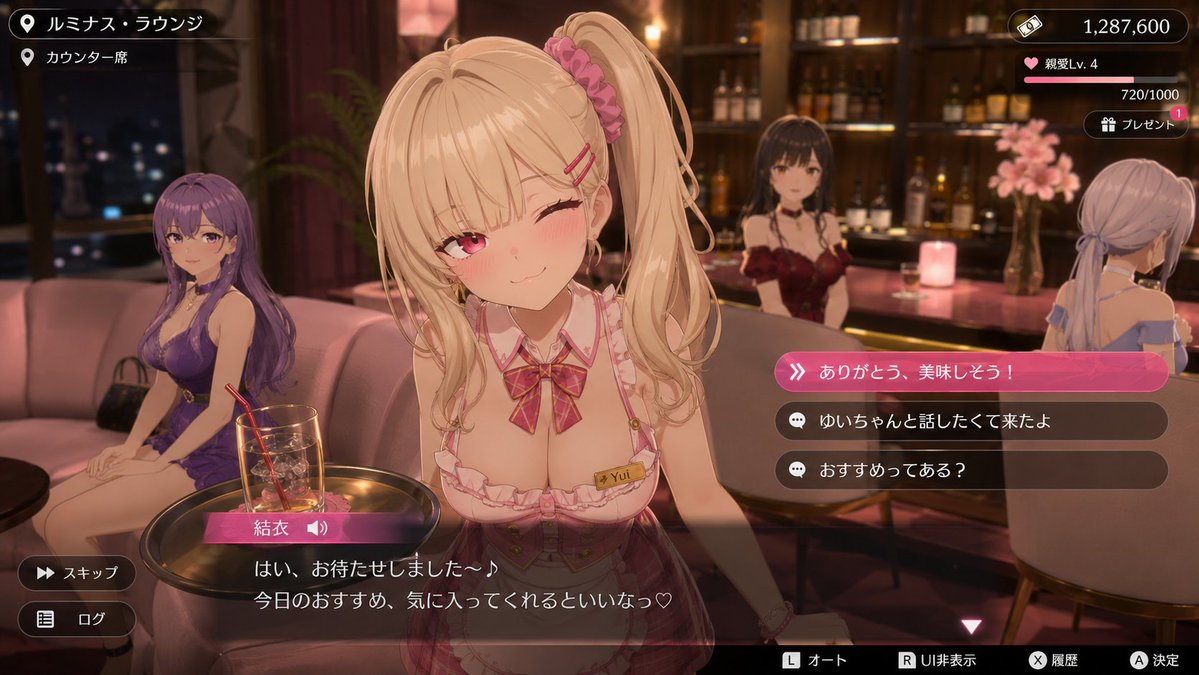
Generate an actual gameplay screenshot of a non-existent modern urban 3D anime-style open-world RPG. The setting is a {argument name="location" default="high-end lounge-style social space"} with a visible bar and sofa seating under warm lighting. A conversation event scene showing the main heroine serving with {argument name="outfit" default="cute service attire and gestures"}. Other cast members are naturally placed around to create a glamorous and calm adult atmosphere.

Characters should not be high-definition illustrations, but rather cel-shaded 3D character models similar to event scenes in recent {argument name="game style" default="bishojo 3D games"}, featuring rounded faces, simple skin shading, soft hair strands, and a clean 3D model texture with a slight plastic feel.

As a game screen, include a Japanese conversation subtitle window at the bottom, character name display, selection UI, status UI like money or affection level in the top right, and operation UI like skip/log display at the screen edges. Make the dialogue and choices feel realistic, cute, and slightly quirky. The image should look like an actual in-game screenshot rather than promotional art. Overall, emphasize a sophisticated modern 3D anime game aesthetic that is healing, heart-fluttering, and glamorous in an adult way.
Original prompt
存在しない今風の都市型3Dアニメ調オープンワールドRPGの実プレイ画面を生成して。舞台は、{argument name="場所" default="高級ラウンジ風の社交場"}。温かい照明のバーやソファ席が見える店内。メインヒロインが{argument name="衣装" default="可愛い接客衣装と仕草"}で接客している会話イベントシーン。周囲に別のキャストたちも自然に配置し、華やかで落ち着いた大人の空気感を出す。

キャラクターは高精細イラストではなく、近年の{argument name="ゲームスタイル" default="美少女3Dゲーム"}のイベントシーンのようなセルルック3Dキャラクターモデルにし、丸みのある顔、シンプルな肌陰影、柔らかい髪束、少しプラスチック感のある綺麗な3Dモデル質感にする。

ゲーム画面として、下部に日本語の会話字幕ウィンドウ、キャラ名表示、選択肢UI、右上に所持金や好感度のようなステータスUI、画面端にスキップ・ログ表示などの操作UIを入れる。セリフと選択肢はリアリティのある、可愛くてキモい感じにしてください。宣伝絵ではなく実際のゲームプレイ中スクリーンショットのような画面にする。全体として、洗練された今風の3Dアニメ調ゲームらしい、癒やし・ときめき・少し大人っぽい華やかさを重視する。
Use this prompt in the VdoBloom image editor.
Opens the image editor with this prompt — add your own photo to generate.