Six-Panel AI Jewelry Portrait Comparison
Full prompt
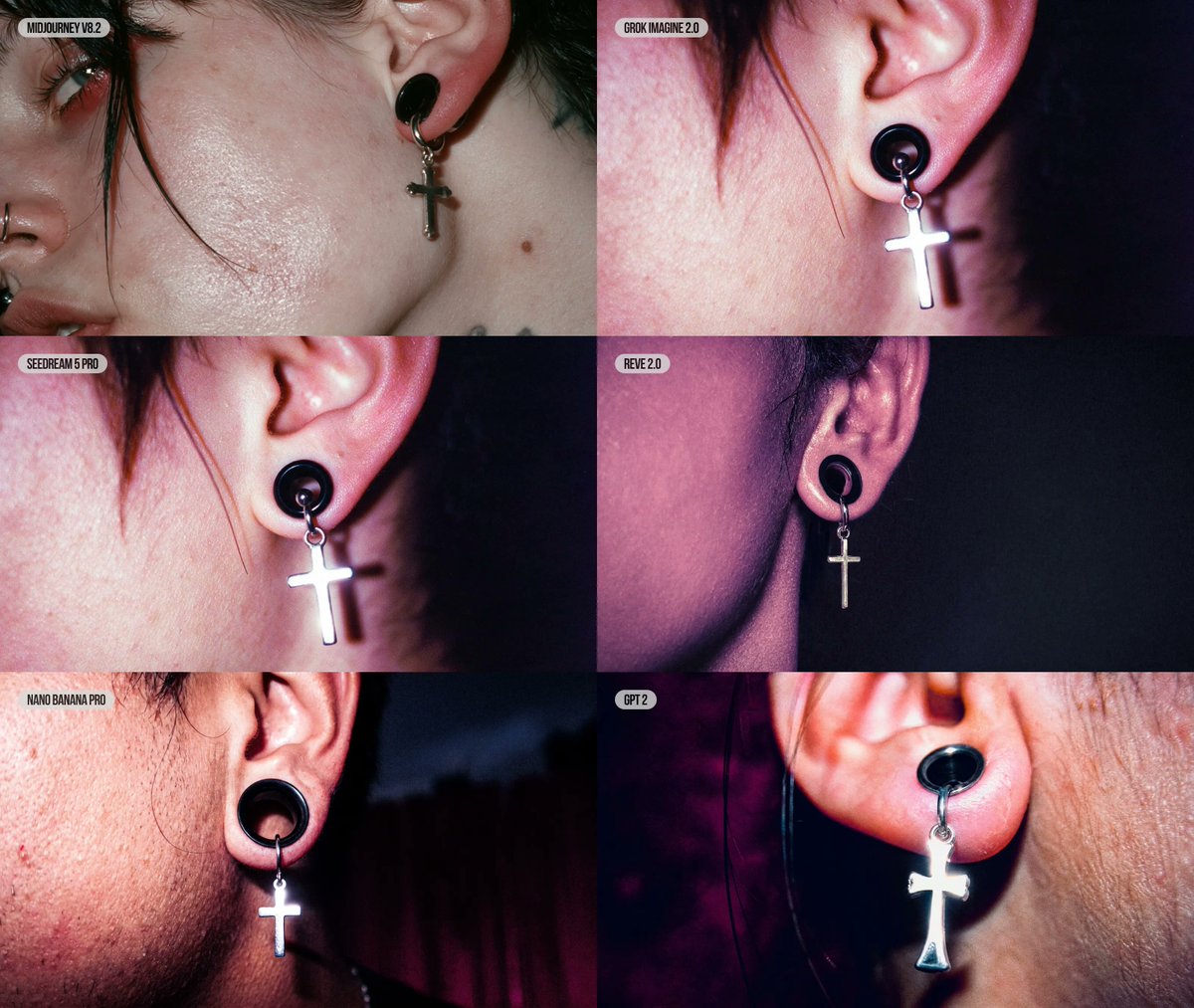
Goal: Create a 2-column by 3-row editorial comparison grid of six AI image model outputs, each showing the same close-up jewelry photography subject: a cropped side portrait of a punk/goth person’s ear wearing a black plug-style earring with a dangling silver cross charm.

Canvas: Landscape collage, approximately 1200×1000 px, no outer border, six equal rectangular panels touching edge-to-edge in a 2×3 grid.

Layout: Use exactly 6 panels with small rounded white label pills near the top-left of each panel. Panel labels, in reading order, must be: 1) MIDJOURNEY V8.2, 2) GROK IMAGINE 2.0, 3) SEEDREAM 5 PRO, 4) REVE 2.0, 5) NANO BANANA PRO, 6) GPT 2. Keep the labels compact, uppercase, black condensed sans-serif text on off-white rounded rectangles.

Subject details: Every panel is an extreme close-up editorial portrait crop focused on {argument name="jewelry subject" default="a black circular plug earring with a dangling silver cross charm"}. Show only part of the face and ear: cheek texture, ear cartilage, stray dark hair strands, and sometimes a partial eye, nose ring, lips, neck, or jawline at the edge of the crop. The person has {argument name="skin texture" default="realistic pale skin with visible pores, redness, shine, blemishes, and uneven texture"} and dark messy hair. The cross charm should be metallic, reflective, and slightly different in shape and scale across panels, as if generated by different models.

Panel variations: Top-left panel is the widest facial crop, showing the left side of the face with a partial eye, nose ring, lips, cheek, ear, and small silver cross; top-right is a tight ear crop with strong pink-red flash lighting and a bright cross; middle-left is similar to top-right but closer, with the cross blown out by flash; middle-right is a darker purple-toned side-of-head crop with the ear and smaller cross against a near-black background; bottom-left is a gritty flash photo with pronounced facial stubble/pores, black plug, and bright silver cross against a dark red-black background; bottom-right is an extreme macro of the earlobe with a black oval plug and large glowing silver cross, warm skin tones and magenta shadows.

Visual style: {argument name="photo style" default="raw editorial macro jewelry photography, harsh on-camera flash, high contrast, glossy skin highlights, shallow depth of field, gritty realism"}. Use a dark club-like background with black, burgundy, and purple tones. Make the collage feel like a side-by-side model comparison posted on social media, with each panel having subtly different realism, anatomy, lighting, and jewelry rendering.

Constraints: Do not add any title outside the six panels. Use exactly the six label pills listed above and no extra captions. Keep the jewelry as the visual focus in every panel. Avoid clean studio beauty retouching; preserve pores, redness, flash glare, and imperfect skin detail.
Use this prompt in the VdoBloom image editor.
Opens the image editor with this prompt — add your own photo to generate.