AI Model Routing Comparison Infographic
Full prompt
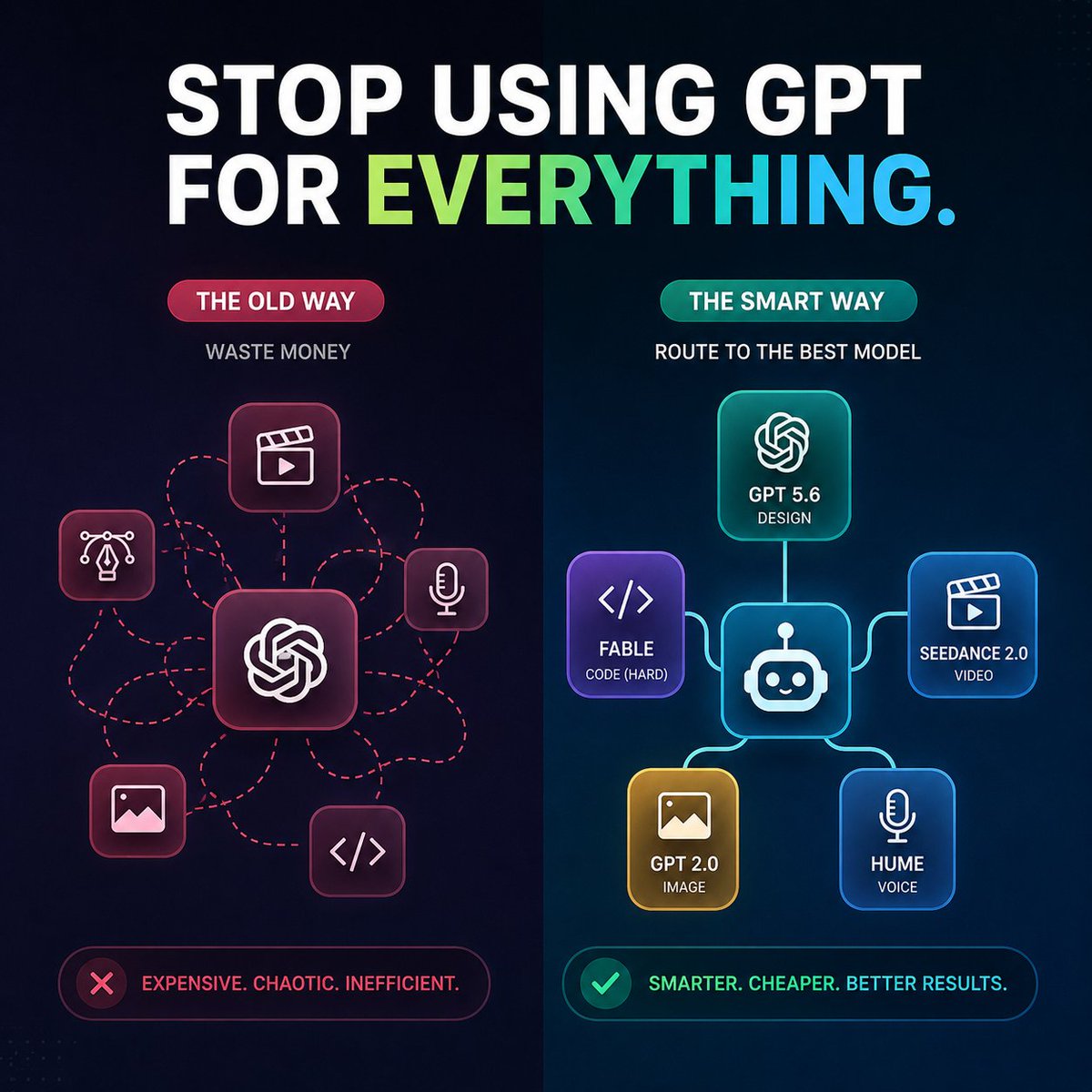
Create a square 1:1 dark futuristic tech infographic for social media comparing two AI workflow approaches. Canvas: 768x768 or similar, deep navy-to-black background with subtle dotted grid texture and a vertical split down the center. At the top, place a huge bold uppercase headline: “STOP USING GPT FOR {argument name="headline word" default="EVERYTHING"}.” The words “STOP USING GPT FOR” are white, and the final word is a left-to-right gradient from lime green to cyan-blue, with a cyan period. Use a clean heavy sans-serif font, high contrast, crisp vector-like rendering.

Layout: two side-by-side columns. Left column is labeled as the bad workflow, right column as the improved workflow. The left side has a red/pink theme with a pill label reading “THE OLD WAY,” a small subtitle “WASTE MONEY,” and a central rounded-square GPT/OpenAI-style knot icon. Around it are exactly 5 smaller rounded-square task icons connected by messy red dashed routing lines: 1 video clapper/play icon at upper center, 2 design pen-nib/Bezier icon at left, 3 microphone icon at right, 4 image/photo icon at lower left, 5 code brackets icon at lower right. The messy dashed lines loop and cross, showing chaos.

Right column has a teal/blue theme with a pill label reading “THE SMART WAY,” a small subtitle “ROUTE TO THE BEST MODEL,” and a central rounded-square robot router icon. Connect it with clean glowing solid lines to exactly 5 model cards: 1 top card with OpenAI knot icon labeled “GPT 5.6” and “DESIGN,” 2 left purple card with code brackets labeled “{argument name="coding model" default="FABLE"}” and “CODE (HARD),” 3 right blue card with clapper/play icon labeled “{argument name="video model" default="SEEDANCE 2.0"}” and “VIDEO,” 4 bottom-left gold card with image icon labeled “{argument name="image model" default="GPT 2.0"}” and “IMAGE,” 5 bottom-right blue card with microphone icon labeled “{argument name="voice model" default="HUME"}” and “VOICE.” Use rounded glassmorphism cards with neon outlines and soft glow.

Bottom callouts: under the left column, place a red outlined rounded status bar with a red X icon and text “EXPENSIVE. CHAOTIC. INEFFICIENT.” Under the right column, place a teal/green outlined rounded status bar with a green check icon and text “SMARTER. CHEAPER. BETTER RESULTS.” Keep all text legible, centered, and aligned. Use strong contrast, modern SaaS marketing style, subtle gradients, neon highlights, no extra logos, no watermark, no additional text beyond the specified labels.
Use this prompt in the VdoBloom image editor.
Opens the image editor with this prompt — add your own photo to generate.