Anime Airship and Ghostly Holy Mother
Full prompt
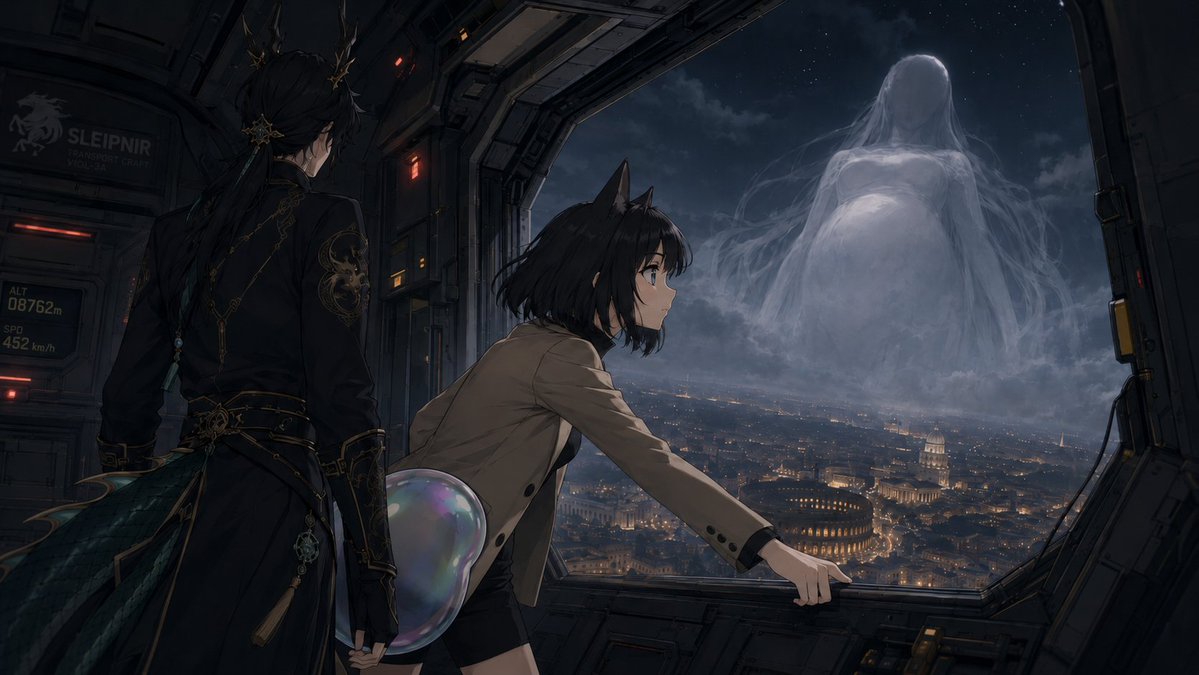
Create a dark cinematic anime science-fantasy scene inside the open side bay of a futuristic aircraft or spacecraft at night. The composition shows exactly three main figures: 1) a tall elegant young man seen from behind on the left, with long black hair tied back, ornate gold hair ornaments, a black military-style coat with intricate gold embroidery, belts, dangling charms, and dark teal feather-like coat tails; 2) a teenage cat-eared girl in the center foreground, leaning forward toward the window with one hand gripping the metal sill, short messy {argument name="hair color" default="black"} hair, large anime eyes, a tan blazer, black shorts, and a translucent iridescent bubble-like tail or orb behind her hip; 3) a colossal ghostly maternal apparition outside in the sky, faceless and pale, with long flowing veil-like hair and robes, a rounded pregnant-looking form, made of mist and moonlit cloud. The aircraft interior is industrial and angular, with dark metal panels, red warning lights, cables, rivets, and a large open trapezoid window framing the view; include small readable sci-fi markings on the left wall such as “SLEIPNIR”, “TRANSPORT CRAFT”, “ALT 08762m”, and “SPD 452 km/h”. Beyond the window is a vast nighttime cityscape resembling {argument name="city inspiration" default="Rome or Vatican City"}, with warm golden lights, domes, ancient amphitheater-like architecture, and dense streets under clouds and stars. The mood is ominous, reverent, and mysterious, as if {argument name="character name" default="Ryangfan"} is being summoned by the gigantic “Holy Mother” in the clouds. Use ultra-detailed painterly anime rendering, dramatic moonlight, soft volumetric fog, deep blue-gray palette with warm city lights, cinematic wide aspect ratio, high detail, no subtitles, no watermark.
Use this prompt in the VdoBloom image editor.
Opens the image editor with this prompt — add your own photo to generate.