Anime Couple Segmentation UI Screenshot
Full prompt
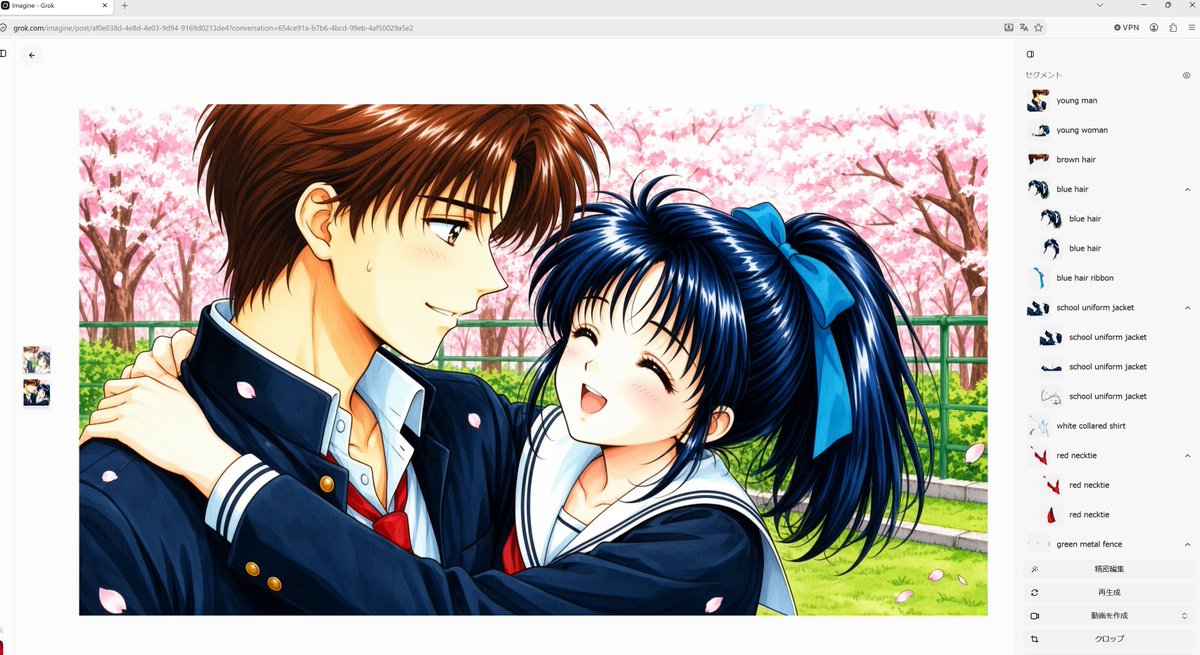
Goal: Create a widescreen desktop browser screenshot of an AI image-generation/segmentation interface showing a large generated anime illustration in the center and a right sidebar listing detected parts.

Canvas: 16:9 landscape screenshot, light gray browser chrome at the top with an address bar and small toolbar icons. The web app background is mostly white. Include a small back arrow near the upper left of the content area and two small stacked thumbnail previews along the far left side.

Main image: Center-left, display a polished 1990s shoujo anime-style illustration with glossy cel shading and detailed highlights. The scene shows exactly 2 characters: a tall young man with short brown hair in a dark navy Japanese school uniform jacket, white collared shirt, and red necktie; and a cheerful young woman with long dark blue hair in a high ponytail tied with a large blue ribbon, wearing a navy sailor-style school uniform with a white collar. The girl hugs the boy from the side with both arms around his shoulders, smiling with closed happy eyes and an open mouth; the boy smiles gently while looking at her, with a small sweat drop on his cheek. Set them outdoors in spring under pink cherry blossom trees, with a green metal fence, green grass, branches, and scattered falling sakura petals. The anime artwork itself should be a bright rectangular image with a thin margin, occupying most of the left and center of the screen.

Right sidebar: Add a pale gray vertical panel labeled in Japanese at the top as 「セグメント」, with a small eye icon. Show a segmentation list with exactly 17 visible detected items, each with a tiny cropped thumbnail and English label: 1 young man, 2 young woman, 3 brown hair, 4 blue hair, 5 blue hair, 6 blue hair, 7 blue hair ribbon, 8 school uniform jacket, 9 school uniform jacket, 10 school uniform jacket, 11 school uniform jacket, 12 white collared shirt, 13 red necktie, 14 red necktie, 15 red necktie, 16 green metal fence, 17 cherry blossoms. Use small expand/collapse chevrons next to some grouped items.

Bottom of sidebar: Add four subtle gray action rows with simple icons and Japanese labels: 「確定編集」, 「再生成」, 「動画を作成」, and 「クロップ」.

Visual style: Make the screenshot look like it was captured from a real browser window, including faint tabs, URL bar text, top-right extension icons, and a clean minimal interface. The anime image should be vivid and high-resolution, while the surrounding UI is flat, crisp, and unobtrusive.

Customizable details: Use {argument name="image subject" default="a romantic school anime couple under cherry blossoms"}, {argument name="interface title" default="Imagine - Grok"}, {argument name="male uniform color" default="dark navy"}, {argument name="female hair color" default="dark blue"}, and {argument name="seasonal background" default="pink cherry blossom park"}.

Constraints: English UI labels in the segment list must remain legible; preserve the Japanese sidebar heading and action labels; do not add extra characters, extra thumbnails, watermarks, captions, or speech bubbles.
Use this prompt in the VdoBloom image editor.
Opens the image editor with this prompt — add your own photo to generate.