Anime Tech Mascot Promo Poster
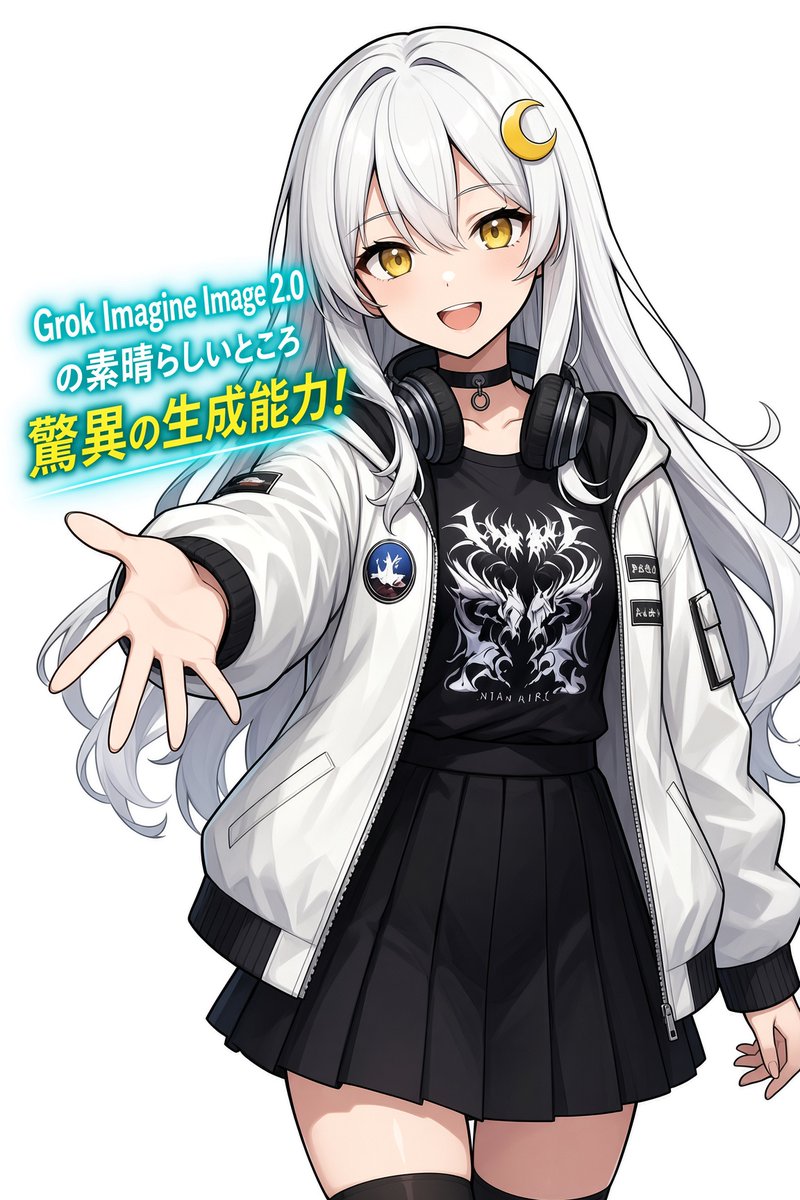
Full prompt
Create a clean anime promotional illustration on a plain white background featuring a cheerful young female mascot character for {argument name="product name" default="Grok Imagine Image 2.0"}. She is shown from mid-thigh up in a dynamic front-facing pose, leaning slightly forward and reaching her left hand toward the viewer with an open palm in strong perspective, while her right hand hangs relaxed near the edge of the frame. She has very long flowing {argument name="hair color" default="silver-white"} hair with soft blue-gray shadows, side-swept bangs, a small golden crescent moon hair ornament on the right side of her head, large golden amber eyes, rosy cheeks, and an open friendly smile. Her outfit contains exactly 6 main visible pieces: 1 oversized glossy white bomber jacket with black ribbed cuffs and hem, zipper details, a circular blue-and-red patch on the left chest, and small black label patches on the right sleeve; 1 black graphic T-shirt with an intricate white dragon/flame emblem; 1 black pleated mini skirt; 1 pair of large black-and-silver headphones resting around her neck; 1 black choker with a small metal ring; and 1 pair of black thigh-high socks partly visible at the bottom. Add crisp black anime line art, polished cel shading, soft highlights on the jacket and hair, high-resolution clean rendering, and a bright upbeat tech-anime aesthetic. Place a glowing cyan promotional text block to the left of her head and extended arm, tilted slightly upward, with exactly 3 text lines: line 1 says {argument name="top text" default="Grok Imagine Image 2.0"}, line 2 says {argument name="middle text" default="の素晴らしいところ"}, and line 3 says {argument name="headline text" default="驚異の生成能力!"}. The first two lines are white with cyan glow, and the third line is large bold yellow with cyan glow and an underline-like cyan streak behind it. Keep the composition vertical, bright, uncluttered, and poster-like, with no extra characters, no watermark, and no additional text.
Use this prompt in the VdoBloom image editor.
Opens the image editor with this prompt — add your own photo to generate.