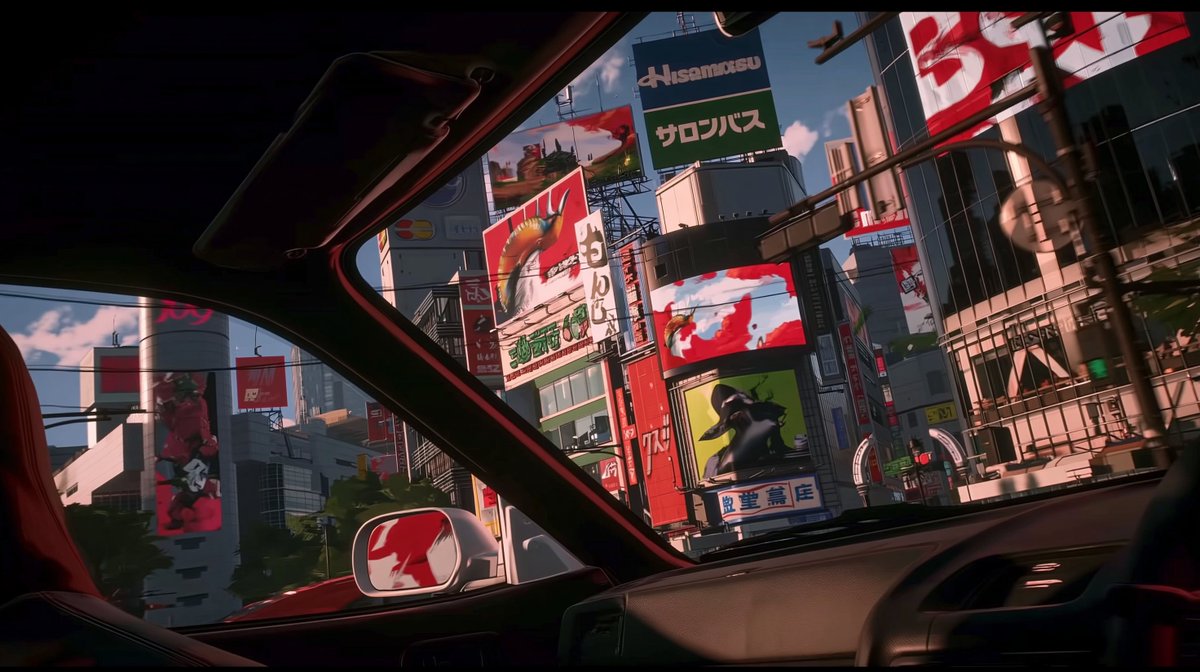
Anime Car View of Tokyo Billboards
Full prompt
Using REFERENCE_0 as the visual style reference, transform the scene from a trading desk setup into a cinematic anime view from inside {argument name="vehicle type" default="a car"} looking out through the windshield and side window at {argument name="city setting" default="a dense Tokyo commercial district"}. Preserve the same widescreen aspect ratio, polished cel-shaded/3D-anime look, dramatic red-and-green color accents, glossy reflections, and high-contrast lighting, but remove the monitors, keyboard, hands, speakers, and trading-chart interface entirely.

New composition: place the viewer in the front passenger area of the car, with the dark roof frame, windshield pillars, dashboard, steering wheel edge, side mirror, and a red seat partially visible in the foreground. Outside, show tall urban buildings packed tightly together under {argument name="time of day" default="bright late-afternoon sunlight"}, with strong shadows and reflective glass surfaces.

Added signage: include exactly 9 prominent billboard/sign elements across the buildings: 1 large central top sign with Japanese text, 1 red dragon/creature billboard, 1 vertical white Japanese sign, 1 wide red-and-white digital screen, 1 green character billboard, 1 blue-and-white Japanese storefront sign, 1 large red-and-white billboard on the upper right, 1 tall left-side cylindrical screen with a red figure, and 1 smaller distant red rectangular sign. Keep the signage mostly graphic and stylized, with plausible Japanese typography rather than perfectly readable text.

Style constraints: make it feel like a clean, upscale AI-video concept frame; sharp perspective, cinematic framing, no people in the foreground, no trading charts, no desktop equipment, no watermark.
Use this prompt in the VdoBloom image editor.
Opens the image editor with this prompt — add your own photo to generate.