Futuristic AR Music Cards Street Edit
Full prompt
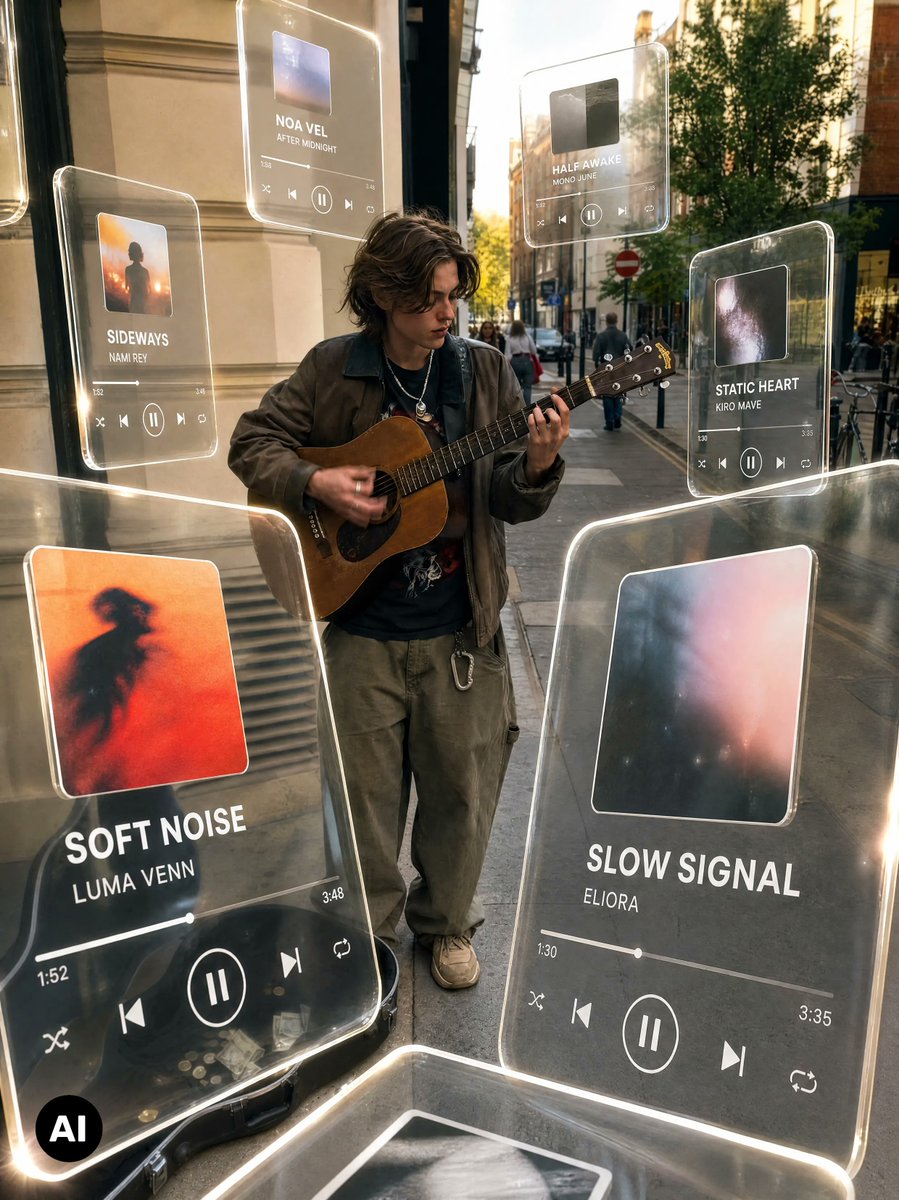
Using the provided street musician photo as the base, keep the original person, guitar, sidewalk setting, and camera angle intact, but transform it into a viral futuristic music-discovery edit. Add a warm cinematic color grade with deeper contrast, golden highlights, subtle background blur, and a polished social-media look.

Overlay exactly 8 floating translucent glass music-player cards around the musician, with rounded corners, glowing white edges, realistic reflections, and slight perspective depth as if they are hovering in the street. The cards should feel like holographic acrylic UI panels integrated into the scene lighting.

Visible cards to add:
1. Large foreground left card: album art with an orange blurred silhouette, title “SOFT NOISE”, artist “LUMA VENN”, progress time 1:52 to 3:48, playback controls.
2. Large foreground right card: soft abstract pink/blue album art, title “SLOW SIGNAL”, artist “ELIORA”, progress time 1:30 to 3:35, playback controls.
3. Mid-left smaller card: sunset silhouette album art, title “SIDEWAYS”, artist “NAMI REY”, playback controls.
4. Upper-center card: small blue album art, title “NOA VEL”, subtitle/artist “AFTER MIDNIGHT”, playback controls.
5. Upper-right card: dark album art, title “HALF AWAKE”, artist “MONO JUNE”, playback controls.
6. Right-side smaller card: galaxy-like album art, title “STATIC HEART”, artist “KIRO MAVE”, playback controls.
7. Bottom foreground partial card, cropped by the frame, showing only a glowing glass edge and partial album image.
8. Far-left edge partial card, cropped by the frame, showing only a sliver of another glowing glass panel.

Style: premium AR music interface, realistic transparent glass, luminous rim lighting, shallow-depth street photography, warm evening grade, mild motion/hand blur preserved on the guitarist. Keep the original busker and environment recognizable; do not replace the subject. Preserve the black circular “AI” watermark in the lower-left corner. Optional customizable main titles: {argument name="left main song title" default="SOFT NOISE"}, {argument name="left main artist" default="LUMA VENN"}, {argument name="right main song title" default="SLOW SIGNAL"}, {argument name="right main artist" default="ELIORA"}, {argument name="overall color grade" default="warm cinematic golden street edit"}.
Use this prompt in the VdoBloom image editor.
Opens the image editor with this prompt — add your own photo to generate.