Cinematic Brand Identity Ad Poster
Full prompt
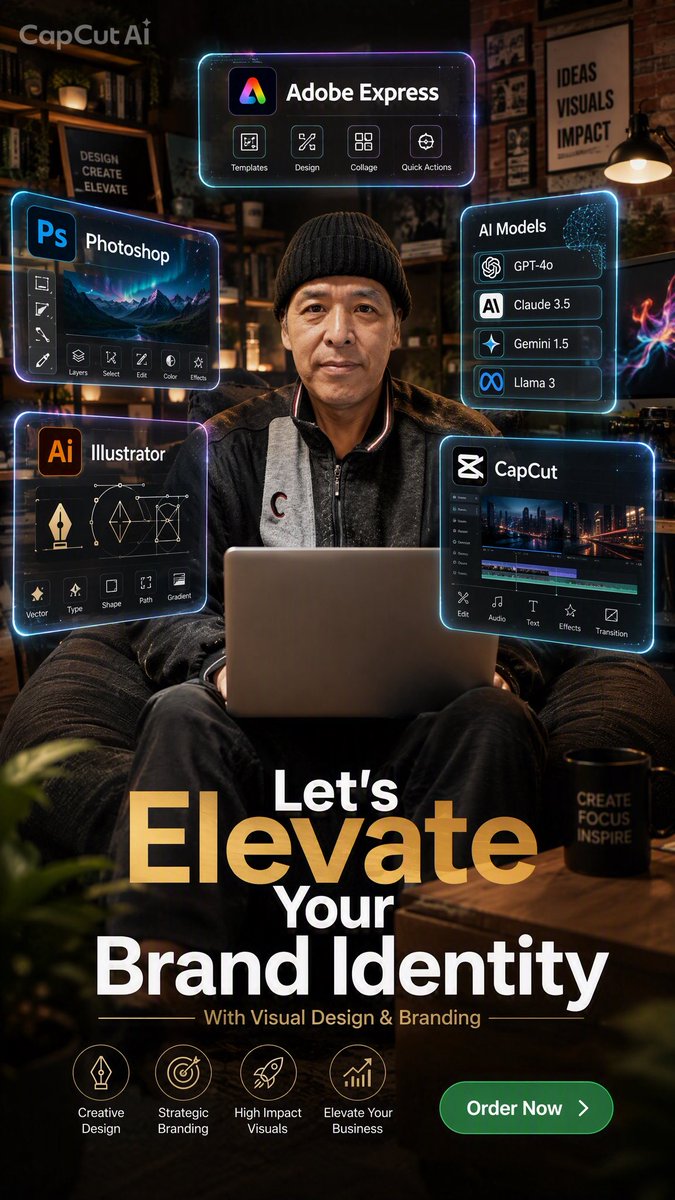
Goal: Create a vertical cinematic brand-identity advertising poster for {argument name="brand or service" default="Adobe Express"}, blending a realistic entrepreneur portrait with futuristic floating software UI panels and bold marketing typography.

Canvas: 9:16 vertical poster, 1440x2560 resolution, dark warm studio/cafe interior at night, shallow depth of field, premium 2K social-media ad look.

Main subject: A middle-aged Asian man sits centered in a cozy armchair, facing the camera with a calm confident expression, wearing a black knit beanie, dark jacket, and gray zip sweatshirt. An open laptop rests on his lap in the foreground. Warm practical lamps, shelves, framed posters, plants, a wooden table, and a black mug create a creative studio atmosphere. Add subtle neon rim light and reflections around the subject.

Layout: Place five glowing translucent holographic UI panels around the subject, with cyan and violet neon borders, glassmorphism styling, small icons, and realistic screen glow. Keep panels readable but slightly futuristic.

Floating UI panels: Use exactly 5 panels: 1) top center panel labeled "Adobe Express" with a colorful app logo and four icon buttons labeled Templates, Design, Collage, Quick Actions; 2) left upper panel labeled "Photoshop" with a blue Ps logo, mountain preview image, vertical tool icons, and six bottom tools labeled Layers, Select, Edit, Color, Effects; 3) left lower panel labeled "Illustrator" with orange Ai logo, pen/vector diagrams, and five tool labels Vector, Type, Shape, Path, Gradient; 4) right upper panel labeled "AI Models" listing exactly four model rows: GPT-4o, Claude 3.5, Gemini 1.5, Llama 3; 5) right lower panel labeled "CapCut" with the CapCut logo, video timeline interface, city preview, and five tool labels Edit, Audio, Text, Effects, Transition.

Poster text: Add a small translucent watermark-like text at the top left reading "CapCut AI". At the bottom, create a large headline with dramatic hierarchy: "Let's" above huge gold-gradient "Elevate", then "Your" and large white "Brand Identity". Below it, add the subtitle "With Visual Design & Branding" in small gold/white text with thin divider lines.

Bottom callouts: Add exactly 4 circular icon feature badges along the lower left/middle: Creative Design, Strategic Branding, High Impact Visuals, Elevate Your Business. Add a rounded green call-to-action button at bottom right reading {argument name="button text" default="Order Now"} with a white arrow.

Visual style: Photorealistic subject and environment, cinematic lighting, high contrast, warm amber shadows, neon cyan/purple UI glow, gold and white typography, premium tech-branding aesthetic, subtle bokeh, polished social ad composition.

Constraints: Preserve the exact five floating panels and exact four bottom feature badges. Do not add extra people. Keep all text in English. Avoid distorted hands, unreadable headline text, or cluttered extra UI panels.
Use this prompt in the VdoBloom image editor.
Opens the image editor with this prompt — add your own photo to generate.