Next Move Campus Soccer Poster
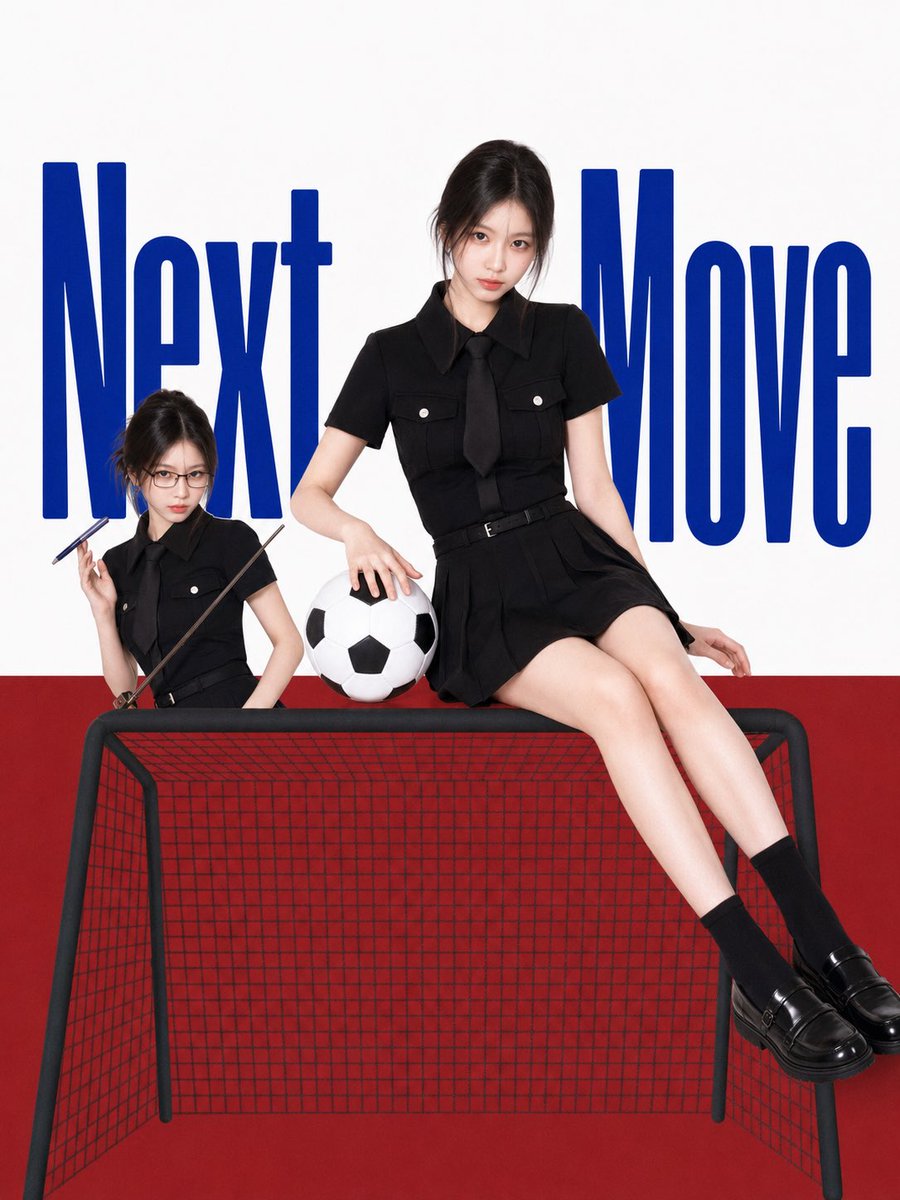
Full prompt
Create a clean editorial campus poster on a vertical 3:4 canvas with a white upper background and a solid deep red lower half like a studio floor/wall. Place oversized condensed bold blue typography in the background reading {argument name="headline text" default="Next Move"}, split behind the subjects so “Next” is on the left and “Move” on the right, very tall letters cropped slightly by the composition. In front, show two stylized realistic East Asian young women who look like the same character/person in two sizes, with delicate facial features, pale skin, dark eyes, and messy black hair tied up with loose strands. The main full-size figure sits casually on the top front edge of a small black-framed soccer goal, centered-right, legs extended diagonally down to the lower right, one hand resting on a black-and-white soccer ball and the other on the goal edge, looking directly at the viewer with a calm confident expression. The smaller figure sits on the left side of the goal top, wearing black rectangular glasses, holding two slim dark pointer-like sticks, also looking forward with a slightly serious cute expression. Both wear matching {argument name="outfit color" default="black"} short-sleeve school-uniform-inspired outfits: collared button shirts with chest pockets, black ties, belted pleated mini skirts, black socks, and glossy black loafers. Include exactly 1 soccer ball between the two figures and exactly 1 small soccer goal with a black tubular frame and red net/grid visible across the front and sides. Use a red, white, and royal blue palette with sporty football elements, playful campus magazine styling, crisp studio lighting, high-fashion poster composition, realistic skin and fabric texture, clean shadows, no watermark, no extra text beyond the headline.
Use this prompt in the VdoBloom image editor.
Opens the image editor with this prompt — add your own photo to generate.