Castle Edit Markup Overlay
Full prompt
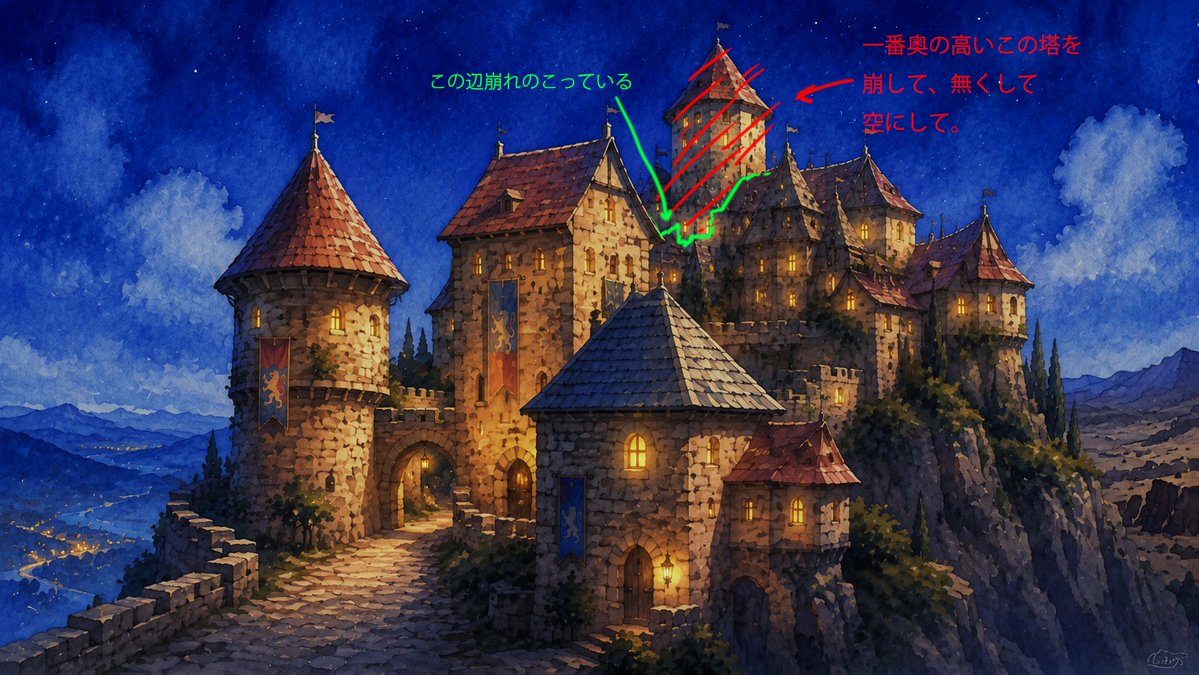
Using REFERENCE_0 as the base image, keep the castle artwork unchanged and overlay rough handwritten edit notes directly on top of it, as if marking areas for an image-editing revision.

Add exactly 2 annotation groups:
1. Red annotation group on the tall rear tower near the upper-right center: draw red diagonal hatching across the tower, add a red arrow pointing toward it, and add the handwritten Japanese note {argument name="red edit note" default="一番奥の高いこの塔を崩して、無くして空にして。"} in the upper-right sky area.
2. Green annotation group around the crumbling edge/remaining structure near the middle top: draw a green irregular outline around the broken area, add a green arrow pointing down to it, and add the handwritten Japanese note {argument name="green edit note" default="この辺崩れのこっている"} in the upper-middle sky area.

Style constraints: the annotations should look like quick digital pen markup, not integrated into the painting; keep the original watercolor fantasy castle image otherwise intact with no actual architectural removal yet.
Use this prompt in the VdoBloom image editor.
Opens the image editor with this prompt — add your own photo to generate.