Character Consistency 9-Grid Collage
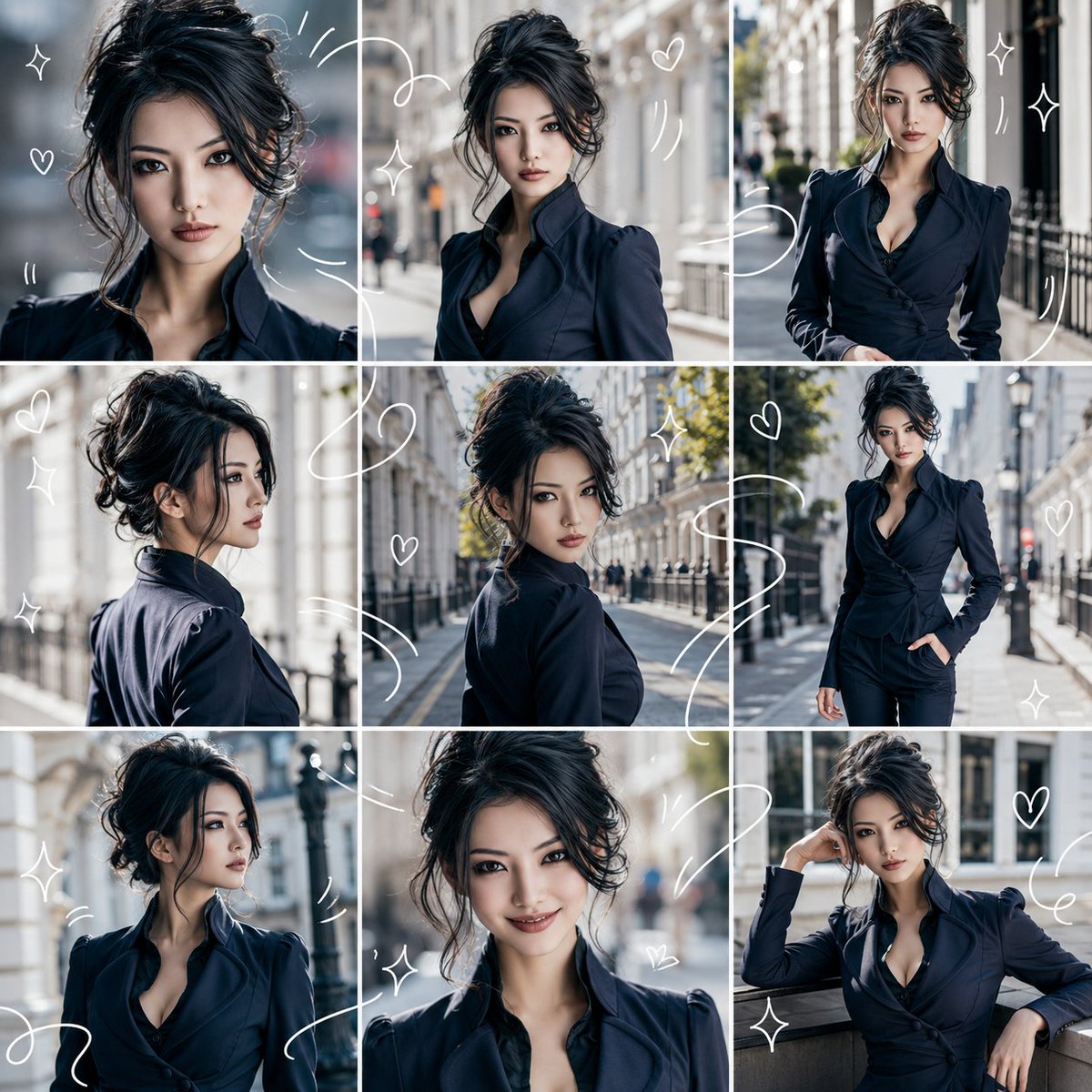
Full prompt
Please make the person/character in the attached reference image the protagonist. Whether the reference image is live-action or an illustration, naturally convert it to match the specified "{argument name="output style" default="photorealistic style"}". Maintain the main features of the reference image such as facial features, hairstyle, hair color, eyes, contour, sense of age, atmosphere, body shape, and costume, so that they appear to be the same person/character in every frame. The output should be a single image with an "{argument name="aspect ratio" default="1:1"}". Divide the entire screen into equal 3 columns x 3 rows, and ensure it is a collage of exactly 9 frames in total. Do not increase or decrease the number of frames; keep the layout organized and easy to view. Each frame should look like a different moment captured of the same person/character. Vary the angle, distance, expression, and movement with shots like close-up, bust-up, slightly pulled back composition, profile, looking back, walking, eyes looking away, natural smile, and relaxed poses. The background should be based on "{argument name="background" default="bright interior"}", with a clean and bright atmosphere. The overall impression should be "refreshing," in a light and breezy visual diary style. Overlay thin, white, hand-drawn style lines throughout. The white lines should flow and connect across the 9 frames, surrounding the person or expressing movement. Include small hearts, star-shaped sparkles, wavy lines, and motion lines. However, do not hide the face, eyes, or expressions. Elements to avoid: text, subtitles, logos, watermarks, extra people, turning into a different person, facial distortion, limb failure, cluttered backgrounds, excessively dark shadows, scribbles hiding the face, and frames other than the 9 segments.
Original prompt
添付した参照画像の人物/キャラクターを主役にしてください。参照画像が実写・イラストのどちらであっても、指定した「{argument name="出力スタイル" default="実写写真風"}」に合わせて自然に変換してください。参照画像の顔立ち、髪型、髪色、目元、輪郭、年齢感、雰囲気、体型、衣装の主要な特徴を保ち、全コマで同じ人物/同じキャラクターに見えるようにしてください。出力は「{argument name="アスペクト比" default="1:1"}」の1枚画像にしてください。画面全体を均等な3列×3行に分け、必ず合計9コマのコラージュにしてください。フレーム数を増やしたり減らしたりせず、整理された見やすいレイアウトにしてください。各コマは、同じ人物/キャラクターの異なる瞬間を切り取ったようにしてください。アップ、バストアップ、少し引いた構図、横顔、振り向き、歩いている姿、目線を外した表情、自然な笑顔、リラックスしたポーズなど、角度・距離・表情・動きに変化をつけてください。背景は「{argument name="背景" default="明るい室内"}」をベースに、清潔感があり明るい雰囲気にしてください。全体の印象は「爽やか」で、軽やかで爽やかなビジュアルダイアリー風にしてください。全体に、細い白い手描き風のドローイングラインを重ねてください。白い線は9コマをまたいで流れるようにつながり、人物の周囲を囲んだり、動きを表現したりしてください。小さなハート、星形のきらめき、波線、モーションラインを入れてください。ただし、顔、目、表情を隠さないでください。避ける要素:文字、字幕、ロゴ、透かし、余分な人物、別人化、顔の崩れ、手足の破綻、背景のごちゃつき、過度に暗い影、顔を隠す落書き、9コマ以外のフレーム。
Use this prompt in the VdoBloom image editor.
Opens the image editor with this prompt — add your own photo to generate.