ChatGPT Transparent Robot Screenshot
Full prompt
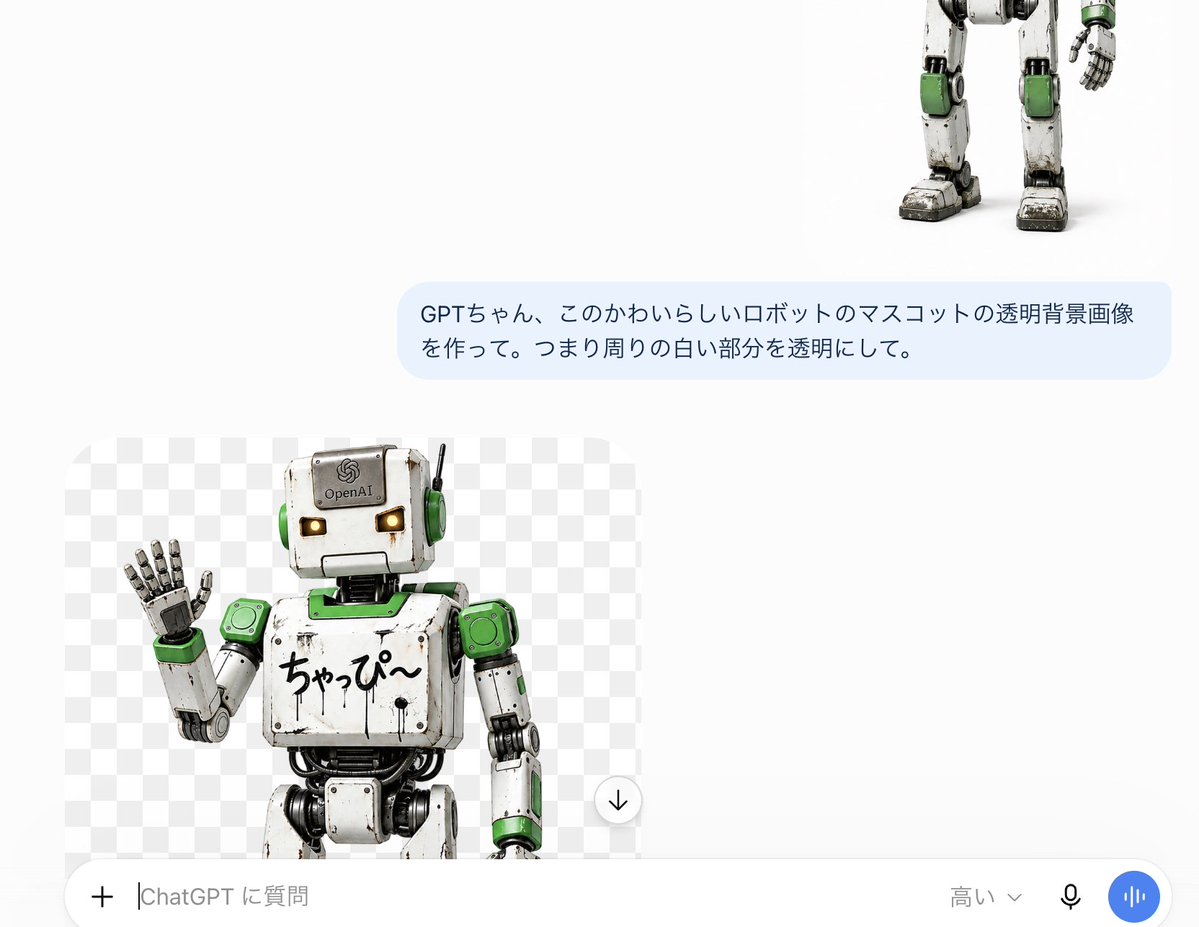
Goal: Create a realistic screenshot-style ChatGPT mobile interface showing a transparent-background image generation result for a cute robot mascot.

Canvas: Landscape screenshot, approximately 1200 × 895 px, clean white app background with lots of empty space. The interface should look like a ChatGPT conversation on a phone or tablet, not a polished poster.

Layout: Place 3 main visible content elements: 1 partial robot image at the upper right cropped so only the lower torso, legs, and one hand are visible; 1 pale blue user message bubble centered toward the upper middle-right; 1 generated image preview card in the lower left. Add 1 bottom input bar spanning the width.

User message bubble: Rounded rectangle with light blue fill. Japanese text should read exactly: {argument name="user message" default="GPTちゃん、このかわいらしいロボットのマスコットの透明背景画像を作って。つまり周りの白い部分を透明にして。"}. Use dark gray sans-serif text, two lines, left aligned.

Generated image preview card: A rounded-corner rectangular preview with a gray-and-white checkerboard transparency pattern as the background. Inside it is 1 cute weathered robot mascot, cropped at the thighs, standing slightly left of center and waving with its left hand. Include exactly 1 circular download button overlay near the lower-right edge of the preview, white circle with a black downward arrow.

Robot details: The robot is a charming vintage toy-like humanoid mascot with a square off-white head, small glowing amber rectangular eyes, green circular ear covers, a thin black antenna on the right side of the head, scuffed and scratched white metal panels, visible black joints and cables, and green accents on shoulders, neck plate, wrists, knees, and side panels. The head has a small OpenAI-like emblem and the word {argument name="forehead label" default="OpenAI"}. The chest has handwritten Japanese text {argument name="chest text" default="ちゃっぴ〜"}. The raised hand has segmented metallic fingers, palm facing forward. Style is photorealistic 3D render with toy-robot proportions, soft studio lighting, subtle grime, worn edges, and a friendly mascot expression.

Bottom input bar: Include exactly 5 visible controls or text elements: 1 plus icon at the far left, 1 text input placeholder reading {argument name="input placeholder" default="ChatGPT に質問"}, 1 model selector label reading {argument name="model label" default="高い"} with a tiny down chevron, 1 black microphone icon, and 1 blue circular voice button with white vertical waveform bars. The bar is white with rounded top corners and subtle shadow.

Visual style: Accurate Japanese ChatGPT UI screenshot aesthetic, white negative space, subtle rounded corners, crisp UI text, no watermark, no extra captions, no browser chrome.
Use this prompt in the VdoBloom image editor.
Opens the image editor with this prompt — add your own photo to generate.