Bloom in Silence Portrait Poster
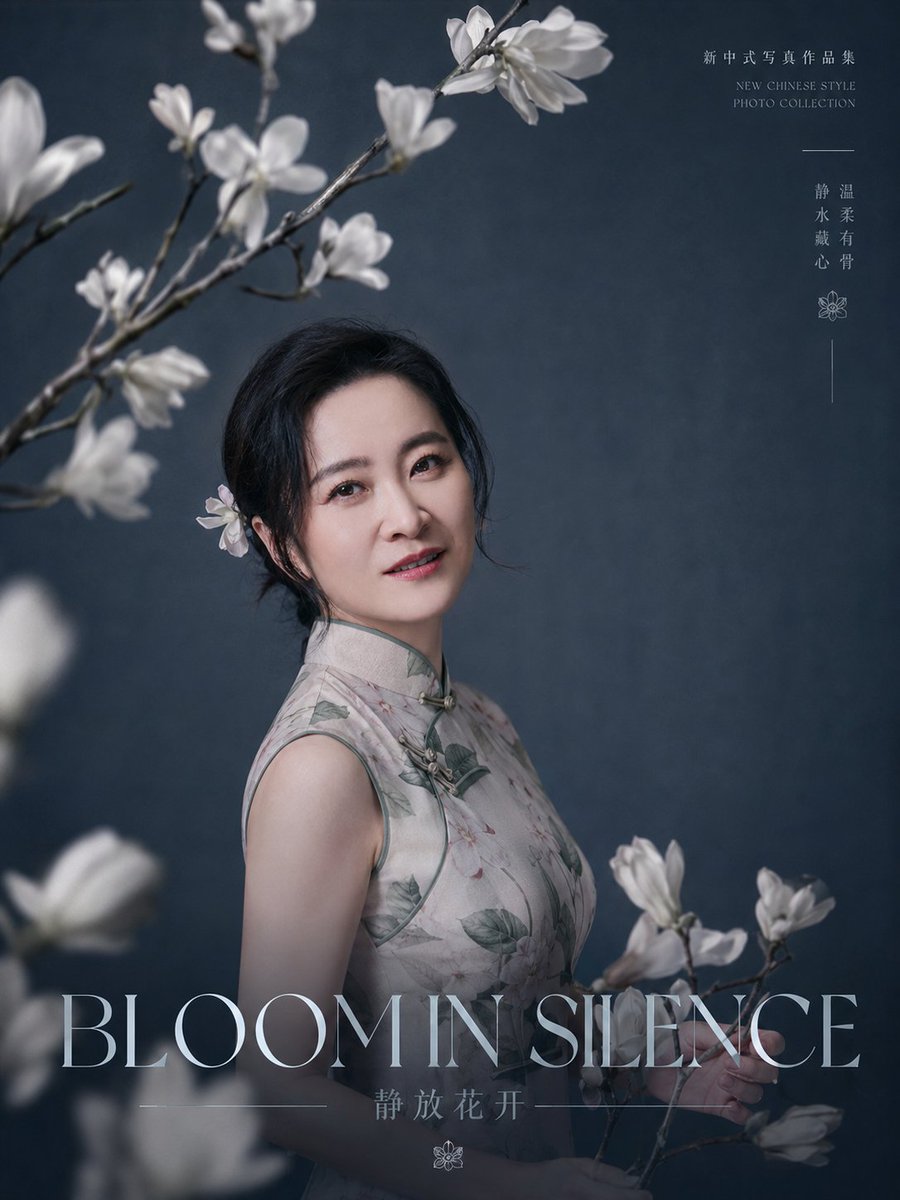
Full prompt
Create a refined editorial portrait poster for a new Chinese-style photo collection. A graceful middle-aged East Asian woman with {argument name="facial features" default="soft oval face, bright almond eyes, natural brows, gentle smile, fair skin, elegant mature beauty"} stands slightly left of center, turned three-quarters toward the camera, looking directly at the viewer with a calm, warm expression. She wears a sleeveless pale gray-beige qipao/cheongsam with subtle botanical print, muted green piping, and traditional frog closures at the collar and chest. Her {argument name="hairstyle" default="black hair loosely pinned in a low updo with a white magnolia flower tucked behind one ear"} is elegant and slightly wispy. Surround her with white magnolia blossoms: count 5 visible flower clusters on branches, including 2 soft blurred foreground clusters at the lower left and left edge, 2 sharp upper-left branching clusters arching across the top, and 1 branch held near the lower right. Use a dark blue-gray textured studio backdrop, cinematic soft side lighting, shallow depth of field, delicate haze, realistic skin texture, high-end portrait photography, quiet poetic Chinese aesthetic, muted cool tones, fine art magazine cover composition. Add large elegant thin serif title text across the bottom reading {argument name="main title" default="BLOOM IN SILENCE"}; beneath it add smaller Chinese text reading {argument name="subtitle text" default="静放花开"} with thin horizontal divider lines and a small floral icon. In the upper right, add small refined vertical typography: Chinese text “新中式写真作品集”, below it small English text “NEW CHINESE STYLE PHOTO COLLECTION”, a short horizontal line, then vertical Chinese words “静温 / 水柔 / 戴有 / 心骨”, followed by a small flower icon and a thin vertical line. Keep typography pale gray-white, minimal and airy. Portrait orientation 3:4, luxury editorial poster, photorealistic, no watermark, no extra people, no modern props.
Use this prompt in the VdoBloom image editor.
Opens the image editor with this prompt — add your own photo to generate.