Cinematic Anime Photo Transformation
Full prompt
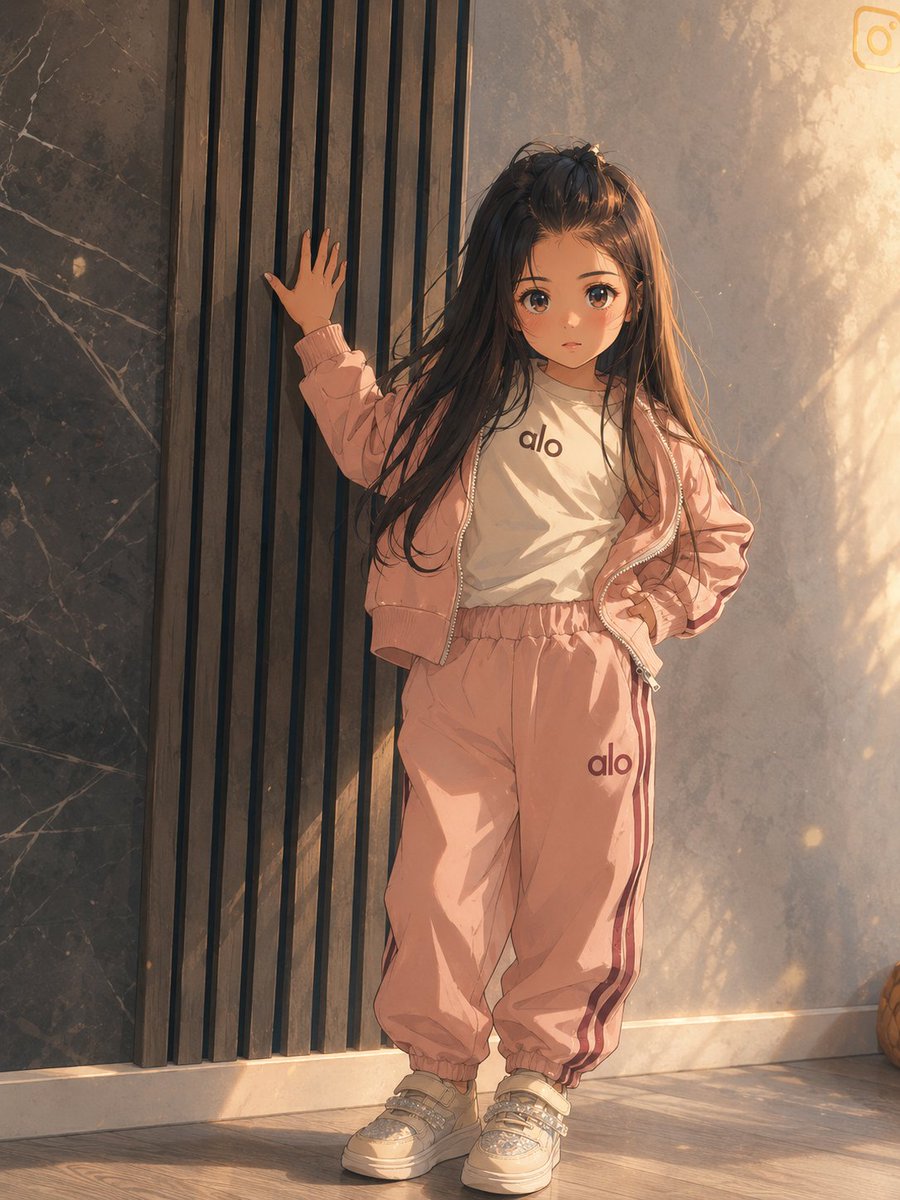
Transform the provided reference image into a premium cinematic Japanese anime movie frame while strictly preserving the original composition, pose, camera angle, character placement, body proportions, facial direction, body language, framing, perspective, indoor location, wall panels, floor, outfit design, shoes, logos, and all visible props. Keep the child standing in the same position with one hand touching the vertical slat wall and the other hand on the hip.

Style transformation: Convert the photo into a high-end anime film still with refined hand-drawn linework, detailed cel-shaded clothing folds, natural hair strand detail, soft painterly textures, and subtle film-grain atmosphere. Make the image feel like a warm golden-hour cinematic scene from a modern Japanese animated feature.

Lighting and mood: Enhance the existing light direction into dramatic late-afternoon sunlight entering from the right, adding warm amber highlights, soft shadows, glowing dust particles, and delicate reflected light across the wall and floor. Preserve the original environment but make it more polished, atmospheric, and cinematic.

Rendering constraints: Do not change the pose, outfit, proportions, room layout, camera angle, or cropping. Do not add new characters or extra objects. Keep the face anonymized/blocked as in the reference. Maintain the same 3:4 vertical framing and produce a clean, premium anime frame rather than a cartoonish or exaggerated style.
Use this prompt in the VdoBloom image editor.
Opens the image editor with this prompt — add your own photo to generate.