Cinematic Anime Photo Transformation
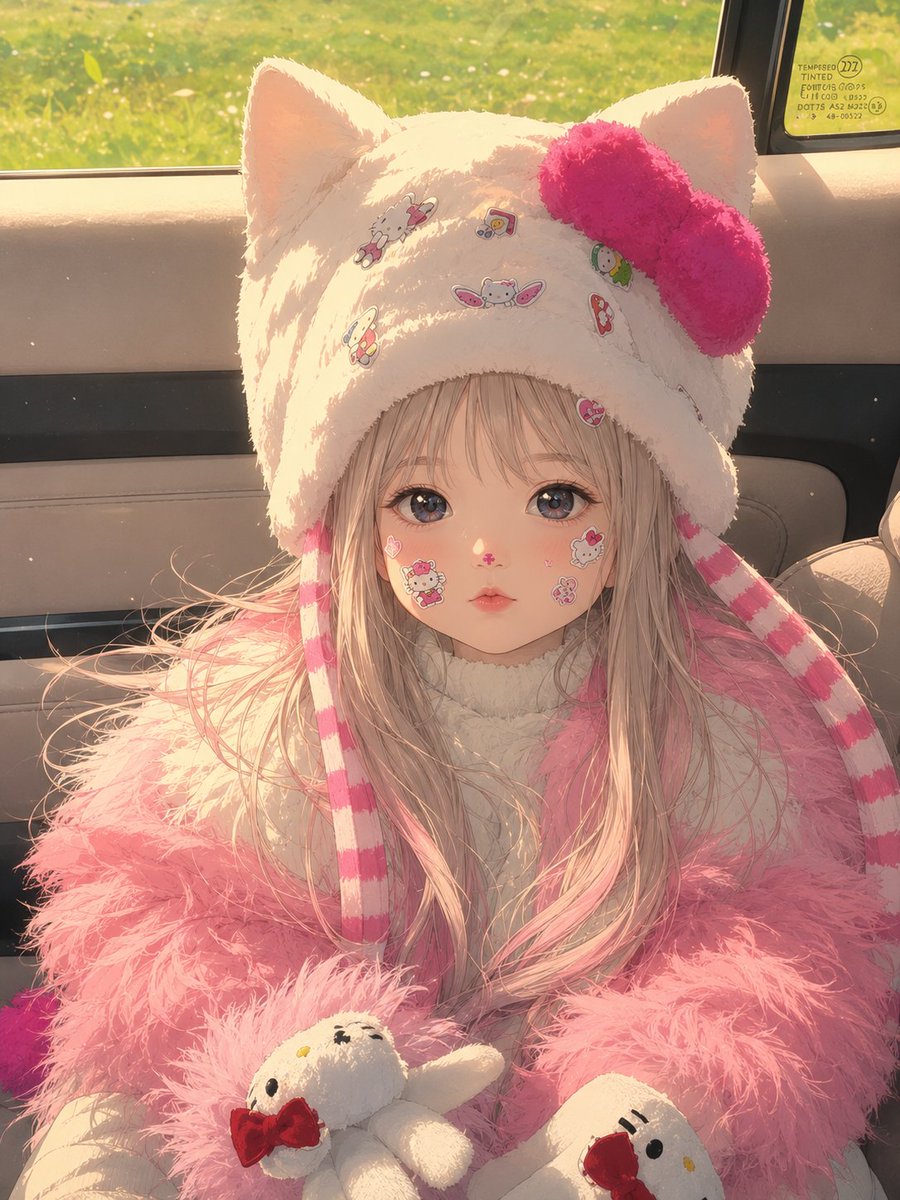
Full prompt
Using REFERENCE_0 as the base image, transform it into a premium cinematic Japanese anime frame in a 3:4 vertical ratio. Preserve the original composition, pose, camera angle, character placement, body language, framing, perspective, car interior environment, window view, outfit, plush accessories, and all visible props. Keep the obscured face as a plain rectangular block in the same position rather than inventing facial features. Convert the entire scene into high-end anime key art with delicate linework, soft painterly shading, warm golden-hour sunlight streaming through the car window, glowing rim light, subtle dust particles, gentle bloom, richer color grading, and a dreamy nostalgic atmosphere. Maintain the cute fluffy textures of the cat-ear hat, pink bow, striped dangling ties, long pale pink hair, fluffy pink coat, and the two white plush characters with red bows. Make the rendering feel like a polished still from a Japanese animated film while staying faithful to the reference photo’s layout and details. Use {argument name="aspect ratio" default="3:4"} and a {argument name="cinematic mood" default="warm golden-hour dreamy anime"} look.
Use this prompt in the VdoBloom image editor.
Opens the image editor with this prompt — add your own photo to generate.