Cinematic Character Design Pitch Board
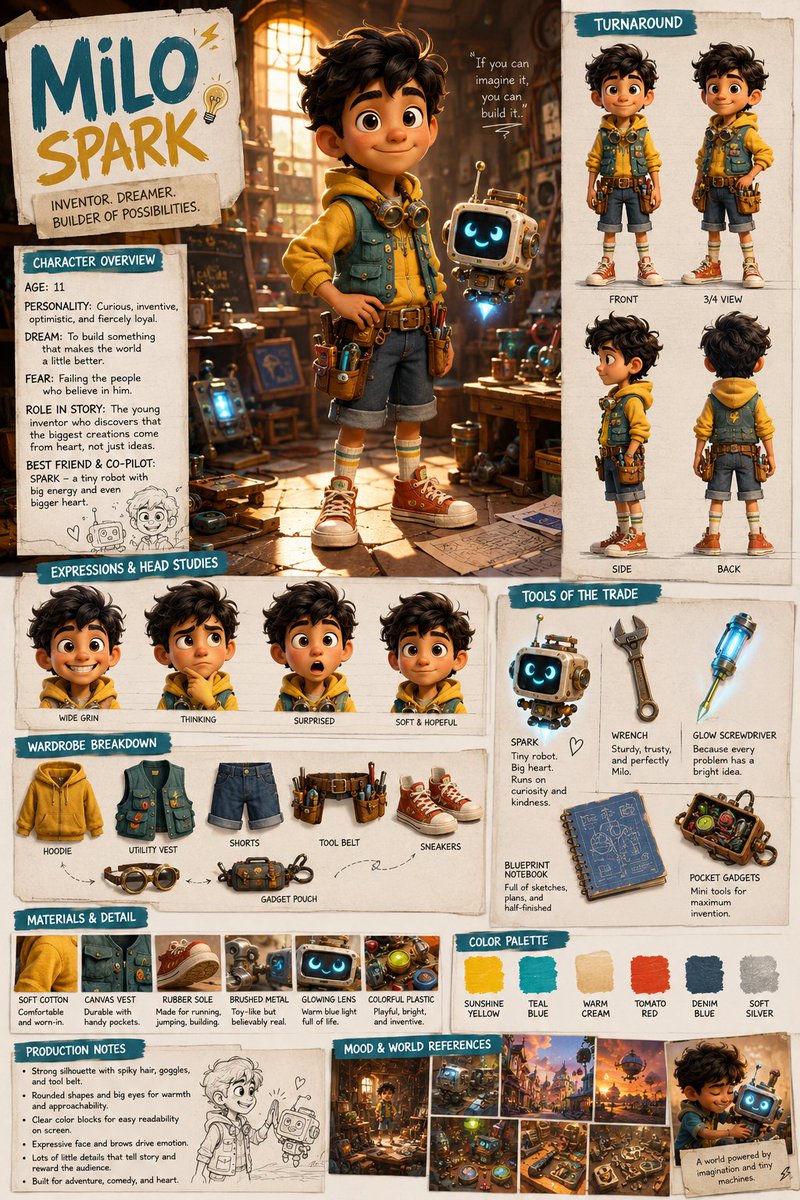
Full prompt
Create a single-page cinematic character design board for an original fictional character named “{argument name=\"character name\" default=\"[CHARACTER NAME]\"}”. Style: premium film pre-production pitch board, photorealistic cinematic concept art, professional visual development presentation, high-end art department aesthetics. Composition: Avoid generic grids, symmetrical layouts, or rigid template-like formatting. The page should feel like a professional director’s pitch board rather than a standard character sheet. Use an asymmetric, cinematic, story-driven composition with varied panel sizes, organic spacing, selective overlap, layered grouping, and a curated editorial rhythm. Let the overall board feel designed, intentional, and visually dynamic — like a real film proposal page created by a director, production designer, or concept artist. Character: {argument name=\"character description\" default=\"[Insert character identity, world, age, role, personality, outfit, materials, mood, and setting.]\"} Include: - one dominant hero portrait as the emotional focal point - supporting full-body turnaround views - expressive head angle studies - wardrobe or costume breakdown - material and texture detail callouts - character overview text - short production notes - color palette swatches - mood references or environmental fragments Design language: Use readable English headings, concise labels, thin divider lines, occasional callout arrows or handwritten notes, and a refined cinematic presentation style. Do not force every section into equal rectangles. Keep the layout fluid, premium, and visually curated. Quality: Highly detailed, photorealistic, cinematic lighting, consistent character identity across all panels, realistic costume materials, believable text structure, no logos, no watermark, no celebrity likeness.
Use this prompt in the VdoBloom image editor.
Opens the image editor with this prompt — add your own photo to generate.