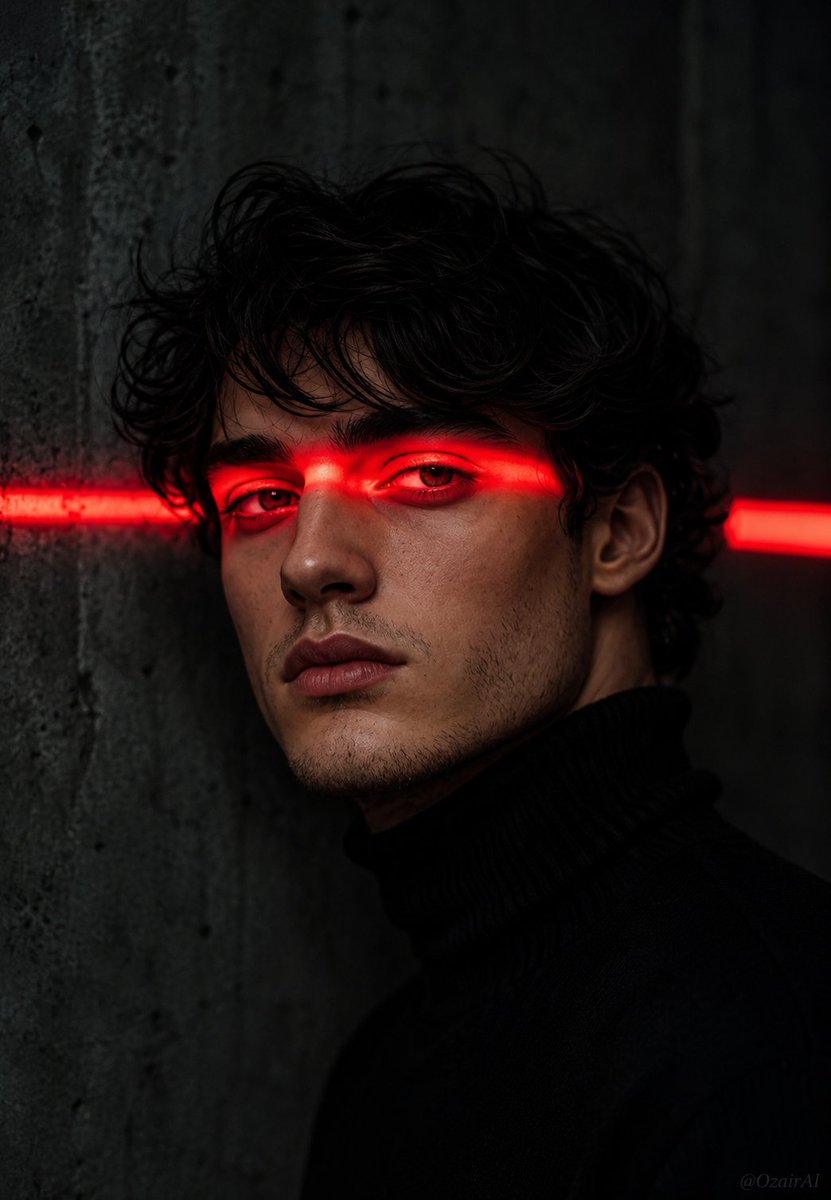
Cinematic Noir Neon Identity Portrait
Full prompt
Use the face in the reference image I've uploaded as the exact subject.
Do not change the facial features, jawline, eye shape, nose, or stubble.
Keep the face 100% identical to the reference.

Now place this exact face in the following scene:

Cinematic dark portrait of a man with {argument name="facial detail" default="sharp jawline and light stubble"},
messy black hair falling over forehead, wearing a {argument name="clothing" default="black turtleneck"}.
A single intense horizontal {argument name="light color" default="red"} neon light strip cutting across both
eyes — casting deep crimson glow on eyelids, brows, and nose bridge.
Eyes half-open, cold and intense stare directly into camera.
Background is dark muted grey concrete wall with a second blurred
red light strip visible to the right side, slightly out of focus.
Deep shadows, ultra dramatic lighting, noir cinematic atmosphere.
Small subtle "OzairAI" watermark faintly visible in bottom right corner.
Vertical 9:13 format. Ultra photorealistic, 8K, cinematic color grading.
Use this prompt in the VdoBloom image editor.
Opens the image editor with this prompt — add your own photo to generate.