Coastal Photo to Pastel Pixel Art
Full prompt
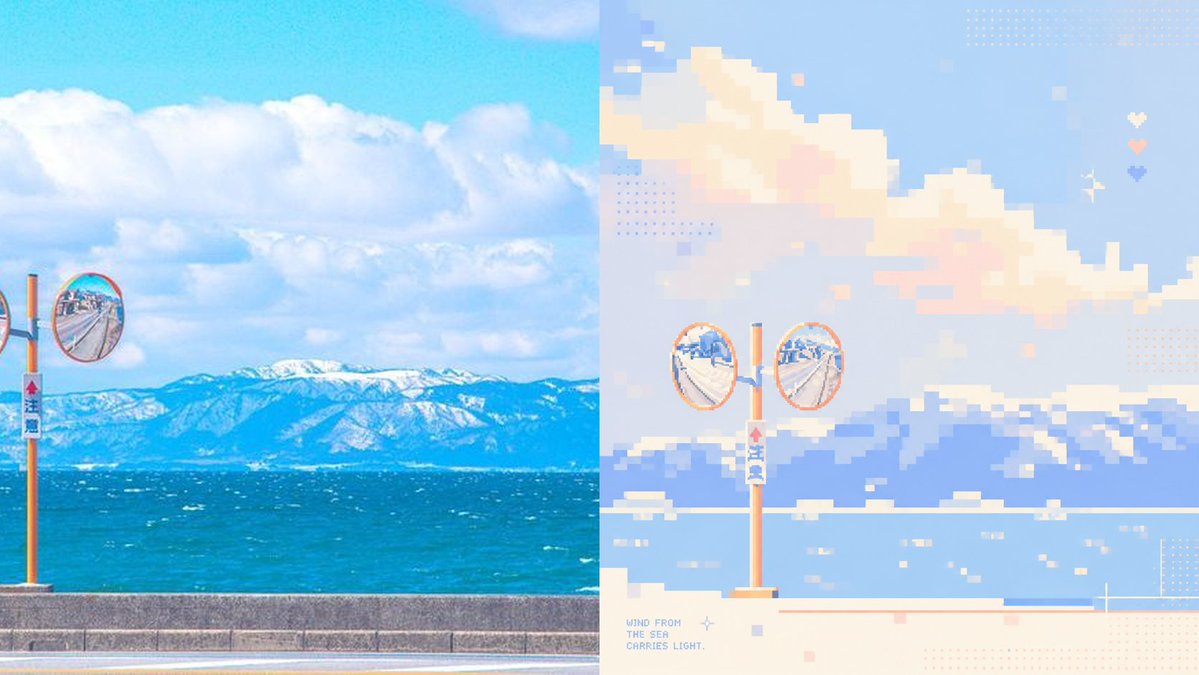
Using the provided reference image as a layout and style guide, create a clean before/after comparison showing a real coastal photo transformed into soft healing-color pixel art. Change the subject to {argument name="scene subject" default="a sunny seaside road with orange roadside convex traffic mirrors, blue ocean, and snowy mountains in the distance"}. Layout: use exactly 2 vertical panels side by side — the left panel is the realistic photo source, and the right panel is the pixel-art reconstruction. Keep the split at the center with no border.

Left panel: make it a bright, saturated real-photo coastal landscape with blue sky, large white clouds, turquoise sea, distant snow-covered mountains, a low concrete seawall, and orange roadside mirror poles. Include 2 visible convex mirrors: 1 full round mirror near the left-center edge and 1 partial cropped round mirror at the far left edge.

Right panel: reinterpret the left panel as low-resolution pixel art with large square blocks, pastel blue, cream, peach, lavender, and mint tones, airy negative space, and a calm therapeutic palette. Include exactly 2 full circular convex mirrors on one orange pole near the lower center-left, with the ocean, mountains, clouds, seawall, and small water highlights simplified into pixel blocks.

Add decorative pixel details only on the right panel: dotted halftone squares, tiny pastel square accents, a small sparkle/star icon, and exactly 3 small heart icons stacked vertically near the upper-right area. Add small pixel text at the lower-left of the right panel reading {argument name="caption text" default="WIND FROM\nTHE SEA\nCARRIES LIGHT."}. Use a wide horizontal canvas, crisp pixel edges on the right, bright daylight, no people, no watermark.
Use this prompt in the VdoBloom image editor.
Opens the image editor with this prompt — add your own photo to generate.