Crystal Palace Blue Gown Contact Sheet
Full prompt
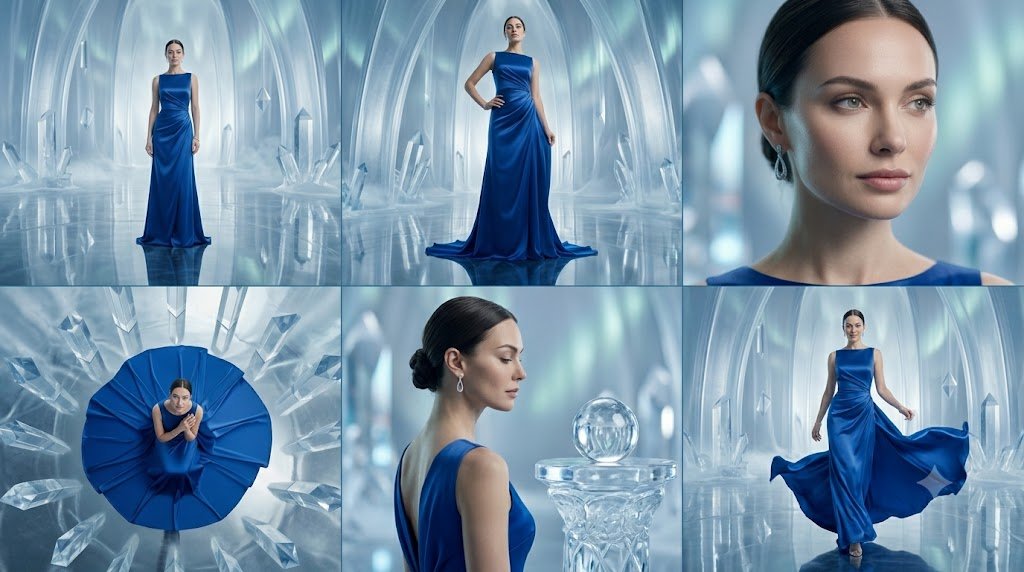
Create a cinematic fashion editorial contact sheet made of exactly 6 panels arranged in a 3-column by 2-row grid, separated by thin dark dividers, on a wide 16:9 canvas. The subject is a poised female fashion model wearing a {argument name="dress color" default="deep sapphire blue"} floor-length satin evening gown with elegant draping, a sleeveless high neckline, fitted waist, and long flowing skirt. The setting in every panel is an icy crystal palace with translucent arched walls, giant quartz-like crystal formations, cool blue-white mist, glossy reflective ice floors, and soft ethereal lighting. Panel 1, top left: full-body front view of the model standing centered in the distant crystal hall, dress falling straight to the floor with a small train reflection. Panel 2, top center: full-body three-quarter fashion pose, one hand on hip, gown pooling at the feet, face covered by a small neutral gray rectangular privacy block. Panel 3, top right: close-up portrait crop from shoulders to top of head, showing slick dark hair, blue dress neckline, dangling silver earrings, and a large neutral gray rectangular block obscuring the face. Panel 4, bottom left: overhead top-down shot of the model seated or crouched in the center of a dramatic circular fan of the blue gown, surrounded by radiating ice crystals, face covered by a small gray block. Panel 5, bottom center: back and side profile close-up of the model with a low elegant bun, bare upper back and blue shoulder strap visible, standing beside a carved crystal pedestal topped with a glass sphere, face covered by a medium gray rectangle. Panel 6, bottom right: full-body walking shot with the model holding the sides of the gown as it billows outward, reflective floor below, face covered by a small gray block. Use a luxury fantasy fashion photography style, high-end campaign lighting, cool cyan and silver palette, realistic fabric sheen, crisp crystal refractions, shallow depth of field in close-ups, and no text or logos.
Use this prompt in the VdoBloom image editor.
Opens the image editor with this prompt — add your own photo to generate.