Durarara-Style Tokyo Crossing Key Visual
Full prompt
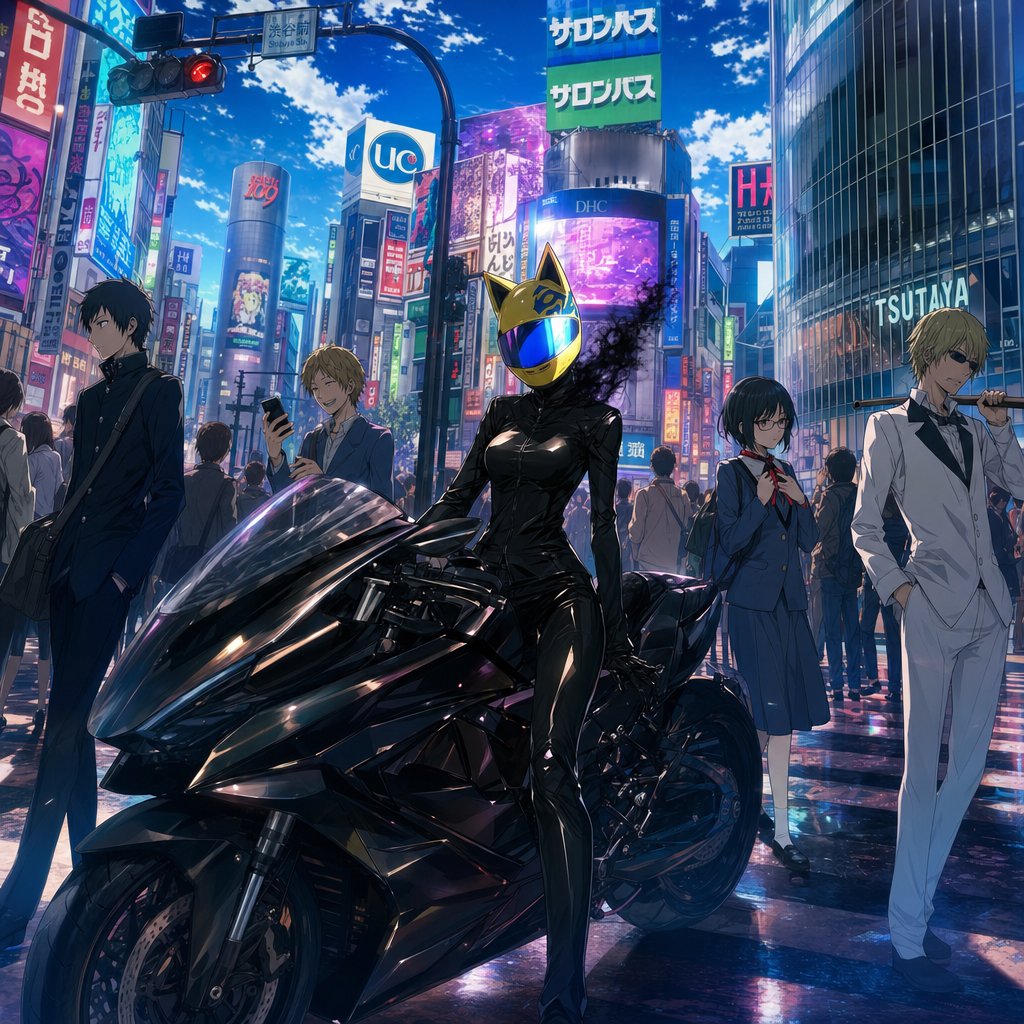
Create a polished anime key visual inspired by Durarara!!, set in a busy Ikebukuro/Shibuya-style Tokyo crossing at midday under a vivid blue sky with scattered clouds. The scene features exactly five main characters arranged across the foreground and midground: 1) at far left, a slim black-haired teenage boy in a dark school uniform, hands in pockets, carrying a shoulder bag, looking serious and slightly away from camera; 2) left-center behind the motorcycle, a cheerful blond teenage boy in casual school clothes holding a smartphone and smiling; 3) center foreground, a headless female rider based on {argument name="character name" default="Celty Sturluson"}, wearing a glossy black leather catsuit and a reflective gold cat-eared helmet with a blue mirrored visor, seated beside or leaning on a sleek black futuristic sport motorcycle, with dark smoky shadow tendrils drifting from the neck area; 4) right-center, a shy black-haired schoolgirl with glasses in a blue sailor-style uniform with red neck ribbon, holding her schoolbag straps; 5) far right, a tall blond man in an immaculate white bartender suit and black shirt, sunglasses, casually holding a metal street sign pole across one shoulder. Use dramatic cinematic perspective with the large black motorcycle dominating the lower half of the image, wet reflective pavement, dense pedestrian crowds in the background, red traffic light overhead, and towering buildings covered in colorful Japanese neon billboards and signs including visible shop signage such as {argument name="store sign text" default="TSUTAYA"}. Visual style: high-detail modern anime illustration, sharp linework, glossy highlights, saturated cyan-magenta city lighting, realistic reflections, dynamic urban depth, no borders or watermark. Mood: stylish, cool, mysterious, ensemble cast promotional poster. Include the quote atmosphere of {argument name="quote theme" default="The world is not as cruel a place as you think"} without adding large readable quote text.
Use this prompt in the VdoBloom image editor.
Opens the image editor with this prompt — add your own photo to generate.