Early 2000s Party Photo UI
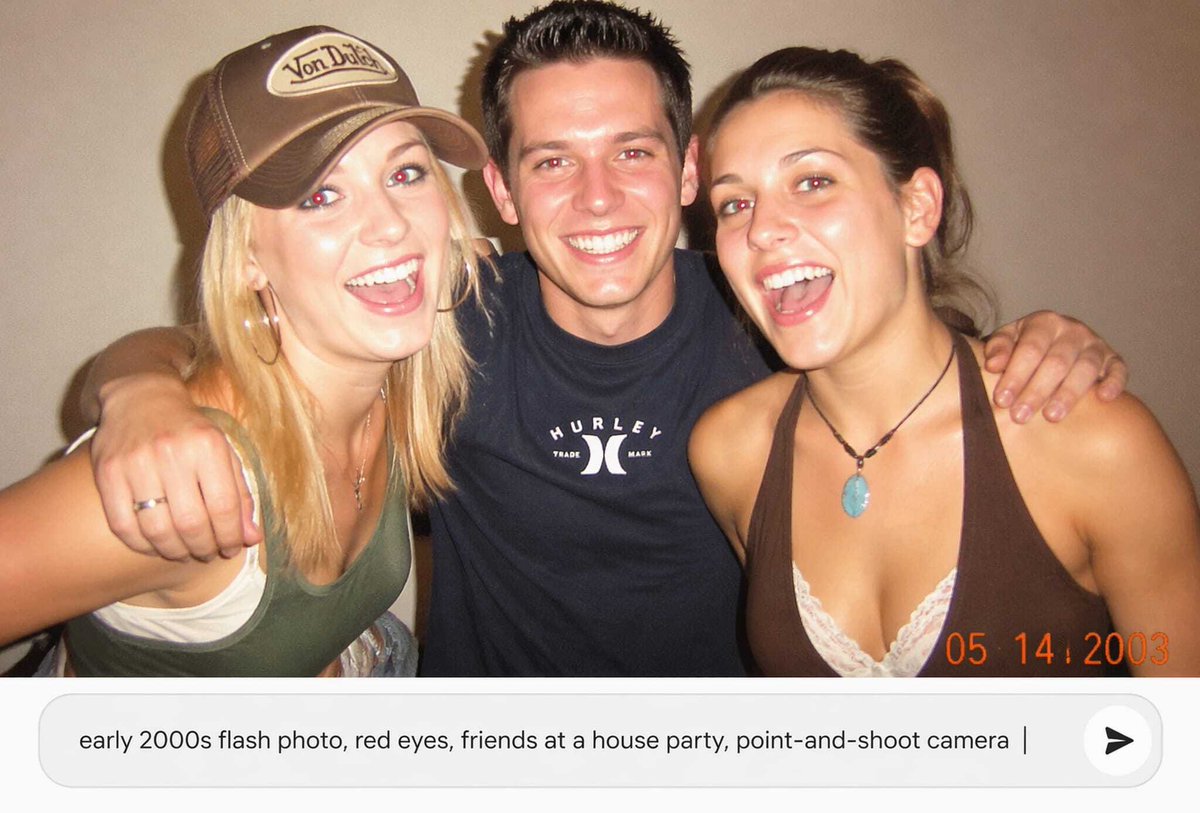
Full prompt
Create a nostalgic early-2000s candid point-and-shoot flash photograph of {argument name="number of friends" default="three friends"} posing close together at a casual house party against a plain beige wall. The photo should look like a low-resolution disposable-camera snapshot with harsh direct flash, warm indoor color cast, slight grain, soft focus, mild overexposure on skin, and a dark vignette. Show one blonde woman on the left wearing a brown trucker cap with a small vintage logo patch, a green tank top over a white underlayer, and jewelry; one man in the center with short spiky dark hair wearing a black Hurley-style T-shirt, arms around both friends; and one brunette woman on the right wearing a brown halter top over white lace and a turquoise pendant necklace. Obscure each face with a flat rectangular skin-tone censor block, exactly 3 censor rectangles total. Add an orange digital camera date stamp in the bottom-right reading {argument name="date stamp" default="05 14 2003"}. Below the photo, include a modern rounded white prompt input bar as if in an AI image app, containing the text {argument name="input prompt text" default="early 2000s flash photo, red eyes, friends at a house party, point-and-shoot camera"}, with a vertical cursor at the end and a circular send button on the right containing a black arrow icon. Use a landscape 16:9 composition with the photo occupying the upper portion and the UI prompt bar occupying the lower portion.
Use this prompt in the VdoBloom image editor.
Opens the image editor with this prompt — add your own photo to generate.