Editorial Typography Product Poster
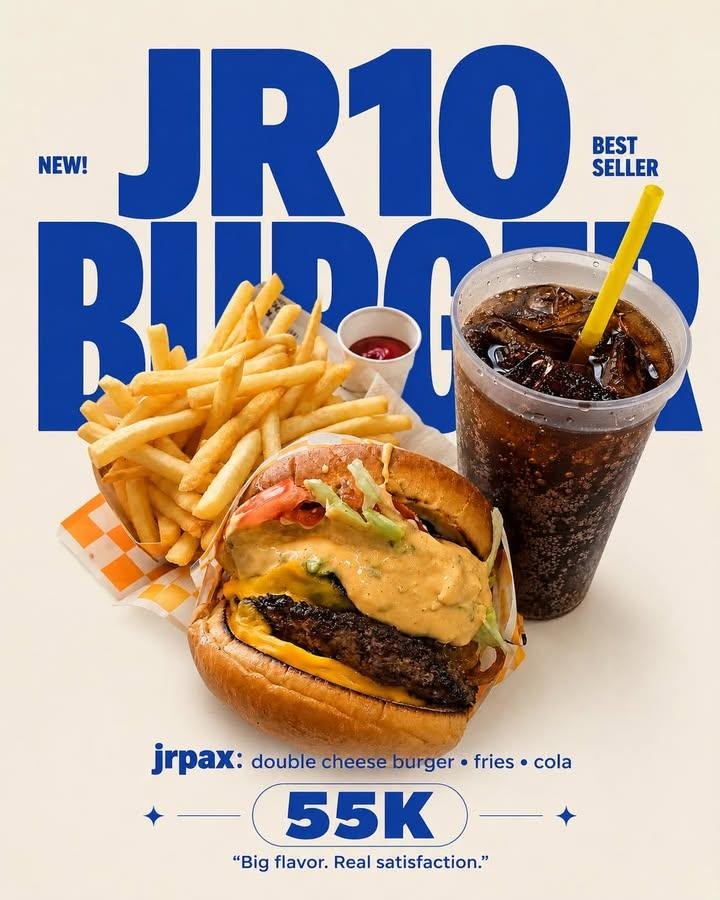
Full prompt
EDITORIAL TYPOGRAPHY PRODUCT POSTER
MASTER PRODUCT PRESERVATION V1 FINAL

EDIT SECTION
Aspect Ratio : […]
Background Color : {argument name="background color" default="[…..]"}
Typography Color : {argument name="typography color" default="[…..]"}
Brand Name : {argument name="brand name" default="[…..]"}
Product Name : […..]
Price : [….]
Quote : [automatic]

Use the uploaded image(s) as the only product reference. The uploaded image may contain a single product, multiple products or collage images.
Preserve the uploaded product approximately 99% exactly as photographed. Maintain the original shape, proportions, size, perspective, texture, material, colors, packaging, logo, labels, toppings, fillings, decorations, reflections, transparency, gloss, imperfections, cooking characteristics and every authentic visual detail exactly as shown.
Remove only the original background while keeping every product completely unchanged.
Replace the background with a clean seamless solid background using the selected background color.
Keep every detected product in its original appearance without redesigning, reconstructing or beautifying any part.

TYPOGRAPHY LAYOUT
Create a bold modern editorial typography composition.
Position the large Brand Name behind the product so the product naturally overlaps part of the typography.
Place the Product Name below the product using a smaller bold font.
Place the Price below the Product Name as a secondary focal point.
Generate one short commercial quote automatically according to the uploaded product.
Maintain generous spacing, strong visual hierarchy and premium advertising balance.
OUTPUT STYLE
Premium commercial poster, minimalist editorial design, clean composition, bold typography, authentic product preservation, realistic lighting, subtle natural shadow, print-ready quality.
Never : regenerate products, redraw products, alter shape, alter proportions, alter colors, alter textures, alter packaging, alter logo, alter labels, alter toppings, alter fillings, beautify products, replace products, duplicate products, add props, add decorative objects, add tables, add plates, add packaging, add stickers, add borders, add frames, add patterns, crop products, obscure products, change product identity.
Use this prompt in the VdoBloom image editor.
Opens the image editor with this prompt — add your own photo to generate.