AI Model Eyewear Store Comparison
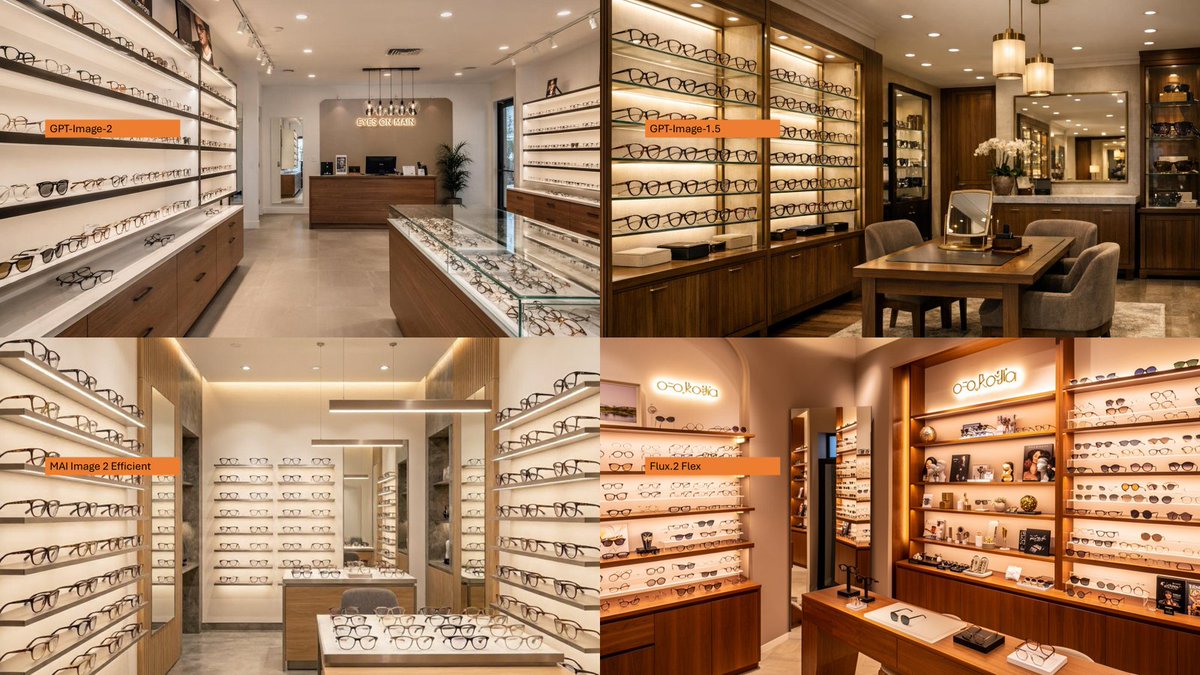
Full prompt
Using the provided reference image as a loose layout inspiration for a model-comparison graphic, replace the Japanese DX infographic with a clean 2×2 comparison collage of photorealistic eyeglasses store interiors. Create exactly 4 panels: top-left labeled {argument name="first model label" default="GPT-Image-2"}, top-right labeled {argument name="second model label" default="GPT-Image-1.5"}, bottom-left labeled {argument name="third model label" default="MAI Image 2 Efficient"}, and bottom-right labeled {argument name="fourth model label" default="Flux.2 Flex"}. Each panel should show a different upscale optical boutique interior filled with wall displays of eyeglass frames, glass counters, warm lighting, wood cabinetry, mirrors, and showroom depth. Use small horizontal orange label bars with black text near the left side of each panel. Make the final image a wide 16:9 collage with thin panel boundaries, no extra explanatory text, no Japanese report content, and no watermark.
Use this prompt in the VdoBloom image editor.
Opens the image editor with this prompt — add your own photo to generate.