Faceless Fashion Editorial Triptych
Full prompt
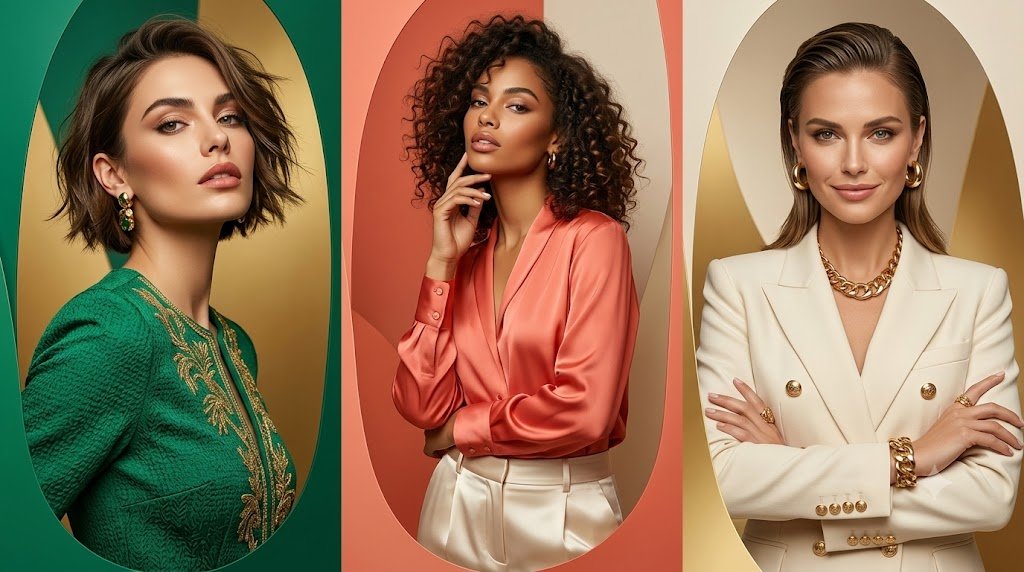
Goal: Create a high-fashion editorial triptych featuring exactly 3 faceless female portrait panels side by side, shot like a luxury magazine campaign.

Canvas: Wide horizontal 16:9 image, clean studio lighting, sharp professional photography, waist-up portraits, no text or watermark.

Layout: Split the canvas into exactly 3 equal vertical panels with narrow borders. Each panel has a large elongated oval/arched backdrop behind the model, using warm metallic and jewel-tone colors.

Subjects: Panel 1 shows {argument name="left model outfit" default="a woman in an emerald green textured embroidered jacket with gold detailing"}, short tousled dark bob haircut, turned slightly in profile, gold earrings, green and gold background. Panel 2 shows {argument name="center model outfit" default="a woman in a coral satin blouse tucked into high-waisted cream trousers"}, voluminous curly dark hair, one hand raised near her chin, coral and cream arched background. Panel 3 shows {argument name="right model outfit" default="a woman in a cream double-breasted blazer with gold buttons"}, slicked-back shoulder-length hair, arms crossed, bold gold chain necklace, gold bracelet and rings, ivory and gold arched background.

Face treatment: All 3 faces are intentionally anonymized with smooth centered rectangular blur blocks in a natural skin-tone gradient, covering facial features completely while leaving hair, neck, clothing, jewelry, and pose visible.

Visual style: Luxe editorial fashion photography, glossy fabrics, rich color blocking, soft shadows, elegant gold accents, realistic skin and hair detail outside the blurred face areas, polished studio composition, premium advertising aesthetic.

Constraints: Use exactly 3 models, exactly 3 vertical panels, exactly 3 blurred face rectangles, no readable text, no logos, no extra people, no full-body framing.
Use this prompt in the VdoBloom image editor.
Opens the image editor with this prompt — add your own photo to generate.