Dark Fantasy AI Gallery UI
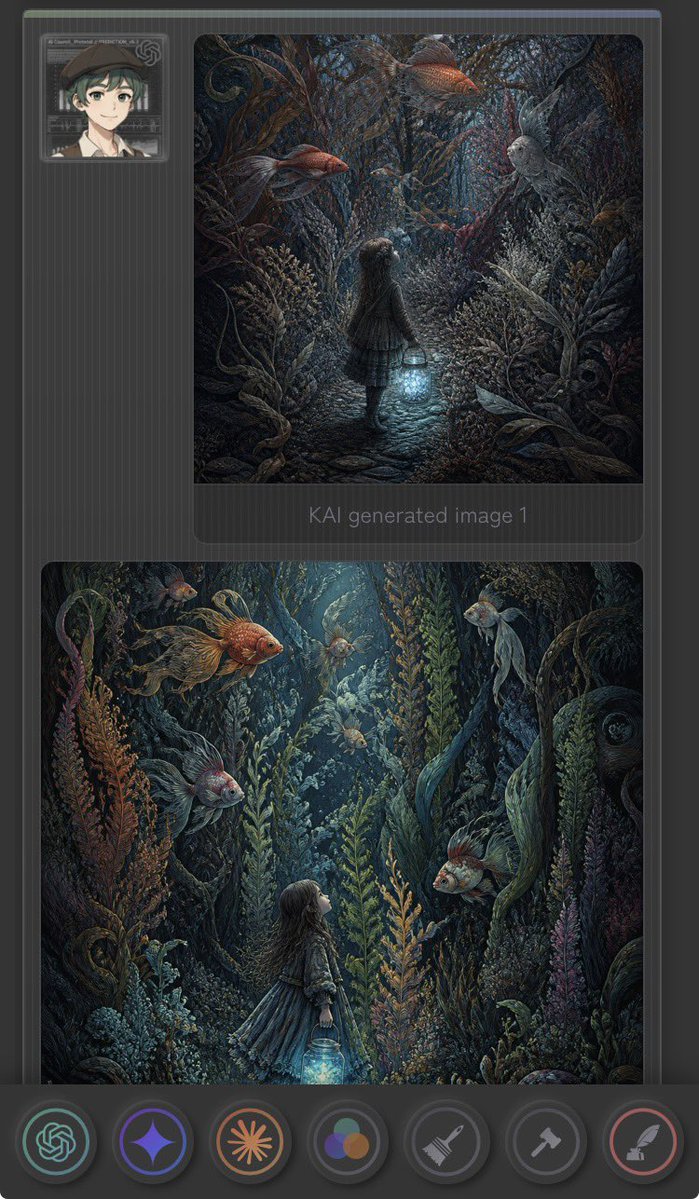
Full prompt
Create a vertical dark mobile app-style gallery screenshot showing two fantasy AI-generated images inside a charcoal interface. Canvas is tall 9:16 with rounded corners, dark grey background, subtle vertical pinstripe texture, thin top status-like color strip, and soft UI shadows. At the upper left place one small square user avatar card: an anime-style young person with short dark green hair, beret, light skin, neutral smile, framed by a translucent futuristic ID-card border. Main layout contains exactly 2 large rounded image panels stacked vertically on the right/center: the first smaller square-ish panel near the top, the second larger nearly full-width panel below. Under the first panel include faint grey text reading “KAI generated Image 1”. The artwork in both panels should depict a dark enchanted underwater forest: a little girl in a dress holding a glowing blue lantern, surrounded by dense seaweed, coral-like plants, twisting roots, bubbles, and oversized floating goldfish. Use moody teal, navy, charcoal, copper-orange, and bioluminescent cyan lighting, with highly detailed painterly fantasy illustration style. In the top panel, show the girl from behind walking down a narrow cobblestone path into a tunnel of aquatic plants, holding the lantern low; include exactly 4 prominent fish: 2 orange goldfish near the top, 1 pale grey fish on the right, and 1 small dark fish near the center. In the bottom panel, show a closer vertical underwater scene with the girl in profile looking upward from the lower center-left while holding the glowing lantern; include exactly 6 visible fish: 1 large orange goldfish upper left, 1 small orange fish upper left background, 1 pale fish top center, 1 pale fish upper right, 1 grey fish lower left, and 1 orange-grey fish mid-right. Along the bottom place a floating dark toolbar with exactly 7 circular icon buttons: green OpenAI knot icon, purple sparkle/star icon, orange sunburst icon, multicolor three-circle palette icon, grey broom/brush icon, grey hammer icon, and red feather/quill icon. Make the interface slightly translucent and futuristic, but keep the fantasy images as the visual focus. No extra text, no watermark.
Use this prompt in the VdoBloom image editor.
Opens the image editor with this prompt — add your own photo to generate.