Fashion Editorial Magazine Cover with Motion Trails
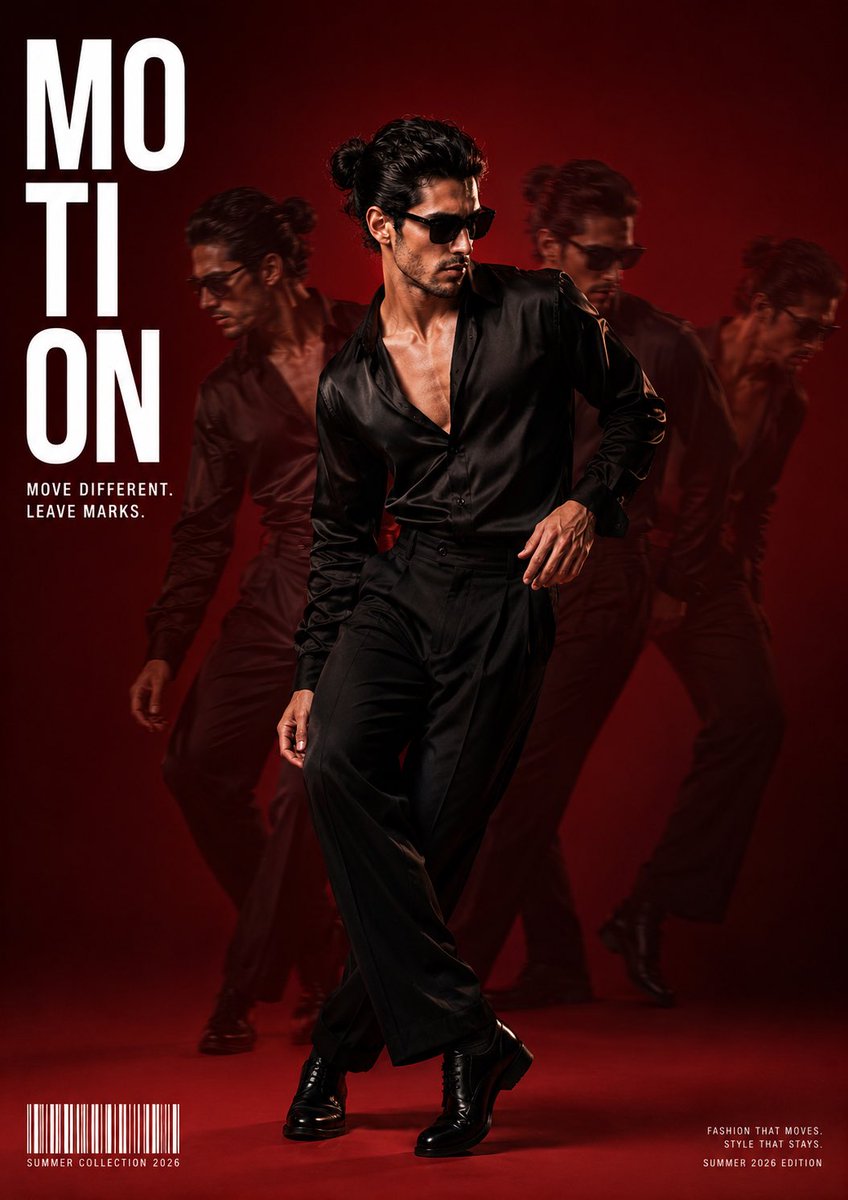
Full prompt
Create a high-end fashion editorial magazine cover using the uploaded face as the exact identity reference. Preserve the facial structure, hairstyle, beard, skin tone, and overall likeness with photorealistic accuracy.

The subject is captured full-body in a stylish dance pose, wearing {argument name="outfit" default="a premium black satin open-collar shirt, tailored black wide-leg trousers, polished black leather shoes, and sleek black sunglasses"}. Hair is tied into a neat man bun. Expression is calm, confident, and effortlessly stylish.

Create a motion-trail effect with 3–4 semi-transparent ghosted versions of the subject positioned naturally behind and beside him, showing previous movement frames. The central figure is perfectly sharp while the motion duplicates are softly blurred with reduced opacity, creating a premium cinematic movement effect.

Background is a seamless {argument name="backdrop color" default="deep crimson-to-dark-red"} studio backdrop with subtle gradient lighting, soft haze, and dramatic rim lighting separating the subject from the background. The lighting is fashion-editorial quality with soft key light, subtle shadows, and glossy fabric highlights.

Magazine cover design:
• Huge bold white text "{argument name="magazine title" default="MOTION"}" vertically aligned on the upper left.
• Small tagline beneath: "MOVE DIFFERENT. LEAVE MARKS."
• Bottom left includes a realistic barcode with small text: "SUMMER COLLECTION 2026".
• Bottom right contains tiny editorial placeholder text for an authentic magazine layout.
• Clean luxury typography with perfect spacing and minimal design.

Style: Vogue, GQ, Esquire, luxury fashion campaign, cinematic editorial photography, hyper-realistic, ultra-detailed, premium studio shoot, 8K resolution, razor-sharp focus, realistic skin pores, natural facial texture, accurate anatomy, premium color grading, shallow depth of field, high dynamic range, award-winning fashion photography.
Use this prompt in the VdoBloom image editor.
Opens the image editor with this prompt — add your own photo to generate.