Monochrome Gothic Puppeteer Cover
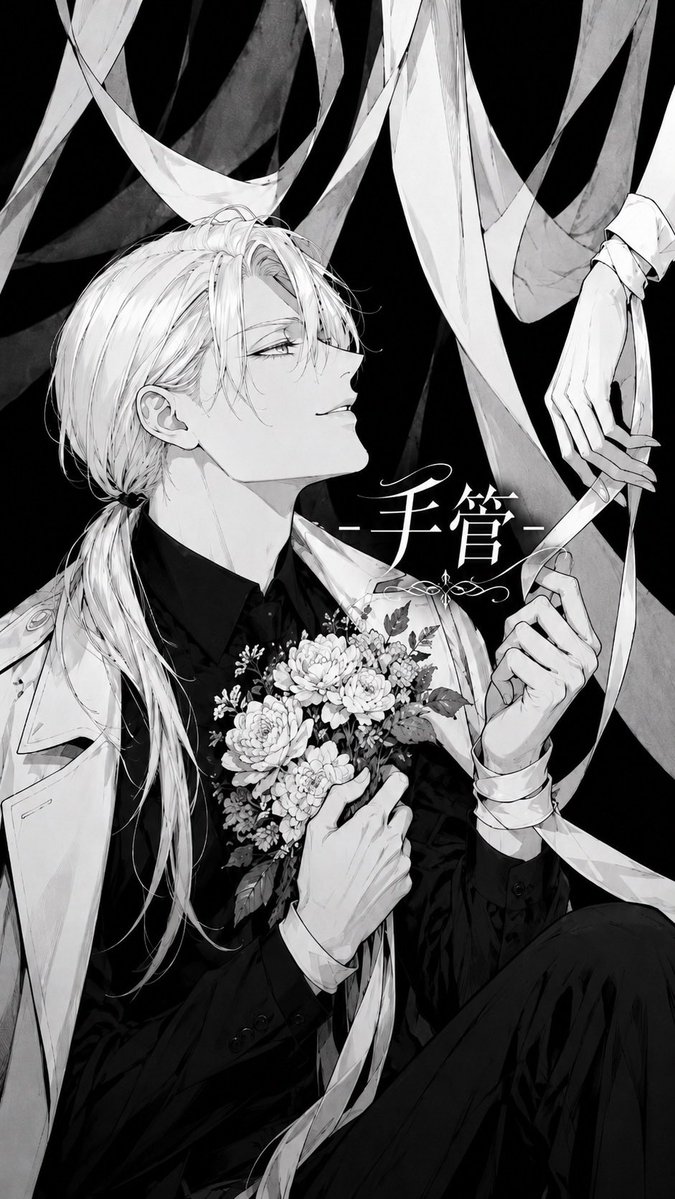
Full prompt
Create a vertical monochrome manga-style album cover illustration with a dramatic black background and high-contrast ink shading. Show an elegant androgynous young man, {argument name="character name" default="the puppeteer"}, seated in a three-quarter pose, viewed from the waist up with one knee rising at the lower right. He has very long pale {argument name="hair color" default="platinum blond"} hair tied into a low ponytail over one shoulder, loose strands falling across one eye, narrow half-lidded eyes, a calm faint smile, a sharp jawline, and delicate bishonen features. Dress him in a black formal shirt and suit with a light trench coat or tailored white coat draped over his shoulders. His left hand holds a dense bouquet of small flowers against his chest; include exactly one bouquet made of clustered chrysanthemums/dahlias, tiny filler blossoms, leaves, and dangling ribbon. His right hand pulls a long white ribbon connected to a suspended puppet-like hand at the upper right; include exactly one mannequin/puppet hand with jointed fingers hanging from above, and make the human hand and puppet hand interact through the ribbon like a marionette string. Fill the background with exactly eight long translucent white and gray ribbons or fabric streamers twisting and crossing from the top and sides, creating layered depth against the black negative space. Add large centered Japanese title text {argument name="title text" default="手管"} in elegant white calligraphy to the right of the character’s face, flanked by thin horizontal dashes and a small ornamental flourish underneath. Use refined black-and-white manga line art, delicate crosshatching, soft grayscale washes, glossy fabric shadows, highly detailed hair strands, flowers, hands, and ribbons. Composition should feel like a gothic romantic jacket cover, poetic, controlled, and slightly eerie. No color, no watermark, no extra characters, no additional text beyond the title and ornament.
Use this prompt in the VdoBloom image editor.
Opens the image editor with this prompt — add your own photo to generate.