IT Architecture Knowledge Infographic
Full prompt
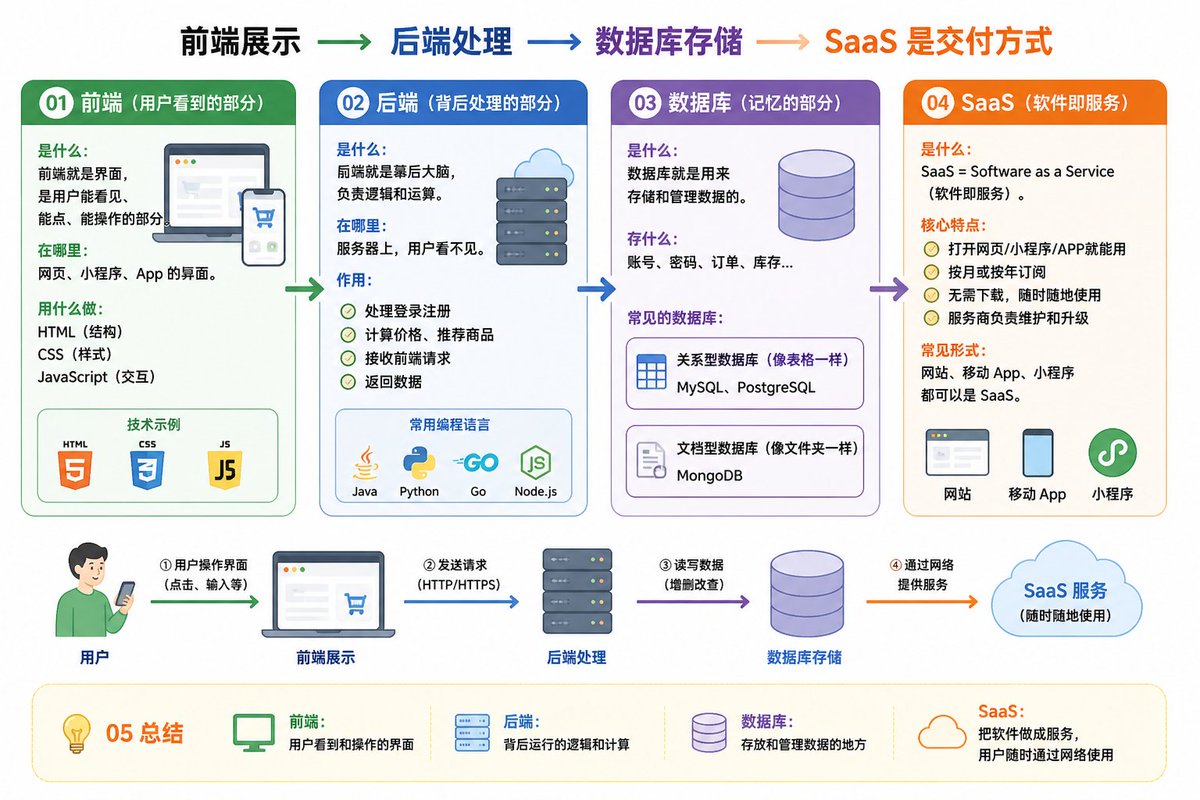
01 Frontend (the part users see)

What it is: The interface that users can see, click, and interact with.
Where it is: Interfaces for websites, mini-programs, and apps.
Tools: HTML (structure), CSS (styling), JavaScript (interaction).

02 Backend (the processing part behind the scenes)

What it is: The brain behind the scenes, responsible for logic and calculation.
Where it is: On the server, invisible to users.
Function:
Handles login and registration
Calculates prices and recommends products
Receives frontend requests and returns data
Common languages: Java, Python, Go, JavaScript (Node.js)

03 Database (the memory part)

What it is: Used to store and manage data.
What it stores: Accounts, passwords, orders, inventory...
Common databases:
MySQL, PostgreSQL (relational, like tables)
MongoDB (document-based, like folders)

04 SaaS (Software as a Service)

What it is: SaaS = Software as a Service.
Core features:
Usable via web, mini-program, or app
Monthly or annual subscription
Common forms: Websites, mobile apps, and mini-programs can all be SaaS.

05 Summary

Frontend: User-visible interface
Backend: Logic and calculation behind the scenes
Database: Storage and management of data
SaaS: Delivering software as a service over the network
Frontend display → Backend processing → Database storage → SaaS delivery method
Help me draw an easy-to-understand diagram based on the content above.
Original prompt
01 前端(用户看到的部分)

是什么:前端就是界面,是用户能看见、能点、能操作的部分。

在哪里:网页、小程序、App 的界面。

用什么做:HTML(结构)、CSS(样式)、JavaScript(交互)。

02 后端(背后处理的部分)

是什么:后端就是幕后大脑,负责逻辑和运算。

在哪里:服务器上,用户看不见。

作用:

处理登录注册

计算价格、推荐商品

接收前端请求、返回数据

常用的编程语言:Java、Python、Go、JavaScript(Node.js)

03 数据库(记忆的部分)

是什么:数据库就是用来存储和管理数据的。

存什么:账号、密码、订单、库存…

常见的数据库:

MySQL、PostgreSQL(关系型,像表格一样)

MongoDB(文档型,像文件夹一样)

04 SaaS(软件即服务)

是什么:SaaS = Software as a Service(软件即服务)。

核心特点:

打开网页/小程序/APP就能用

按月或按年订阅

常见形式:网站、移动 App、小程序都可以是 SaaS。

05 总结

前端:用户看到和操作的界面

后端:背后运行的逻辑和计算

数据库:存放和管理数据的地方

SaaS:把软件做成服务,用户随时通过网络使用

前端展示 → 后端处理 → 数据库存储 → SaaS 是交付方式

帮我针对上面的内容画一张易于理解的图
Use this prompt in the VdoBloom image editor.
Opens the image editor with this prompt — add your own photo to generate.