Japanese AI Conversation Slide
Full prompt
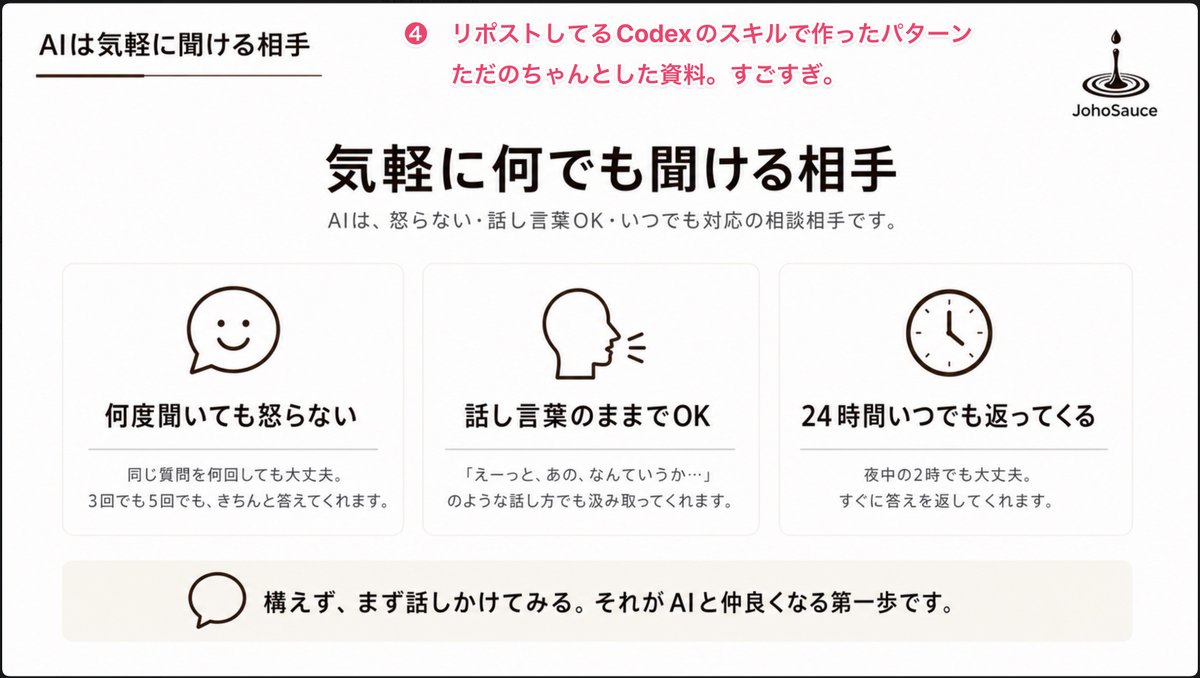
Goal: Create a clean Japanese presentation slide about AI as an approachable conversation partner, in a polished PowerPoint-style corporate/educational layout.

Canvas: 16:9 widescreen slide, white background with very subtle warm beige accents, thin black outer border, generous margins, minimalist and calm.

Header: Top-left small section title in Japanese: 「AIは気軽に聞ける相手」 with a short thin brown underline beneath it. Near the top center-left, add a pink circular badge containing 「4」 followed by pink annotation text: 「リポストしてるCodexのスキルで作ったパターン ただのちゃんとした資料。すごすぎ。」 Top-right place a simple black JohoSauce-style logo: a droplet falling into ripple rings, with the word 「JohoSauce」 underneath.

Main title area: Centered large bold Japanese headline: 「{argument name="main headline" default="気軽に何でも聞ける相手"}」. Beneath it, smaller gray subtitle: 「AIは、怒らない・話し言葉OK・いつでも対応の相談相手です。」

Main content: Use exactly 3 equal rounded rectangular cards in one horizontal row, each with a thin light-gray border, white fill, soft shadow, and centered dark-brown line icon at the top. Card 1 icon: smiling chat bubble. Card 1 title: 「何度聞いても怒らない」. Card 1 body: 「同じ質問を何回しても大丈夫。\n3回でも5回でも、きちんと答えてくれます。」 Card 2 icon: side profile head speaking with two short sound lines. Card 2 title: 「話し言葉のままでOK」. Card 2 body: 「『えーっと、あの、なんていうか…』\nのような話し方でも汲み取ってくれます。」 Card 3 icon: simple analog clock. Card 3 title: 「24時間いつでも返ってくる」. Card 3 body: 「夜中の2時でも大丈夫。\nすぐに答えを返してくれます。」 Use exactly these three cards and no additional cards.

Bottom message bar: Add one wide pale beige rounded rectangle spanning most of the slide width. On the left inside it, place a simple outlined speech-bubble icon. To the right, bold Japanese message: 「{argument name="bottom message" default="構えず、まず話しかけてみる。それがAIと仲良くなる第一歩です。"}」

Visual style: Minimal Japanese business deck aesthetic, black and dark brown typography, pink accent only in the top annotation, simple monoline icons, lots of whitespace, balanced alignment, crisp vector-like rendering, no photos, no gradients except extremely subtle warm background shading, no extra decorative elements.
Use this prompt in the VdoBloom image editor.
Opens the image editor with this prompt — add your own photo to generate.