Rainy Japanese Visual Novel Title Screen
Full prompt
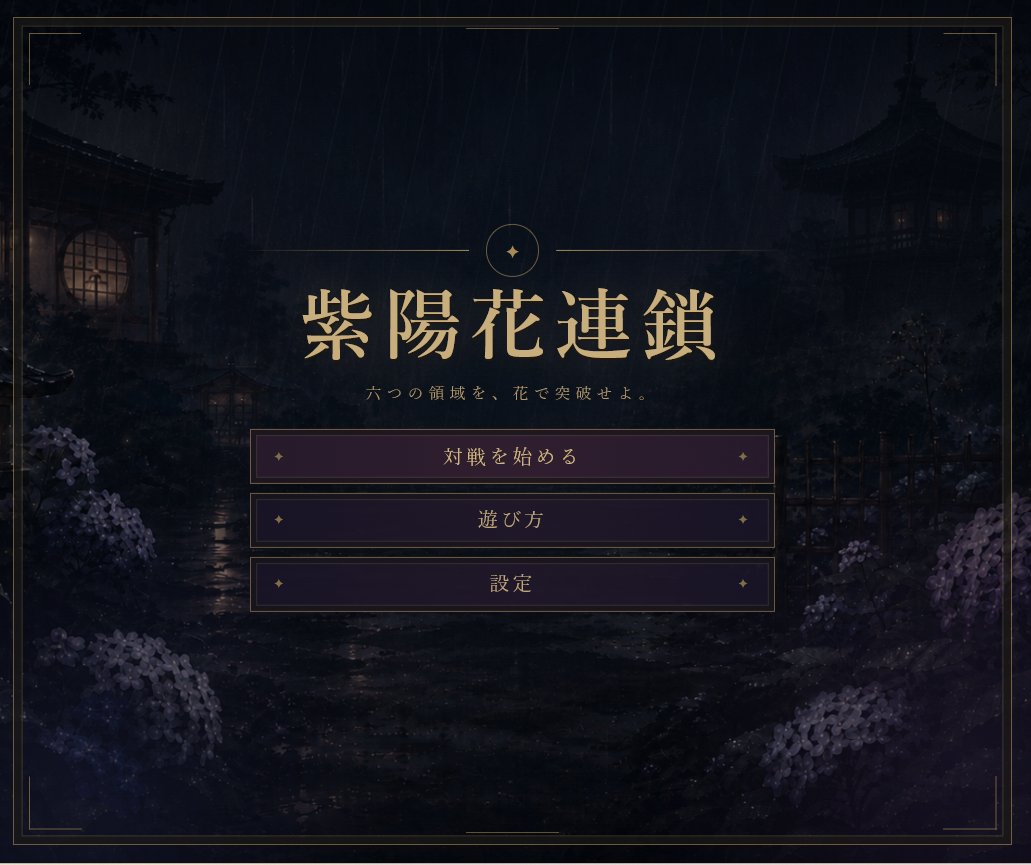
Goal: Create a moody Japanese visual-novel title screen for a dark fantasy strategy game named {argument name="game title" default="紫陽花連鎖"}.

Canvas: 4:3 landscape game menu screen, approximately 920×768, with a dark cinematic vignette and refined antique framing.

Background: A rainy midnight Japanese garden scene. Show heavy diagonal rain streaks over a shadowy stone path and wet reflective ground. On the left, place a traditional wooden building with a warm glowing round window; on the right, a dark pagoda-like pavilion with faint warm window lights. Add silhouettes of trees, fences, shrubs, lantern-like structures, and clusters of pale purple hydrangeas in the lower left and lower right foreground. Keep the scenery atmospheric, low-contrast, and mostly obscured by darkness and mist.

Layout: Center the title area in the upper-middle of the screen. Above the title, add a thin gold horizontal divider line split by a small circular emblem containing a simple four-point sparkle/star. Use elegant metallic gold typography for the large Japanese title. Beneath it, add the small subtitle text {argument name="subtitle text" default="六つの領域を、花で突破せよ。"}. Below the subtitle, place exactly 3 horizontal menu buttons stacked vertically and centered.

Menu buttons: Use exactly 3 rectangular dark purple buttons with thin gold borders, subtle inner glow, and small gold diamond ornaments near both left and right edges. The visible button labels, from top to bottom, must be: {argument name="first button label" default="対戦を始める"}, {argument name="second button label" default="遊び方"}, {argument name="third button label" default="設定"}. The first button should be slightly lighter/brighter purple than the other two, as if selected.

Frame and style: Add a thin double-line gold border around the entire screen with small decorative corner breaks and short accent line segments near the corners. Use a refined Japanese gothic aesthetic, muted indigo/black/purple palette, antique gold UI accents, painterly background art, and crisp game UI typography. Avoid modern icons, extra buttons, logos, watermarks, or characters.
Use this prompt in the VdoBloom image editor.
Opens the image editor with this prompt — add your own photo to generate.