Educational Lightning Storyboard Infographic
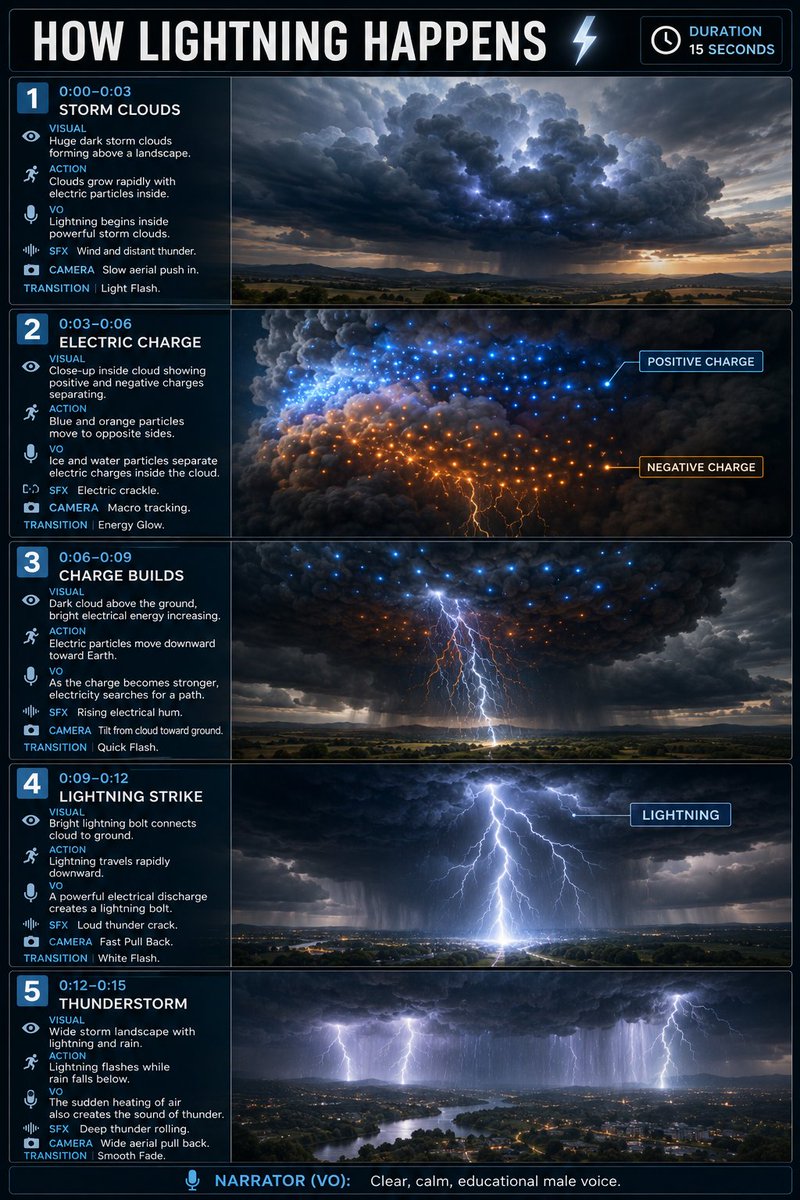
Full prompt
Create a vertical 2:3 educational storyboard infographic, 5 horizontal scenes, cinematic realistic 3D science visualization, exactly like a professional educational video storyboard.

TOPIC: HOW LIGHTNING HAPPENS
Duration: 15 seconds

1 | 0:00–0:03 — STORM CLOUDS
Visual: Huge dark storm clouds forming above a landscape.
Action: Clouds grow rapidly with electric particles inside.
VO: “Lightning begins inside powerful storm clouds.”
SFX: Wind and distant thunder.
Camera: Slow aerial push in.
Transition: Light Flash.

2 | 0:03–0:06 — ELECTRIC CHARGE
Visual: Close-up inside cloud showing positive and negative charges separating.
Action: Blue and orange particles move to opposite sides.
Labels: POSITIVE CHARGE, NEGATIVE CHARGE.
VO: “Ice and water particles separate electric charges inside the cloud.”
SFX: Electric crackle.
Camera: Macro tracking.
Transition: Energy Glow.

3 | 0:06–0:09 — CHARGE BUILDS
Visual: Dark cloud above the ground, bright electrical energy increasing.
Action: Electric particles move downward toward Earth.
VO: “As the charge becomes stronger, electricity searches for a path.”
SFX: Rising electrical hum.
Camera: Tilt from cloud toward ground.
Transition: Quick Flash.

4 | 0:09–0:12 — LIGHTNING STRIKE
Visual: Bright lightning bolt connects cloud to ground.
Action: Lightning travels rapidly downward.
Label: LIGHTNING.
VO: “A powerful electrical discharge creates a lightning bolt.”
SFX: Loud thunder crack.
Camera: Fast Pull Back.
Transition: White Flash.

5 | 0:12–0:15 — THUNDERSTORM
Visual: Wide storm landscape with lightning and rain.
Action: Lightning flashes while rain falls below.
VO: “The sudden heating of air also creates the sound of thunder.”
SFX: Deep thunder rolling.
Camera: Wide aerial pull back.
Transition: Smooth Fade.

Bottom: NARRATOR (VO): Clear, calm, educational male voice.
Use this prompt in the VdoBloom image editor.
Opens the image editor with this prompt — add your own photo to generate.