Premium Loot App Screenshot Upgrade
Full prompt
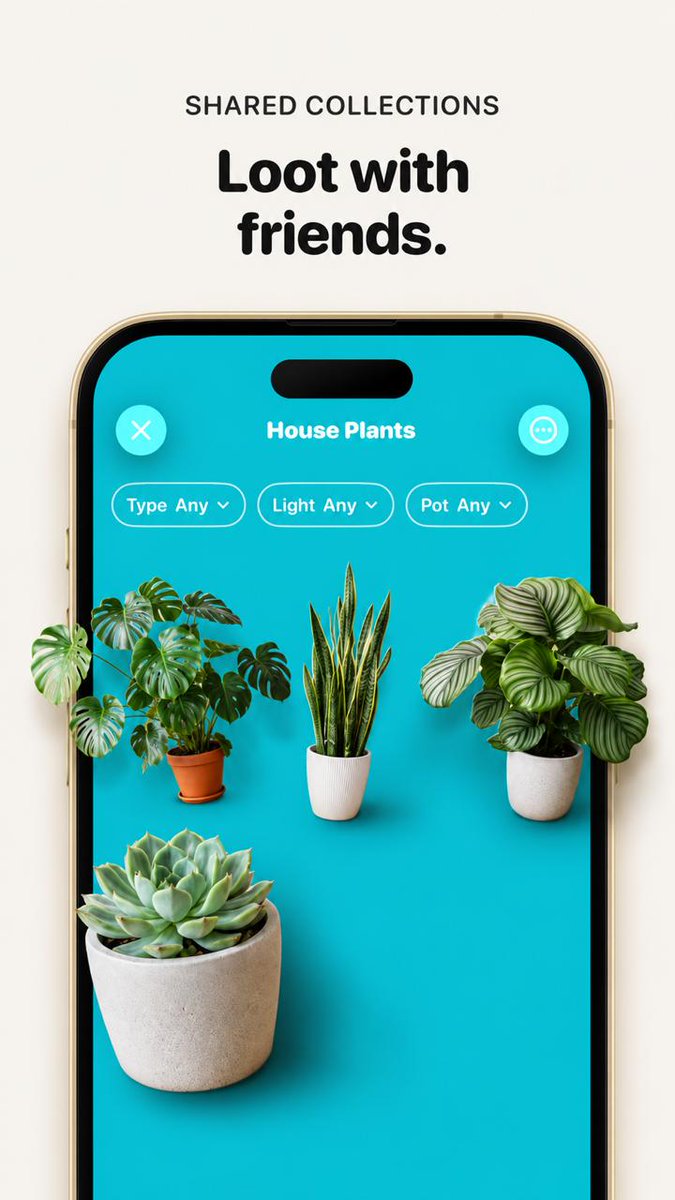
Using the provided reference image, improve the app promo screenshot into a polished, high-end product mockup while preserving the same overall layout, text, phone frame, turquoise app screen, and plant-collection UI. Enlarge and sharpen the phone crop so it fills more of the vertical canvas, keep the headline above it reading {argument name="headline text" default="Loot with friends."} with the small label {argument name="section label" default="SHARED COLLECTIONS"}. Replace the tiny flat plant thumbnails with realistic, larger, photoreal 3D/product-render plants that appear to sit inside the phone screen with soft shadows and depth. Use exactly 4 plants: a monstera in a terracotta pot on the left, a snake plant in a white ribbed pot in the center, a round-leaf striped calathea/peperomia-style plant in a white pot on the right, and a large echeveria succulent in a concrete pot in the lower-left foreground. Keep the UI title {argument name="collection title" default="House Plants"}, the close button, menu button, and exactly 3 pill filters labeled “Type Any”, “Light Any”, and “Pot Any”. Make the overall image cleaner, brighter, more premium, with crisp typography, realistic shadows, and a beige/off-white background; avoid adding extra UI elements, extra plants, watermarks, or unrelated text.
Use this prompt in the VdoBloom image editor.
Opens the image editor with this prompt — add your own photo to generate.