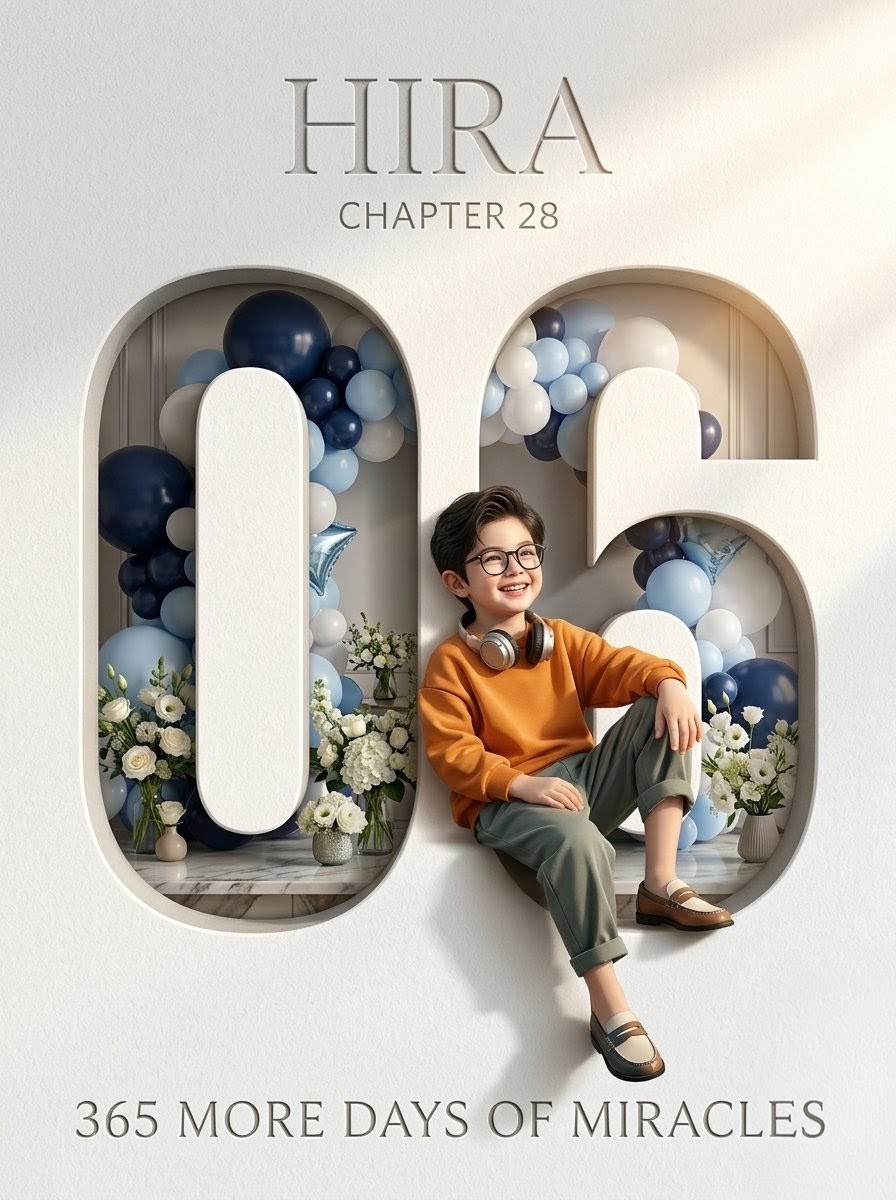
Luxury 6th Birthday Poster
Full prompt
Create a professional luxury birthday poster in a vertical 3:4 ratio. Use an elegant snow-white textured paper wall filling the entire frame, with soft warm studio lighting from the upper right, realistic shadows, and a premium editorial look. Center the design around two giant carved wall numerals, exactly 2 discrete digits: “0” on the left and “6” on the right, forming the number {argument name="birthday age" default="06"}. The numerals are cut deeply into the wall with rounded edges, thick volumetric depth, realistic inner shadows, and a cream-white plaster texture. Inside and behind the cutout digits, show a refined birthday installation with exactly 46 visible balloons arranged as two dense garland clusters: navy blue, pale powder blue, white, and pearl gray balloons, plus 2 metallic star balloons in pale blue. Add exactly 4 white floral arrangements in small vases along the bottom of the cutouts, using white roses, hydrangeas, small blossoms, and greenery. Place one stylish young boy sitting partly in front of the right digit and between the numerals, one knee raised and one leg relaxed downward, wearing an orange sweatshirt, sage green cuffed trousers, brown-and-cream loafers, white socks, and silver headphones around his neck; his face is softly blurred or anonymized while keeping the pose and outfit sharp. Use a marble floor ledge inside the cutouts and subtle beige paneling in the background. Add exactly 3 text lines: at the top, large engraved serif text {argument name="child name" default="HIIRA"}; below it, smaller uppercase serif text {argument name="chapter text" default="CHAPTER 28"}; at the bottom, wide-spaced uppercase serif text {argument name="bottom quote" default="365 MORE DAYS OF MIRACLES"}. Typography should be elegant, thin-to-medium serif, gray embossed/engraved effect, perfectly centered. Keep the palette luxurious and minimal: white, cream, gray, navy, pale blue, sage, and warm orange. No logos, no watermark, no extra text, no cartoon style.
Use this prompt in the VdoBloom image editor.
Opens the image editor with this prompt — add your own photo to generate.