Luxury Garden Save-the-Date Card
Full prompt
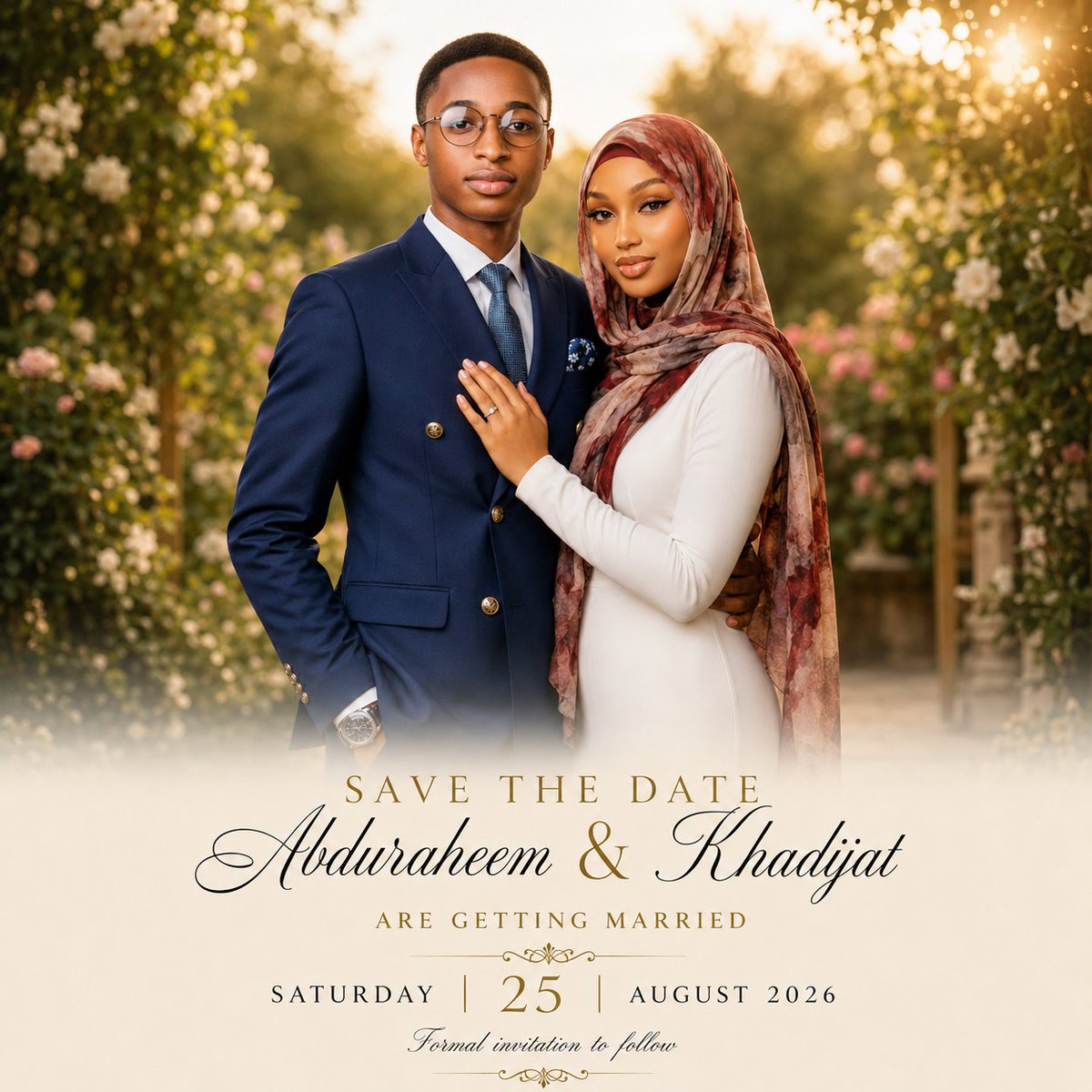
Create a premium romantic save-the-date editorial photo card for a Muslim couple. Use a square 1:1 canvas with a luxurious wedding stationery look. The top two-thirds should be a warm golden-hour portrait of a young Black couple standing close together in a lush garden aisle framed by flowering greenery and soft bokeh sunlight. The groom stands on the left, facing forward with a calm elegant expression, wearing round glasses, a navy double-breasted suit with gold buttons, white dress shirt, blue tie, pocket square, and wristwatch. The bride stands on the right, leaning into him with one hand on his chest showing a ring, wearing a fitted long-sleeve ivory dress and a flowing muted rose-and-brown patterned hijab, with polished bridal makeup and a serene smile. The scene should feel cinematic, high-end, softly retouched, and photorealistic, with shallow depth of field, creamy highlights, warm sun flare in the upper right, and white/pink roses in the background. The lower third should fade into a soft ivory mist overlay for typography. Add centered elegant wedding text: small spaced serif uppercase “SAVE THE DATE” in gold; below it, very large black calligraphy names “{argument name="couple names" default="Abduraheem & Khadijat"}”; below that, small spaced gold serif uppercase “ARE GETTING MARRIED”; then a date line with “SATURDAY” on the left, a large gold “{argument name="day number" default="25"}” in the center, and “{argument name="month and year" default="AUGUST 2026"}” on the right, separated by thin vertical gold lines. Add delicate gold ornamental flourishes above and below the date area, and a small cursive line at the bottom reading “{argument name="bottom note" default="Formal invitation to follow"}”. Keep the card refined and uncluttered, with perfect typography alignment, no extra text, no watermark, and no border.
Use this prompt in the VdoBloom image editor.
Opens the image editor with this prompt — add your own photo to generate.