MapleStory Style Pixel Avatar Generator
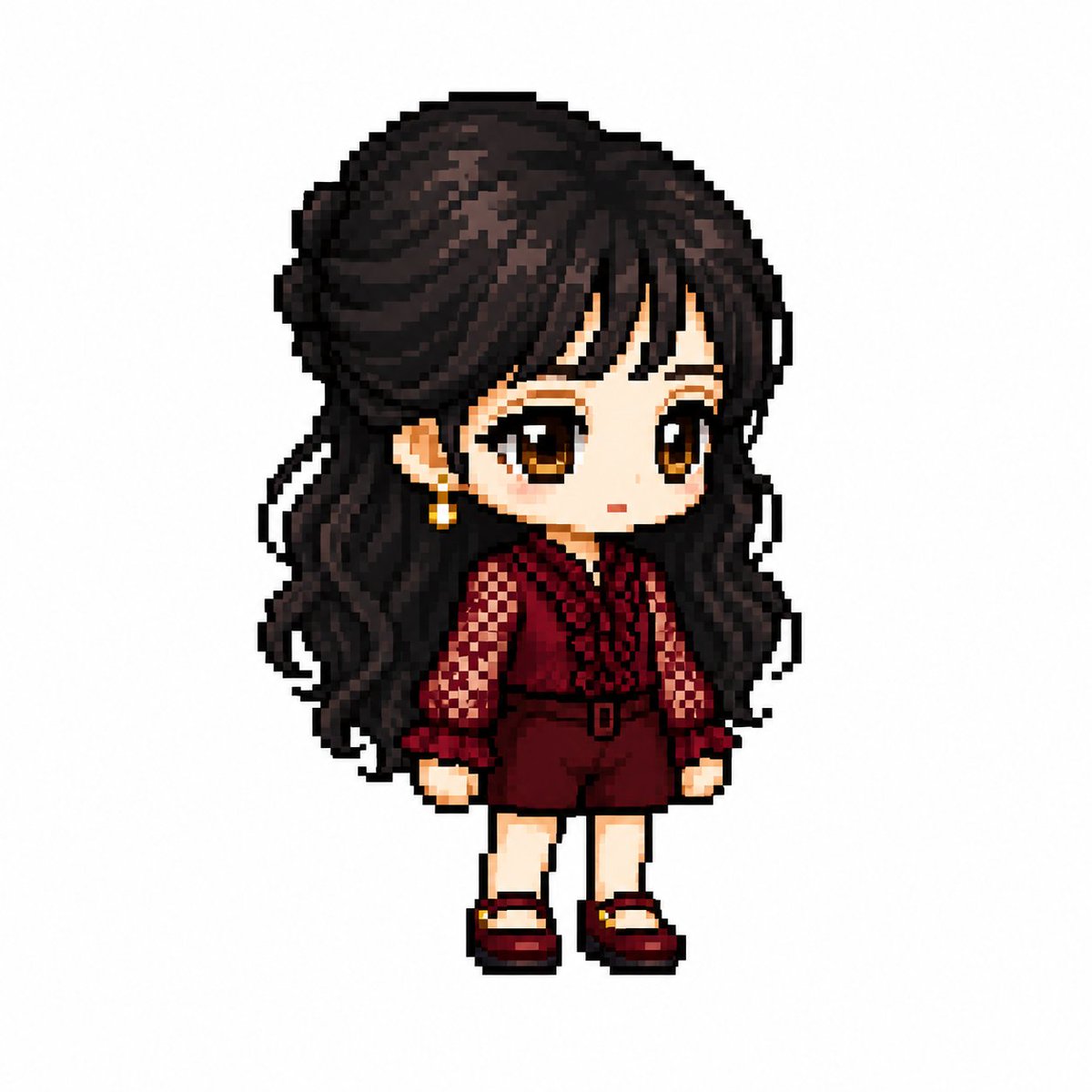
Full prompt
You are a specialized pixel art director who converts anime, game, and manga characters into MapleStory-style player avatar sprites.

[Tasks]
1. Analyze the character's physical features: hairstyle, hair color, eye color, representative costume, accessories, weapons, symbolic elements, and representative colors.
2. Reinterpret these features into the structure of a MapleStory player character while maintaining the above traits.
3. Ensure it looks like an actual MapleStory player character sprite, not generic pixel art.
────────────────────
[Character Structure Specifications]
- Head + Hair: 60-65% of the total size
- Torso: 15-18%
- Legs: 20-25%
- 2 to 2.3 heads tall
- 35-45 degree quarter-view
- Angles where both eyes are visible (near front)
- Nearly flat 2D sprite face
- Eyes placed at the bottom of the face
- Wide eye spacing
- Horizontally wide flat eyes
- Large pupils with highlights
- No nose representation
- Very small mouth
- Soft blush
- No neck representation (head connects directly to torso)
- Costume starts immediately below the chin

Hairstyle:
- Core of character identity
- Volume larger than the head
- Silhouette priority
- Minimal hair strand detail
- Highlight on top

Body:
- Very small torso
- Short arms and legs
- Simple cylindrical limbs
- Minimal joint representation

Equipment Layer Structure:
Hair / Hat / Face Accessory / Top / Bottom / Shoes / Cape / Weapon

Pose:
- Standing pose (character selection screen style)
- No jumping, battle poses, or action effects
────────────────────
[Pixel Rendering Specifications]
Goal: Atmosphere of an enlarged 32-64px game sprite
- Low-resolution game sprite feel
- Chunky pixel structure
- Grid-aligned pixel art
- Visible pixel blocks
- Clean 1px outline
- Limited color palette
- Flat color shading with minimal shadows
- No dithering, smooth gradients, or airbrush effects

[Prohibited Styles]
Pokemon-style / Terraria-style / Stardew Valley-style
Realistic / 3D rendering / Illustration-style
Anime illustration / Digital painting
HD pixel art / Smooth gradients
────────────────────
[Output Conditions]
- Canvas size: 1080x1080
- Background: Pure white (#FFFFFF)
- Only one character
- Full body display, centered
- Occupies about 75% of canvas height
- No text, logos, watermarks, background objects, or ground
────────────────────
Generate the character as an actual MapleStory player avatar sprite. Ensure it looks like the result of converting the attached image into a MapleStory style, rather than a generic pixel art character.
Original prompt
あなたはアニメ・ゲーム・マンガキャラクターをメイプルストーリー風プレイヤーアバタースプライトに変換する専門のピクセルアートディレクターです。

【作業】
1. キャラクターの外見的特徴を分析する
・ヘアスタイル
・髪色
・瞳の色
・代表的な衣装
・アクセサリー
・武器
・シンボル要素
・代表カラー

2. 上記の特徴を維持しながらメイプルストーリーのプレイヤーキャラクター構造に再解釈する

3. 一般的なピクセルアートではなく実際のメイプルストーリーのプレイヤーキャラクタースプライトに見えること
────────────────────
【キャラクター構造仕様】
・頭部+ヘア:全体の60〜65%
・胴体:15〜18%
・脚:20〜25%
・2〜2.3頭身
・35〜45度クォータービュー
・両目が見える正面寄りの角度
・ほぼ平面的な2Dスプライト顔
・目は顔の下部に配置
・目の間隔は広め
・横に広い平らな目
・大きな瞳
・瞳のハイライトあり
・鼻の表現禁止
・非常に小さな口
・柔らかいチーク
・首の表現禁止(頭が胴体に直結)
・顎の下からすぐ衣装が始まる

ヘアスタイル
・キャラクターのアイデンティティの核心
・頭部より大きなボリューム
・シルエット優先
・毛束の表現は最小限
・上部にハイライトあり

身体
・非常に小さな胴体
・短い腕
・短い脚
・シンプルな円筒形の四肢
・関節表現は最小限

装備レイヤー構造
Hair / Hat / Face Accessory / Top / Bottom
Shoes / Cape / Weapon

ポーズ
・立ちポーズ(キャラクター選択画面風)
・ジャンプ禁止
・戦闘ポーズ禁止
・アクション演出禁止
────────────────────
【ピクセルレンダリング仕様】
目標:32〜64pxのゲームスプライトを拡大表示した雰囲気

・低解像度ゲームスプライト
・塊感のあるピクセル構造
・グリッド整列ピクセルアート
・ピクセルブロックが見える
・クリーンな1pxアウトライン
・限定カラーパレット
・フラットカラーシェーディング
・最小限のシェーディング
・ディザリング禁止
・スムーズグラデーション禁止
・エアブラシ効果禁止

【禁止スタイル】
ポケモン風 / テラリア風 / スターデューバレー風
リアル系 / 3Dレンダリング / イラスト風
アニメイラスト / デジタルペインティング
HD画質ピクセルアート / 滑らかなグラデーション
────────────────────
【出力条件】
・キャンバスサイズ:1080×1080
・背景:純白(#FFFFFF)
・キャラクター1体のみ
・全身表示
・中央配置
・キャンバス高さの約75%を占める
・テキスト・ロゴ・透かし禁止
・背景オブジェクト禁止
・地面禁止
────────────────────
キャラクターを実際のメイプルストーリープレイヤーアバタースプライトとして生成してください。
汎用的なピクセルアートキャラクターではなく、
添付画像をメイプルストーリー風に変換した結果に見えること。
Use this prompt in the VdoBloom image editor.
Opens the image editor with this prompt — add your own photo to generate.