Vintage Mid-Autumn Festival Poster
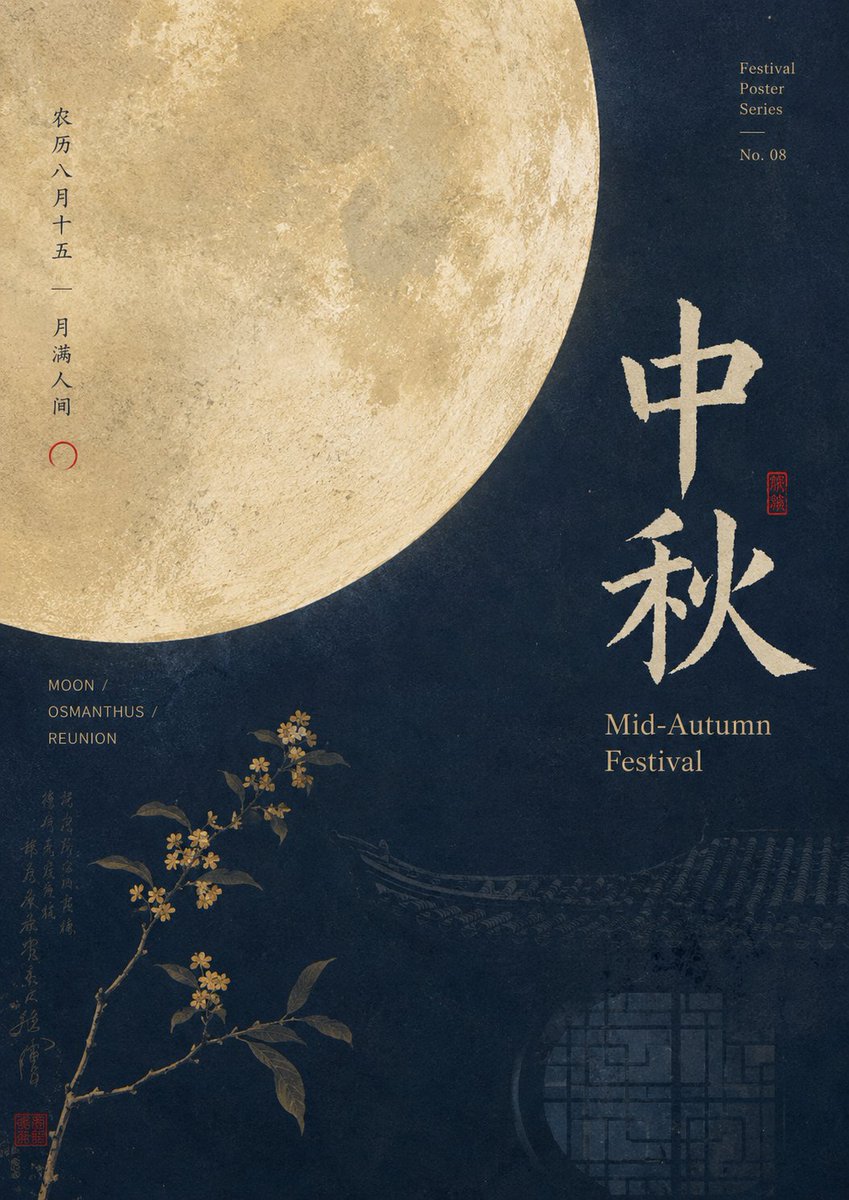
Full prompt
Create a refined vertical Chinese festival poster for {argument name="festival name" default="Mid-Autumn Festival"}. Use a 3:4 portrait canvas with an elegant vintage editorial layout, deep midnight navy textured paper background, warm muted gold typography, and subtle aged grain. Place one enormous realistic full moon in the upper-left corner, cropped by the top and left edges, occupying about half the poster width and casting a soft golden glow; show crater texture clearly. On the right-center, set two large vertically stacked Chinese calligraphy characters reading {argument name="main Chinese title" default="中秋"}, painted in rough beige-gold brush strokes, with a small red square seal stamp beside them. Beneath the calligraphy, add the English title “Mid-Autumn\nFestival” in a classic serif font, warm gold, aligned left. At the upper-right, add small stacked serif text: “Festival\nPoster\nSeries”, a thin horizontal divider line, then “No. 08”. Along the left side of the moon, add vertical Chinese text reading {argument name="vertical Chinese poem" default="农历八月十五 —— 月满人间"} with a small red crescent/circle mark below. In the lower-left quadrant, add three short uppercase English keywords stacked with slashes: “MOON /”, “OSMANTHUS /”, “REUNION”, in small gold sans serif. Add exactly one osmanthus branch emerging from the bottom-left edge, angled upward toward center, with dark green leaves and many tiny golden-yellow blossoms; keep it delicate and realistic, not cartoonish. Include a faint column of decorative handwritten Chinese calligraphy and one small red seal near the lower-left margin. In the bottom-right background, subtly reveal the silhouette of a traditional Chinese roofline and a dim circular lattice window pattern, very low contrast in dark blue-gray. Overall mood: quiet, poetic, premium cultural poster, minimal but information-rich, with asymmetrical balance. Avoid modern neon colors, avoid people, avoid clutter, and keep all text crisp and intentional.
Use this prompt in the VdoBloom image editor.
Opens the image editor with this prompt — add your own photo to generate.