Minimalist Editorial Graphic Design Prompt
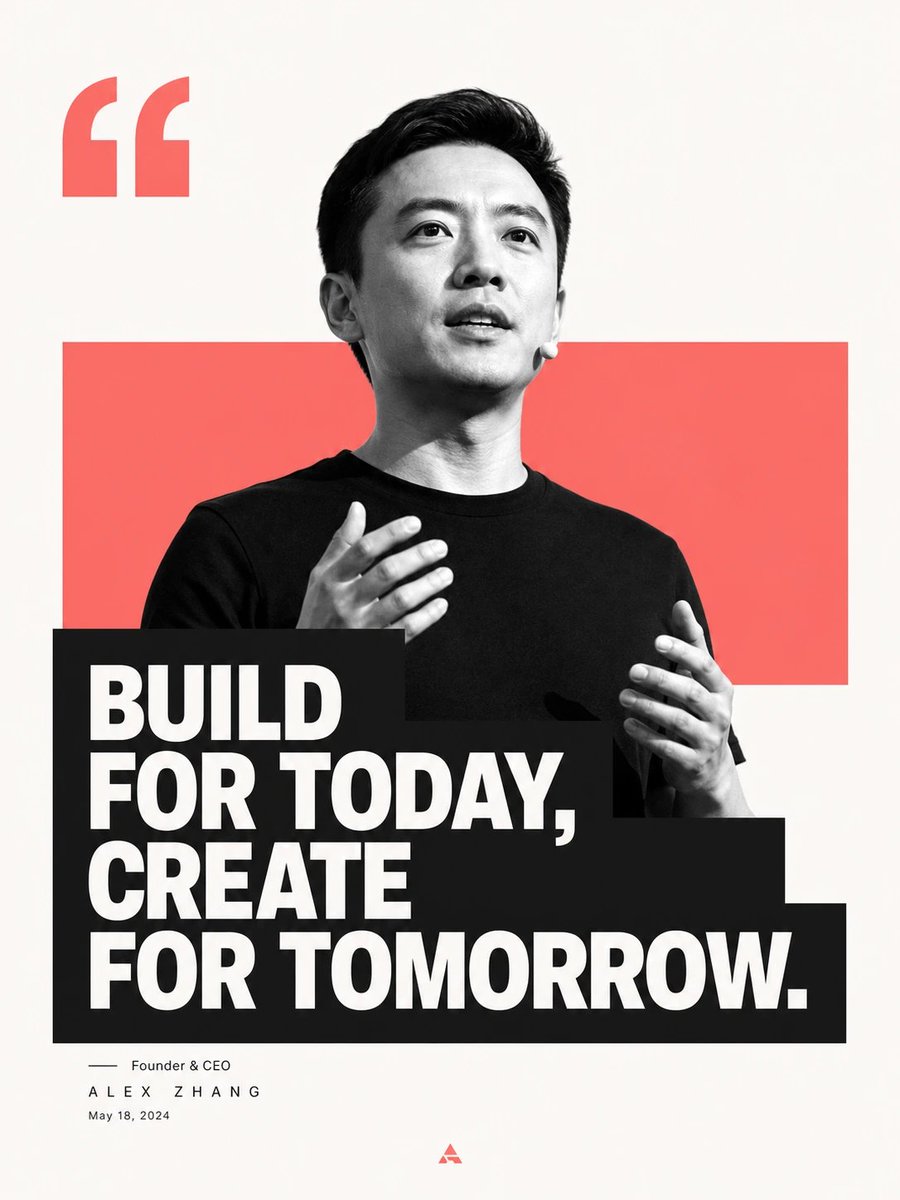
Full prompt
Generate a minimalist, editorial-style graphic image centered around {argument name="subject" default="any subject"}. It features large areas of clean white space for "breathing," with the core subject rendered as a high-contrast black-and-white icon at the visual center with sharp edges. Part of the subject overlaps a {argument name="color block" default="solid color"} rectangular field, creating a stage-like layering effect. The information layer uses a heavy dark text block at the bottom, creating a visual impact where the image is truncated by text, which in turn supports the image. The main sentence uses bold, sans-serif light-colored characters in a tight multi-line layout with clean spacing and strong leading. An enlarged quotation mark or theme symbol serves as a rhythmic anchor at the top, while thin, lightweight credits at the bottom provide contrast, finishing with a tiny logo. Colors are extracted from the theme's material and mood: a high-brightness, clean background, black and white for the main subject's structure, and a mid-to-high saturation emotional color for the color field. The overall tone is bright, direct, and modern, with the energy of a public statement and the order of a publication. Avoid complex scenes, decorative textures, vintage filters, and loose layouts.
Original prompt
围绕{argument name="主题对象" default="任意主题对象"}生成一张极简编辑感图文画面:大面积干净留白作为呼吸区,主题核心形体以高反差黑白图像化方式压在视觉中心,边缘抠得利落,局部越过一块主题派生的{argument name="色块颜色" default="纯色"}矩形色场,让主形体与色场形成前后穿插的舞台关系。信息层用一条厚重的深色文字块压住主形体下部,形成图像被文字截断、文字反过来托住图像的第一视觉冲击;主句使用粗重无衬线浅色字,多行紧密排布,字距干净,行距有力,块面向一侧伸出但保持边缘整齐。上方保留一个放大的引号或主题符号作为节奏锚点,下方用极细、轻盈的署名级信息形成强弱对比,底部只保留一个极小标识作为收束。色彩从主题自身的材质、情绪与文化信号中提取:背景保持高明度、清透、洁净,主形体交给黑白明暗塑造结构,色场使用中高饱和的主题情绪色,占画面中等面积并保持清晰边界,文字块用干净深色制造重量,少量强调色只落在标识或细节上。整体情绪明亮、直接、现代,有公开陈述的能量和出版物的秩序;避免复杂场景、装饰纹理、脏旧滤镜和松散排版。
Use this prompt in the VdoBloom image editor.
Opens the image editor with this prompt — add your own photo to generate.