Minimalist Festive Greeting Illustration
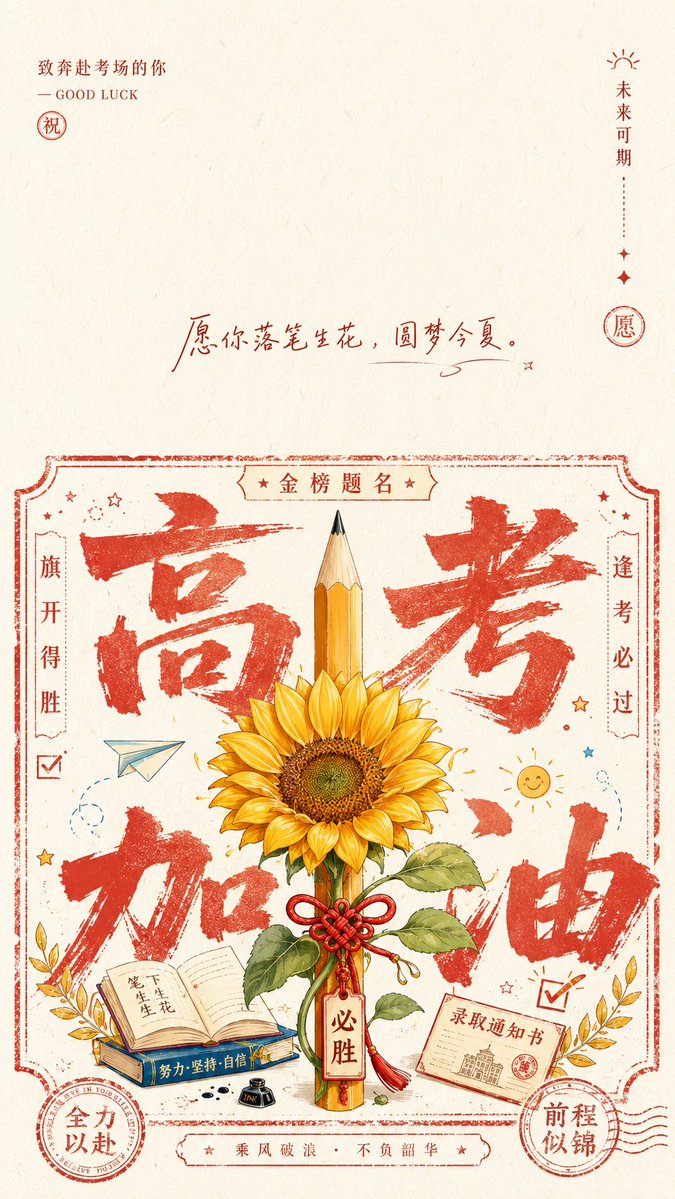
Full prompt
Generate a minimalist flat illustration with a ceremonial greeting feel based on the theme of {argument name="theme" default="college entrance exam success"}. The top of the frame retains a large area of white space for breathing room, with a small-font signature and subtle seal marks in the upper left corner. The middle section uses a small amount of handwritten blessings or slogans as an emotional pivot. The lower section features a main information area resembling a combination of a printed stamp and a ticket border, with uneven line thickness and hand-pressed deckled edges. Inside this area, a large, coarse, textured thematic character or symbol is spread as a background, partially obscured by the central symbolic object. The central object is rendered with clean lines and flat color blocks, standing upright and stable as the focal point of blessing. Small icons, short inscriptions, and circular seals are arranged around it, unfolding layers of information like marks on a handmade gift note. Colors are extracted from the theme's cultural signals: high-brightness, clean backgrounds, with clear accent colors for structural lines and characters. The mood is bright, clean, solemn, and intimate, with textures of fine paper fiber and slight misregistration, avoiding heavy aging or dirt.
Original prompt
围绕{argument name="主题" default="高考加油"}生成一张带祝笺仪式感的平面插画:画面上方保留大面积呼吸留白,左上角用小字号署名、短横线和印记形成轻声引入;中部以少量手写祝语或主题口号作为情绪转折;下部建立一个像印刷章戳与票据边框结合的主信息区,边框粗细不均、边缘带手工压印的毛边。主信息区内先读到超大、粗粝、有飞白的主题字形或主题符号,它以背景级规模铺开,部分被中央主题象征物遮挡;中央象征物用清晰线描和平涂色块塑造,姿态端正、正面稳定,附带少量主题派生细节,形成被祝福与加持的焦点。四周安排小图标、题跋短字、圆章和弧形细密符号,让信息像手工礼笺上的印记逐层展开,同时保持疏密有节奏。色彩从主题自身的材质、文化信号与情绪中提取:大面积使用高明度、清透、干净的底色作为纸面与空气,结构线和主字使用主题派生的清晰强调色,占比集中但不浑浊;中央主体用更完整的明暗层级和少量支撑色区分信息层,细节印记只用低面积点状色。整体情绪明亮、洁净、郑重又亲近,纹理是细腻纸纤维和轻微套印误差,不做厚重旧化、脏灰或烟雾感。
Use this prompt in the VdoBloom image editor.
Opens the image editor with this prompt — add your own photo to generate.