Mischievous Doodle Shadow Portrait
Full prompt
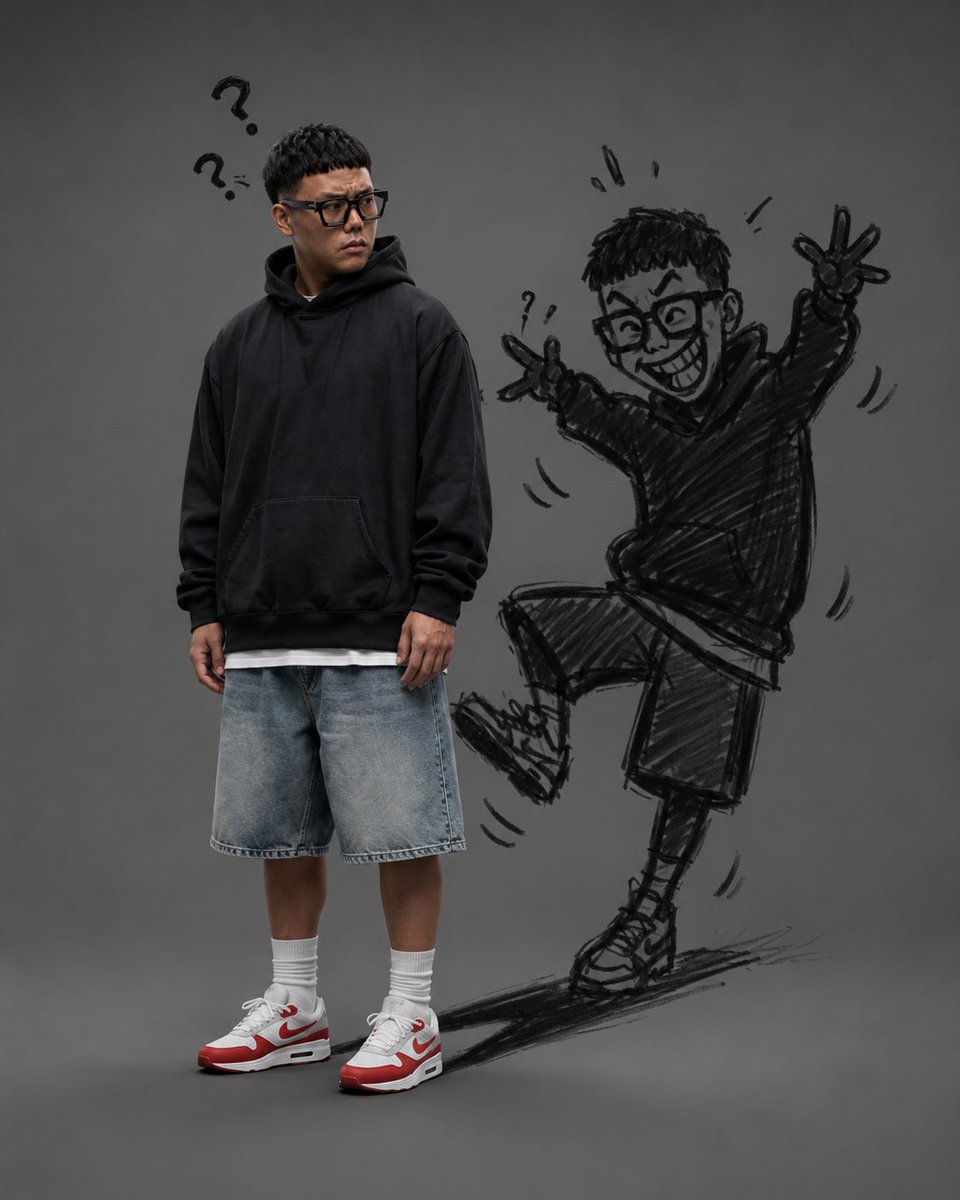
Create a studio portrait on a vertical 4:5 canvas with a plain dark gray seamless background and soft, realistic photography lighting. Show one real young adult Asian man standing slightly left of center, full body visible, wearing {argument name="outfit" default="an oversized black hoodie, a white undershirt peeking out, loose light-wash denim shorts, white crew socks, and white-and-red sneakers"}. He has {argument name="hair and glasses" default="short textured black hair with straight fringe and black rectangular glasses"}, a mildly confused, skeptical expression, and he looks to his right toward the empty space. His posture is relaxed with arms down, feet planted, and shoulders slightly turned. Above his head, add exactly 2 black hand-drawn question marks, one larger and one smaller, as doodle accents. To the right of him, create his mischievous doodle shadow as if drawn in rough black charcoal or marker directly on the background: a cartoon version of the same man, larger and more energetic, grinning widely with oversized glasses, wearing a hoodie, shorts, socks, and sneakers. The doodle shadow is in a playful dancing pose with one knee raised, one foot on the ground, both arms up making peace signs; include exactly 2 visible peace-sign hands. Add expressive sketch marks around the doodle: exactly 3 small exclamation strokes above the doodle head, exactly 1 tiny question mark near the left raised hand, exactly 5 curved motion marks around the arms, leg, and body, and a scribbled dark ground shadow under the doodle foot. Style the doodle with loose, messy, crosshatched black lines, semi-transparent enough to read as a drawn shadow but bold enough to stand out. Keep the real person photorealistic and the doodle shadow 2D hand-sketched, with no other objects, no watermark, and no extra text.
Use this prompt in the VdoBloom image editor.
Opens the image editor with this prompt — add your own photo to generate.