Mutant Ape Pirate Portrait
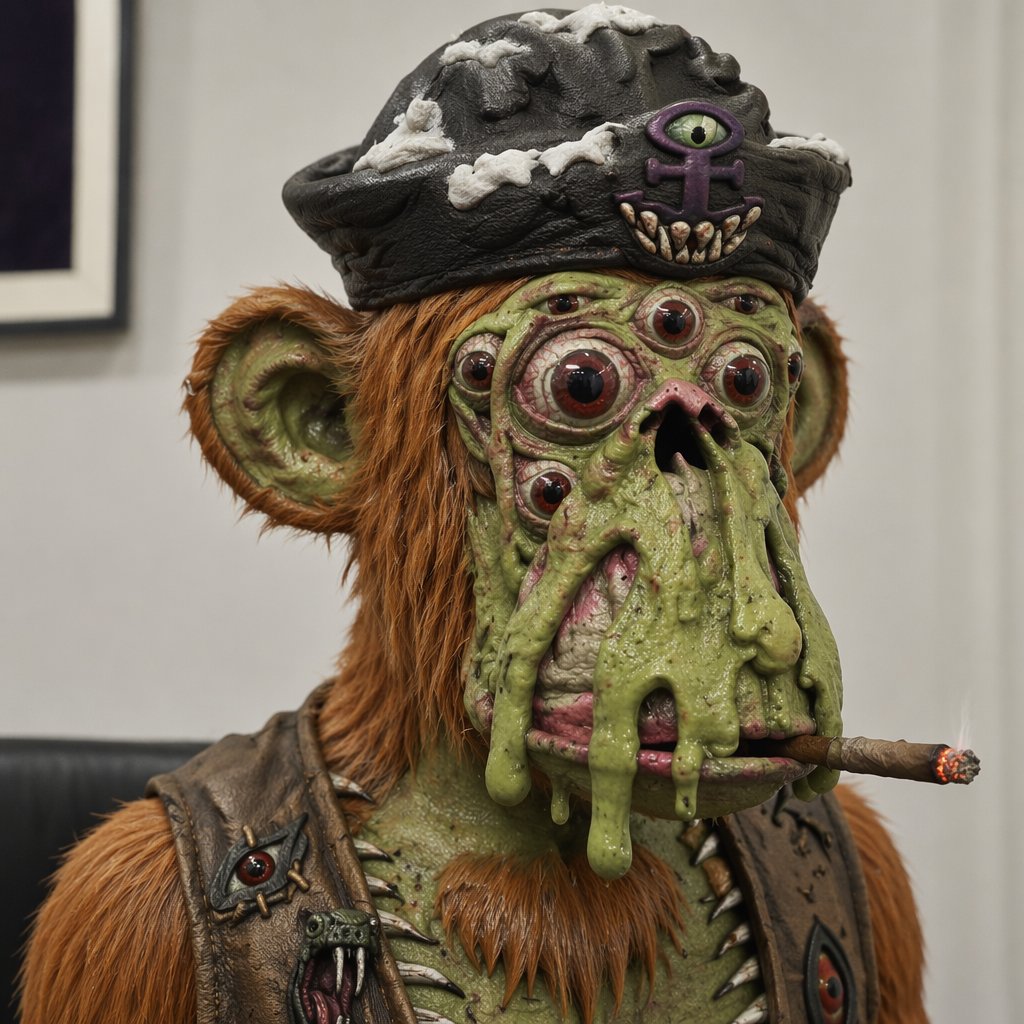
Full prompt
Create a square, hyper-detailed photorealistic creature portrait of a creepy mutant ape pirate in an indoor gallery-like room, shot as a close-up bust from the chest up with shallow depth of field. The subject is a grotesque green-skinned ape with orange-brown shaggy fur, large rounded ears, a small pointed orange beard, wrinkled slimy skin, wart-like bumps, and sagging melted folds of green flesh dripping down over its mouth. Give the face exactly 9 visible eyes: 2 large main bulging red-brown eyes, 2 smaller cheek eyes, 2 tiny upper-face eyes, 1 central forehead eye, and 2 additional small side eyes embedded in the mutated face. The mouth area is distorted with a dark nostril-like opening and pink raw tissue partly covered by slime, with a lit brown cigar clenched horizontally at the lower right of the mouth and a glowing ember tip. Dress the creature in a black worn pirate tricorn hat with gray-white bone-like patches and a front emblem showing exactly 1 purple all-seeing eye symbol above exactly 6 small fang teeth. Add a battered dark leather vest with metal studs and spikes, including exactly 2 visible eye-shaped patches or ornaments on the chest, one on each side. Use realistic cinematic lighting, crisp skin and fur texture, disgusting wet specular highlights, museum-display realism, muted beige wall background, a blurred framed picture on the left, and a dark bench line behind the shoulders. Make the creature unsettling but slightly humorous, centered and looking forward. Character concept: {argument name="creature type" default="mutant ape pirate"}; hat style: {argument name="hat style" default="black worn pirate tricorn hat"}; fur color: {argument name="fur color" default="orange-brown"}; skin color: {argument name="skin color" default="slimy green"}; accessory: {argument name="mouth accessory" default="lit cigar"}.
Use this prompt in the VdoBloom image editor.
Opens the image editor with this prompt — add your own photo to generate.