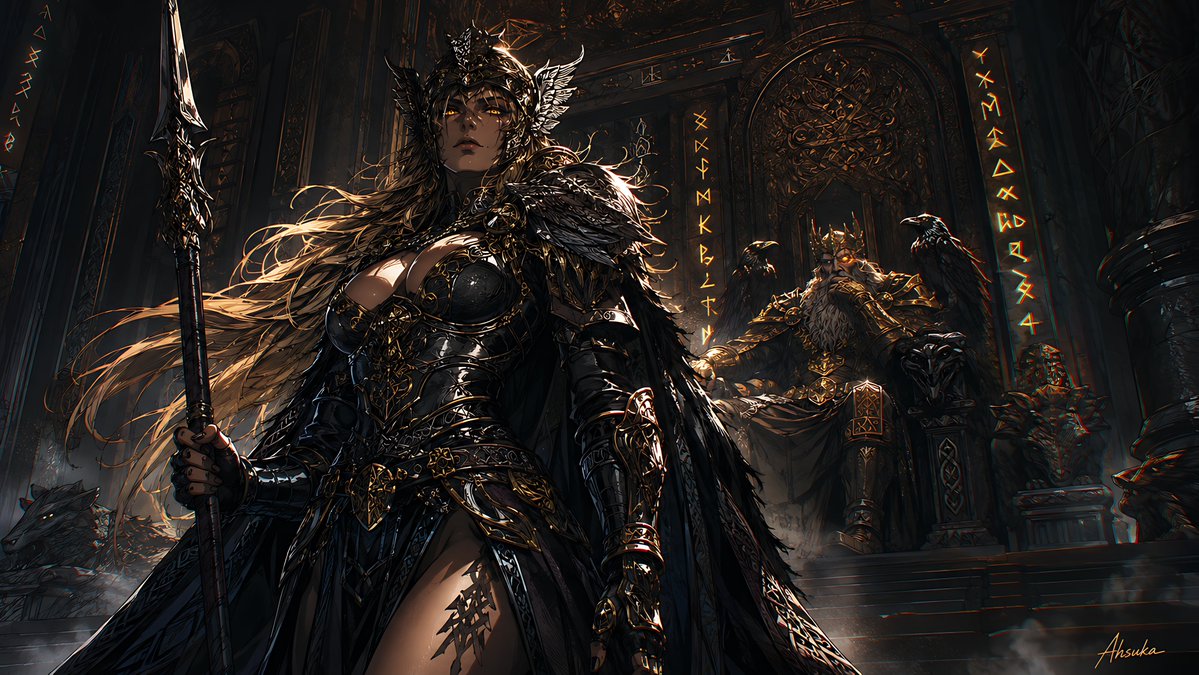
Norse Raven Valkyrie Wallpaper
Full prompt
Create a cinematic dark Norse myth fantasy desktop wallpaper in a 16:9 widescreen composition. In the foreground, show {argument name="warrior name" default="the Allfather's first raven"} as a powerful female Valkyrie-like raven warrior standing slightly left of center, seen from a low heroic angle. She has long windblown golden-brown hair, glowing amber eyes, pale skin, a black feathered crown or winged helm, and an intense stoic expression. Her armor is glossy black and dark gunmetal with ornate gold filigree, layered leather, raven-feather pauldrons, a feathered cloak, bracers, clawed gauntlets, a corseted breastplate, and a dramatic high-slit armored skirt. She grips one tall spear in her left hand, held vertically along the left side of the image, with a bright silver blade and black-gold carved shaft. Behind her on the right, depict one elderly Odin-like king seated on an elaborate throne, with a long gray beard, glowing eye, heavy golden crown, black-and-gold armor, and a massive dark cloak. Include exactly two ravens: one perched on the throne arm near the king, and one dark bird shape near the left background. Include exactly one wolf lying or crouching in the lower-left background with glowing eyes. The setting is an ancient shadowy Norse throne hall with towering carved stone pillars, arched walls, ornate metallic reliefs, mist on the floor, faint smoke, and vertical glowing runic inscriptions on both sides of the throne area. Use a palette of deep black, charcoal, bronze, muted gold, and small amber-orange highlights. Lighting should be dramatic chiaroscuro, with strong rim light catching hair, feathers, armor edges, spear blade, and runes, while much of the hall remains in darkness. Make the style ultra-detailed dark fantasy concept art, painterly but sharp, highly cinematic, intricate textures, epic scale, no modern objects, no readable English text, no UI, no border. Add a small subtle artist-style signature in the bottom-right corner only if desired.
Use this prompt in the VdoBloom image editor.
Opens the image editor with this prompt — add your own photo to generate.