Origami Style Global Infographic
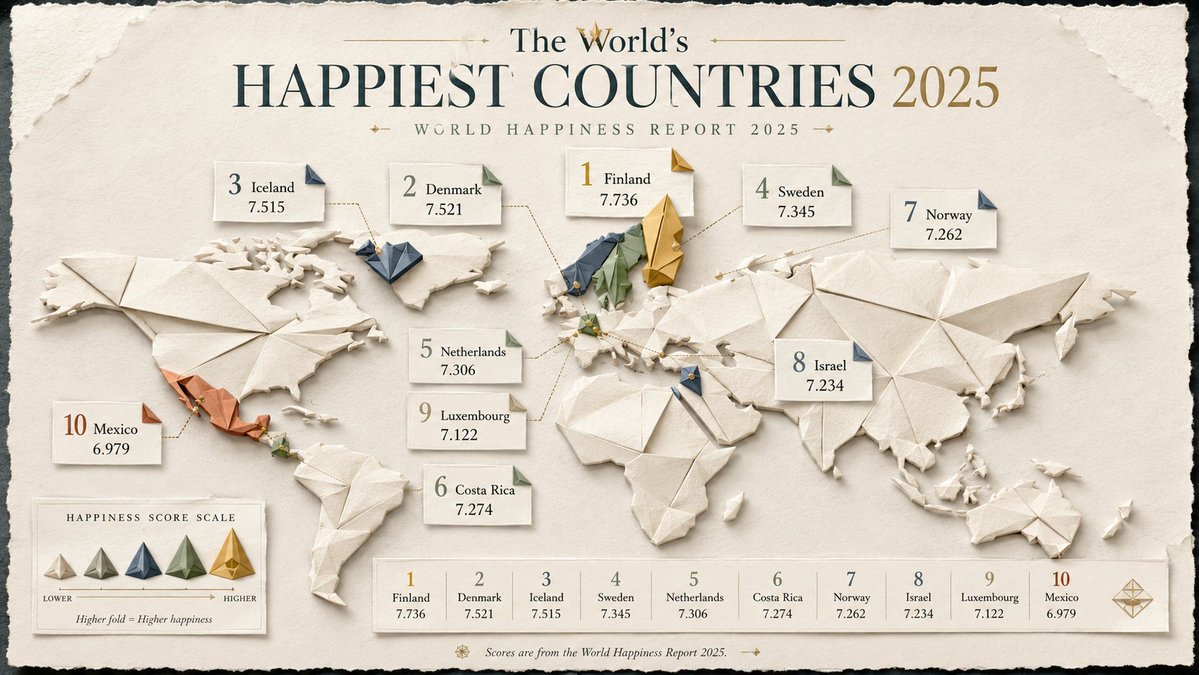
Full prompt
(researched {argument name="dataset type" default="geopolitical or global dataset"} × {argument name="map style" default="elegant folded-paper cartography"}) + (origami sculpture ^ editorial information design ^ soft tactile shading) - (flat boring map + fake country data + corporate dashboard aesthetic) = viral folded-world infographic INPUT: {argument name="topic" default="Countries with the fastest internet speeds"} SYSTEM: Research the input topic and create a premium infographic built around a stylized world or regional map made from layered origami paper forms. RESEARCH REQUIREMENTS: - Research the correct ranking or comparison data for the topic. - Verify country names, numerical values, and year/date. - Use authoritative international or official sources where possible. - Do not invent values, ranks, or map classifications. - Keep metric definitions consistent across all countries. VISUAL CONCEPT: Turn the data into an elegant folded-paper map or collection of origami country tiles. Use folds, shadows, tabs, and layered paper shapes to encode hierarchy, rank, or magnitude. STYLE: origami editorial infographic, layered paper map, tactile folds, premium magazine design, quiet luxury information art COMPOSITION: - strong title at top - world map or region map as the main visual - top countries highlighted with larger folded structures - small callout cards with: country name value rank year - subtle legend if needed - use visual hierarchy through size, folds, and elevation - minimal but readable labels MATERIALS: matte paper, embossed card, soft deckled edges, cream and muted color palette, subtle drop shadows OUTPUT: Research the topic, verify the dataset, then generate a polished origami-style global infographic that feels tactile, elegant, and highly shareable.
Use this prompt in the VdoBloom image editor.
Opens the image editor with this prompt — add your own photo to generate.