Premium Pixel Stretch Art Transformation
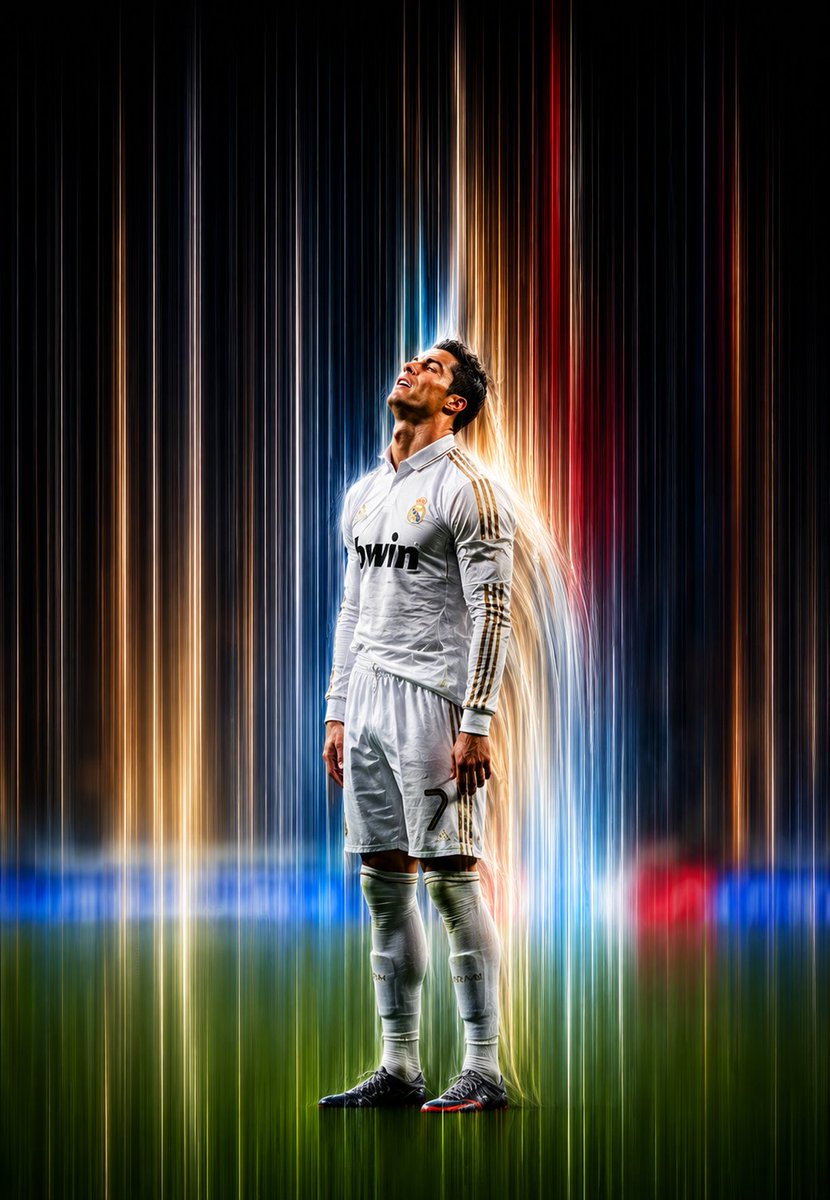
Full prompt
Transform the {argument name="subject" default="uploaded image"} into a {argument name="style" default="premium pixel stretch artwork"} while preserving the original subject exactly. Keep the main subject perfectly sharp, highly detailed, and instantly recognizable, maintaining its identity, proportions, textures, and overall appearance. Extract the colors, textures, and visual details from the subject and seamlessly extend them into elegant, flowing pixel-stretch ribbons that follow graceful curves and dynamic motion. Create flawless transitions between the original image and the stretched areas, ensuring there are no glitches, distortions, harsh edges, or broken pixels. The stretched pixels should appear {argument name="motion style" default="silky, wide, fluid, and organic"}—resembling streams of color, light, paint, or pure energy. Preserve realistic lighting, natural depth, accurate shadows, and harmonious color balance throughout the composition. Use cinematic contrast, vibrant HDR-quality colors, ultra-sharp details, a modern minimalist composition, luxury digital art styling, the signature Adobe Photoshop pixel stretch effect, gallery-quality finishing, and ultra-high-resolution 8K output to create a visually captivating, premium, social-media-ready masterpiece.
Use this prompt in the VdoBloom image editor.
Opens the image editor with this prompt — add your own photo to generate.