Retro Low-Poly Spaceflight Preview
Full prompt
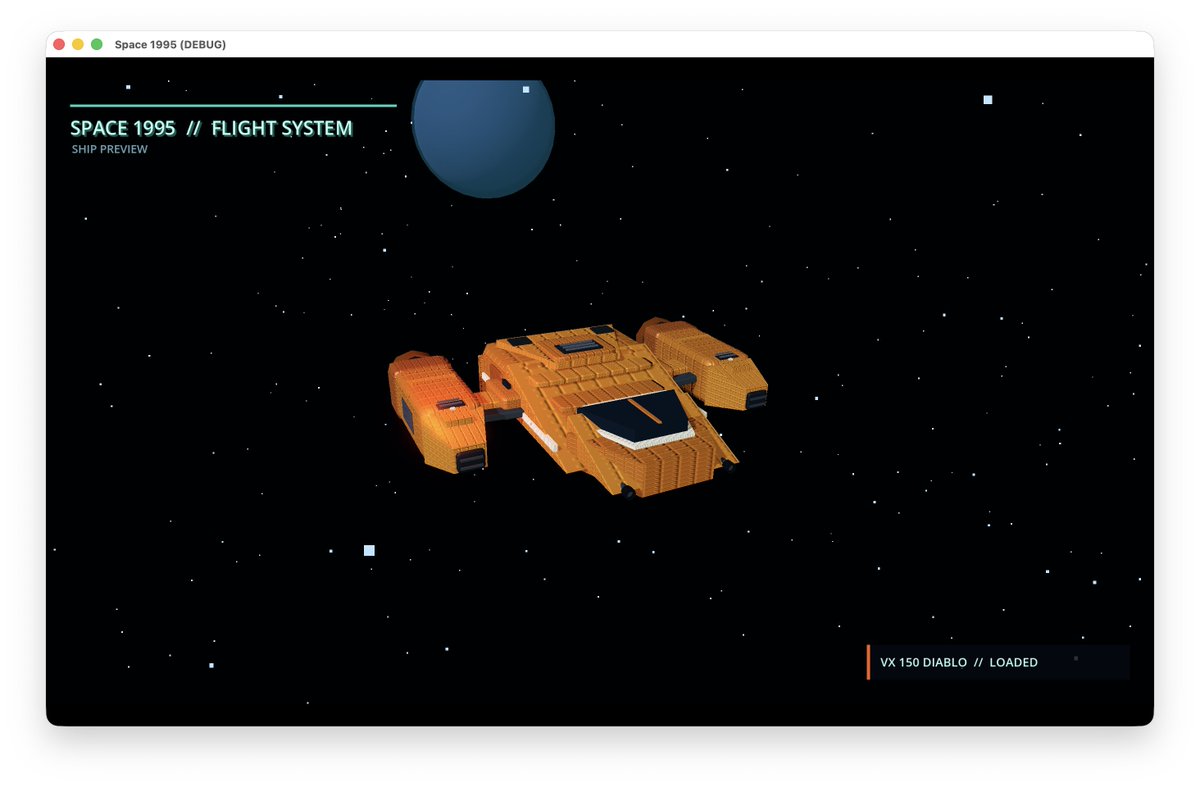
Create a retro low-poly 3D spaceflight preview screen inside a desktop application window. Canvas is a wide 16:9 landscape screenshot with a white macOS-style browser/app frame, rounded top corners, three small traffic-light buttons at top left, and the window title “Space 1995 (DEBUG)”. Inside the window is a deep black starfield with many tiny white pixel-like stars and a few larger square stars, plus one large dark blue planet near the top center-left. The main subject is a single orange blocky spaceship centered slightly below the middle, viewed in three-quarter perspective from above, flying toward the right. The ship should look like a 1990s polygonal game asset: chunky rectangular geometry, visible panel-grid details, two side engine pods, a wide flat central body, dark cockpit glass on the front top, small black thrusters, subtle orange emissive glow on the left pod, and crisp voxel-like edges. Add a minimal sci-fi HUD overlay: at upper left a thin cyan horizontal line above the title text “SPACE 1995 // FLIGHT SYSTEM” in glowing cyan pixel/monospace lettering, with smaller subtitle “SHIP PREVIEW” beneath it. At lower right add a dark translucent rectangular status panel with a thin vertical orange accent bar on its left and the text “VX 150 DIABLO // LOADED” in small cyan-white monospaced type. Use exactly 1 spaceship, 1 planet, 1 top-left title HUD block, and 1 bottom-right status HUD panel. Visual style: retro-futuristic 1995 computer game, low-poly Three.js concept art, black space background, teal and orange UI accents, clean composition, no people, no extra labels, no watermark. Customizable elements: spaceship model name {argument name="spaceship model name" default="VX 150 DIABLO"}, main HUD title {argument name="main HUD title" default="SPACE 1995 // FLIGHT SYSTEM"}, subtitle {argument name="subtitle" default="SHIP PREVIEW"}, ship color {argument name="ship color" default="orange"}, planet color {argument name="planet color" default="dark blue"}.
Use this prompt in the VdoBloom image editor.
Opens the image editor with this prompt — add your own photo to generate.