Rubber Duck Camera Head Character Sheet
Full prompt
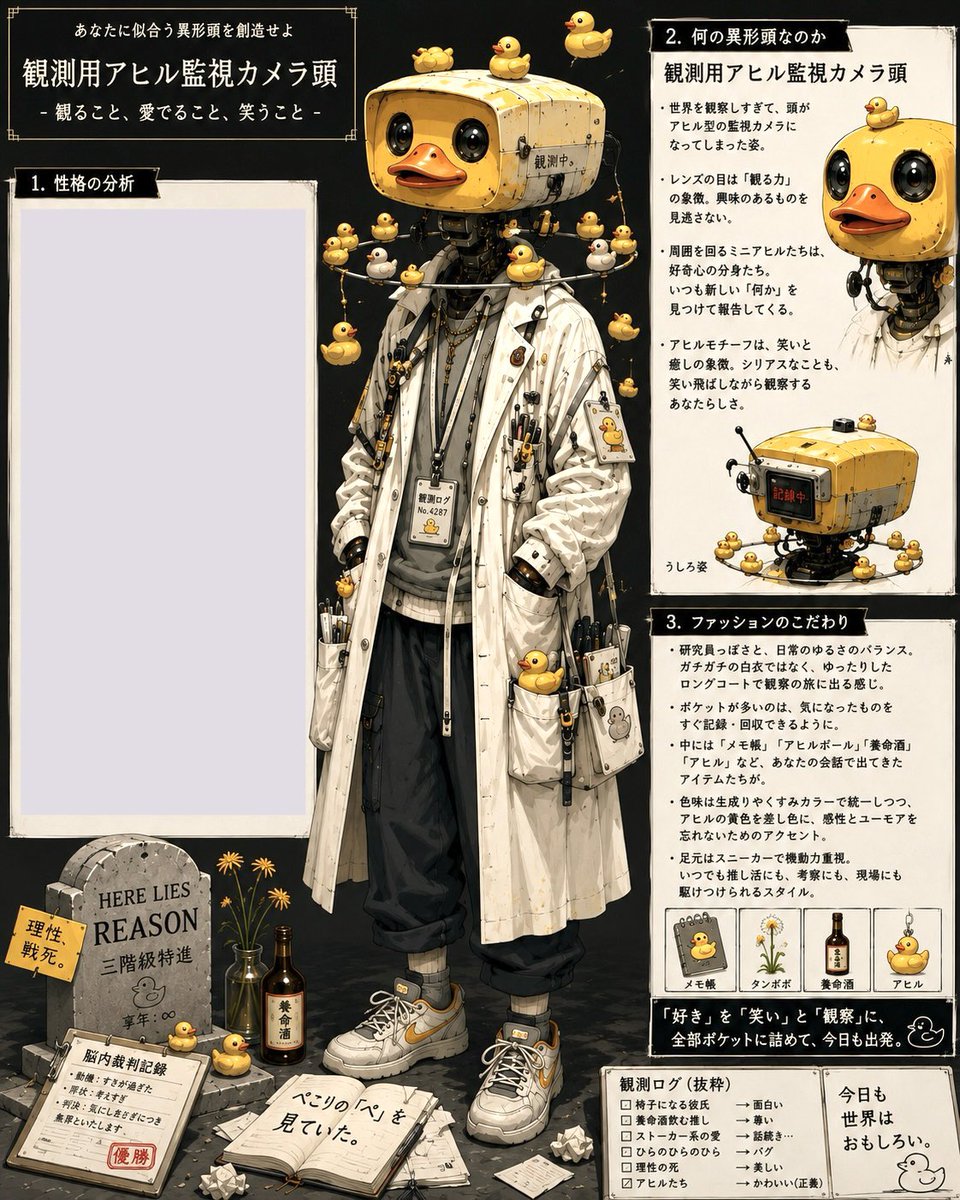
Goal: Create a dense vertical Japanese character-design prompt sheet for an eccentric humanoid with a rubber-duck surveillance-camera head, combining fashion reference, personality analysis, lore notes, and small prop diagrams.

Canvas: Square 1:1 poster, aged cream paper panels on a dark charcoal background, hand-drawn editorial layout with thin black borders, corner ornaments, tape-like edges, ink speckles, and vintage field-notebook texture. Use detailed semi-realistic anime illustration with watercolor, gouache, ink linework, warm yellow accents, and high object detail.

Main subject: Center a full-body standing character named {argument name="character name" default="Observation Appareil Surveillance Camera Head"}. The figure has a yellow rectangular retro security-camera head shaped like a cute toy machine, with two glossy black lens eyes, an orange duck bill mouth, small screws, seams, metal wear, and a tiny Japanese status label. The character wears a long off-white stained lab coat over a gray hoodie, black loose cropped pants, gray socks, chunky white sneakers with yellow accents, lanyards, chains, pens, clips, ID badges, small tools, miniature devices, and duck-themed charms. Pose is relaxed, hands in coat pockets, facing forward, whimsical but mysterious.

Text content: At the top left, place the headline {argument name="headline text" default="あなたに似合う異形頭を創造せよ"}, a large title {argument name="main title" default="観測用アヒル監視カメラ頭"}, and a subtitle {argument name="subtitle" default="- 観ること、愛でること、笑うこと -"}. Keep the typography Japanese, using white text on black header boxes and black text on cream panels.

Layout and panels: Use exactly 3 numbered information panels plus small footer cards. Panel 1 is a large empty pale lavender writing area on the left titled {argument name="left panel title" default="1. 性格の分析"}. Panel 2 is the upper-right lore panel titled with Japanese text meaning “What kind of abnormal head is it?” and includes a small cropped portrait of the duck-camera-headed figure at the top right plus a small device diagram at the bottom. Panel 3 is the mid-to-lower-right fashion panel titled with Japanese text meaning “Fashion preferences,” containing bullet-point Japanese body copy and a row of 4 small labeled item cards.

Discrete repeated elements: Include exactly 38 visible rubber-duck motifs total: 3 on top of the camera head; 1 small duck on the top-left head corner; 1 hanging at the upper left; 1 hanging at the upper right; 8 clustered around the shoulders and chest; 4 on necklace or lanyard charms; 2 attached to coat pockets; 1 printed on a chest ID badge; 1 printed on a sleeve patch; 2 on dangling side straps; 3 near the character’s feet and floor props; 1 in the top-right panel corner; 8 surrounding the small camera-device diagram; 2 in the four fashion item cards. Also include exactly 4 fashion item cards in panel 3: a duck memo pad, a dandelion specimen, a medicinal drink bottle, and a hanging duck charm.

Foreground props: Bottom left shows a small graveyard-like still life: a stone tombstone engraved {argument name="tombstone text" default="HERE LIES REASON"}, yellow flowers in bottles, a brown medicinal drink bottle, a clipboard with red stamp, scattered papers, crumpled paper balls, and an open notebook with handwritten Japanese notes. Bottom right includes two small boxed footer cards: one checklist-style observation log and one quote card with a simple duck doodle.

Style constraints: Make it look like a finished concept-art character sheet rather than a clean infographic. Preserve the asymmetrical magazine layout, off-white panels, black section headers, tiny Japanese annotations, decorative border corners, worn paper texture, and meticulous accessories. Avoid photorealism, avoid 3D render style, avoid extra characters, and do not add any English captions except the tombstone inscription.
Use this prompt in the VdoBloom image editor.
Opens the image editor with this prompt — add your own photo to generate.