Rainy Samurai Duel Storyboard
Full prompt
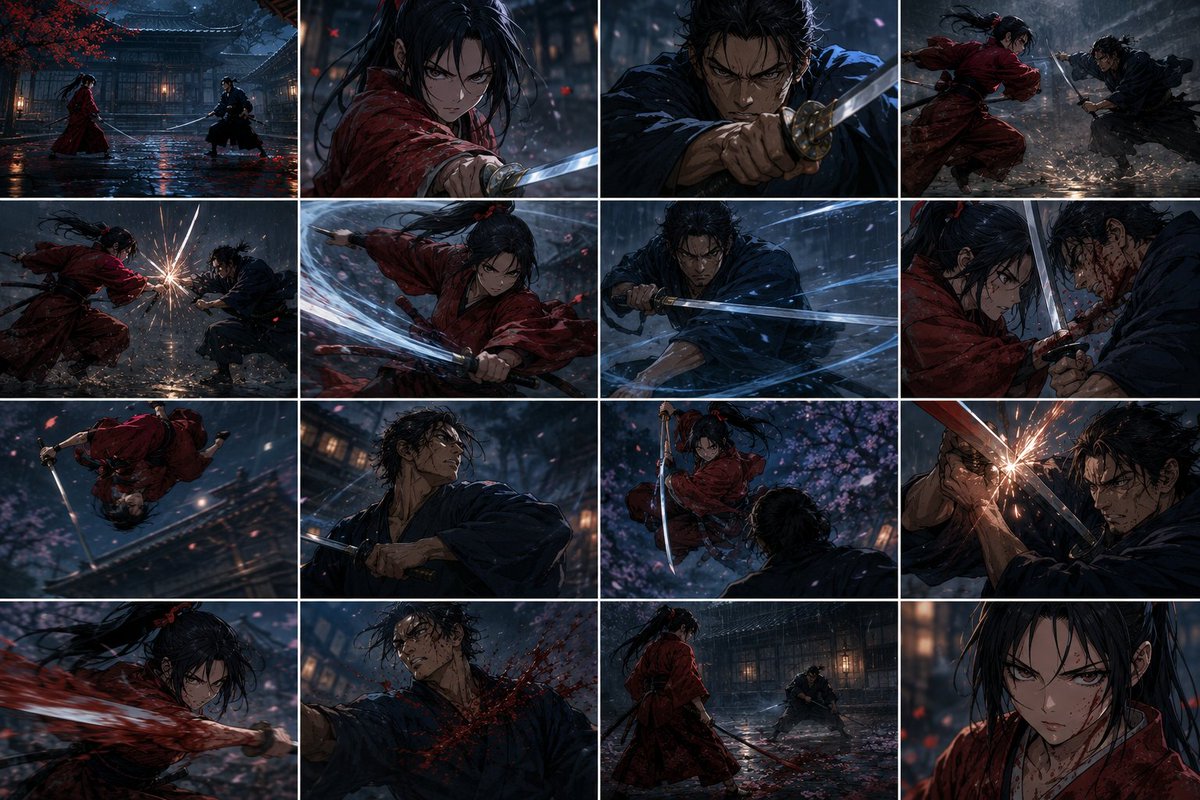
Goal: Create a 4-by-4 storyboard contact sheet of a cinematic anime samurai duel, designed as separable shots for animation. The scene follows {argument name="red warrior" default="a long-haired female ronin in a soaked crimson kimono"} fighting {argument name="blue warrior" default="a rugged male samurai in a dark navy kimono"} in {argument name="setting" default="a rain-drenched Edo-period temple courtyard at night"}. Make the faces intentionally anonymized with soft dark square censor blocks over visible faces, while preserving hair, clothing, weapons, and action poses.

Canvas: Wide 16:9 image, arranged as exactly 16 rectangular cinematic frames in a clean 4 columns by 4 rows grid, with thin white gutters between panels. Each panel should feel like a different camera shot from the same fight sequence. Use dramatic low-key lighting, wet reflective ground, rain streaks, drifting red petals, lantern glow, motion blur, sword glints, sparks, and splashes. Style: highly detailed dark anime film stills, painterly realism, dynamic composition, intense choreography, shallow depth of field, moody blue-black shadows with crimson accents.

Panel count and content: Include exactly 16 panels:
1. Wide establishing shot: both warriors face each other across the wet courtyard, red warrior on the left, blue warrior on the right, swords drawn, temple building and lanterns behind them.
2. Close-up action shot of the red warrior thrusting a katana toward camera, hair whipping in rain, face covered by a dark square.
3. Close-up action shot of the blue warrior gripping his katana defensively, blade angled forward, face covered by a dark square.
4. Side-view clash: red warrior lunges from the left while blue warrior counters from the right, rain and petals swirling.
5. Low side shot: swords collide with a bright burst of sparks between the fighters.
6. Dynamic tracking shot: red warrior spins or slashes horizontally, red sleeves flowing, bright sword arc crossing the frame.
7. Blue warrior mid-guard with a katana sweeping through rain, multiple blue-white motion trails around the blade.
8. Tight two-shot: red and blue warriors locked close in a blade bind, wet hair and blood flecks visible, both faces obscured.
9. Acrobatic shot: red warrior flips upside down over the courtyard roofline or walkway, sword extended, rain streaks and motion blur emphasizing speed.
10. Medium close-up of the blue warrior looking upward or turning with his katana ready, temple lights blurred behind him, face obscured.
11. Over-the-shoulder shot from behind the blue warrior as the red warrior leaps down with raised sword beneath pink blossoms.
12. Extreme close clash: crossed blades near the camera with a starburst of sparks, blue warrior partially hidden by a dark face block.
13. Close-up of the red warrior performing a powerful slash, crimson sleeve and hair sweeping across the frame, face obscured.
14. Impact shot: the blue warrior is struck across the chest or shoulder, dark red blood sprays across his navy robe, face obscured.
15. Wide standoff reset: red warrior stands in the foreground with sword lowered while the blue warrior crouches at distance in front of the temple, rain pooling on the ground.
16. Final portrait close-up of the red warrior in rain, crimson robe stained and hair framing the face, large dark square obscuring the face.

Constraints: Keep the grid layout exact, with 16 distinct shots and consistent characters, outfits, swords, weather, and setting across all panels. No captions, no speech bubbles, no logos, no watermark. Emphasize cinematic action continuity, wet fabric texture, realistic sword metal, glowing lantern reflections, and high-contrast rain-night atmosphere. Overall mood should be {argument name="mood" default="tragic, brutal, elegant, and suspenseful"}.
Use this prompt in the VdoBloom image editor.
Opens the image editor with this prompt — add your own photo to generate.