SenseNova U1 Pro Landing Page
Full prompt
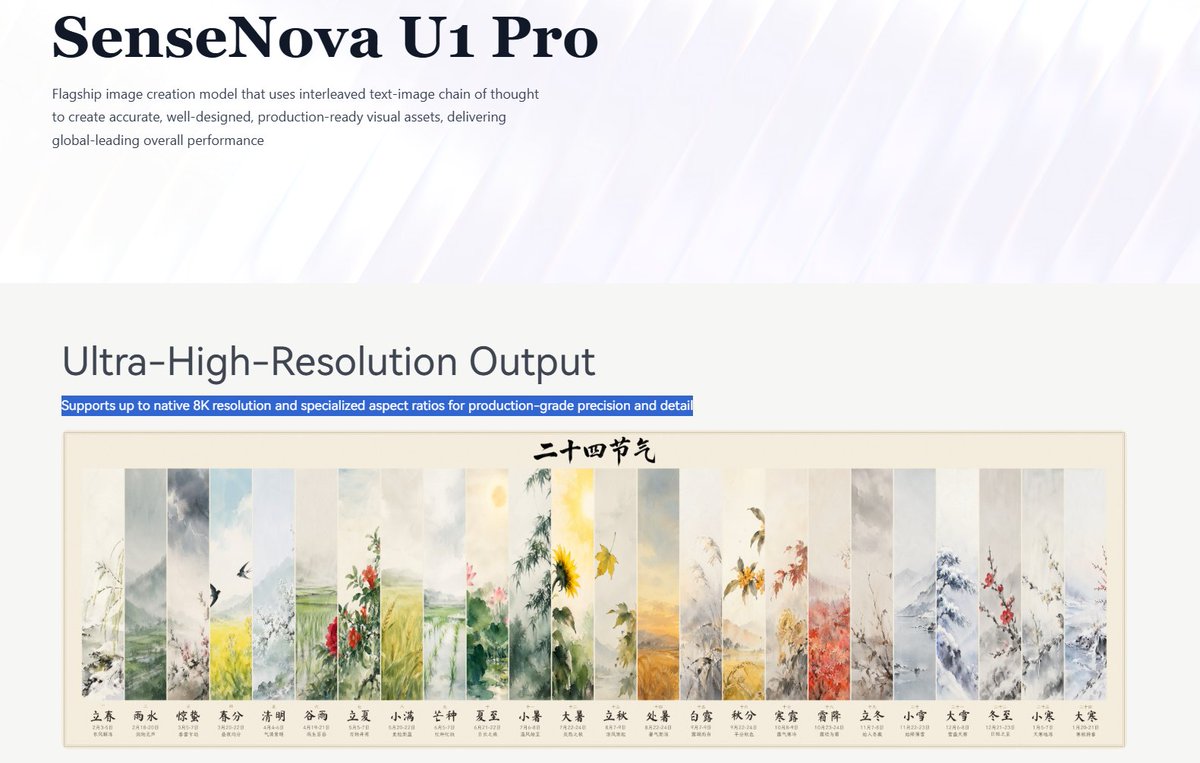
Goal: Create a clean landing-page screenshot for an AI image model announcement, styled like a polished corporate technology blog page.

Canvas: Wide 16:9 webpage capture, approximately 1200×675 px, with lots of white space. Use a pale white and lavender background with subtle diagonal glossy light streaks in the top hero area.

Layout: Top hero section occupies the upper third. Place a large dark navy serif headline at top left reading {argument name="product name" default="SenseNova U1 Pro"}. Under it, add a small gray sans-serif paragraph: {argument name="intro paragraph" default="Flagship image creation model that uses interleaved text-image chain of thought to create accurate, well-designed, production-ready visual assets, delivering global-leading overall performance"}. Leave the right side mostly empty with soft abstract light beams.

Main section: Below a horizontal transition into a light gray-white content area, place a large sans-serif heading on the left reading {argument name="section heading" default="Ultra-High-Resolution Output"}. Directly underneath, show one blue highlighted text strip like selected webpage text, reading {argument name="highlight sentence" default="Supports up to native 8K resolution and specialized aspect ratios for production-grade precision and detail"}.

Feature image: Beneath the highlighted strip, insert a centered framed horizontal artwork preview with a thin beige border and cream background. The artwork is a traditional Chinese watercolor calendar titled in black calligraphy at the top center: {argument name="calendar title" default="二十四节气"}. It contains exactly 24 tall vertical painted panels arranged left to right, each representing one Chinese solar term with delicate ink-and-watercolor landscapes, flowers, birds, fields, snow, and seasonal plants. Count and label the 24 panels at the bottom in Chinese, in this exact order: 1 立春, 2 雨水, 3 惊蛰, 4 春分, 5 清明, 6 谷雨, 7 立夏, 8 小满, 9 芒种, 10 夏至, 11 小暑, 12 大暑, 13 立秋, 14 处暑, 15 白露, 16 秋分, 17 寒露, 18 霜降, 19 立冬, 20 小雪, 21 大雪, 22 冬至, 23 小寒, 24 大寒. Add tiny date ranges under each label, but keep them small and secondary.

Visual style: Minimal modern web design, high-end AI product branding, crisp typography, large serif hero title, clean sans-serif body text, subdued gray text, navy accents, soft luminous abstract background, realistic screenshot-like composition.

Constraints: Preserve the exact visible text hierarchy and the 24-panel count. Do not add extra navigation bars, logos, buttons, people, browser chrome, watermarks, or unrelated interface elements.
Use this prompt in the VdoBloom image editor.
Opens the image editor with this prompt — add your own photo to generate.