Steampunk Card Motif Ensemble
Full prompt
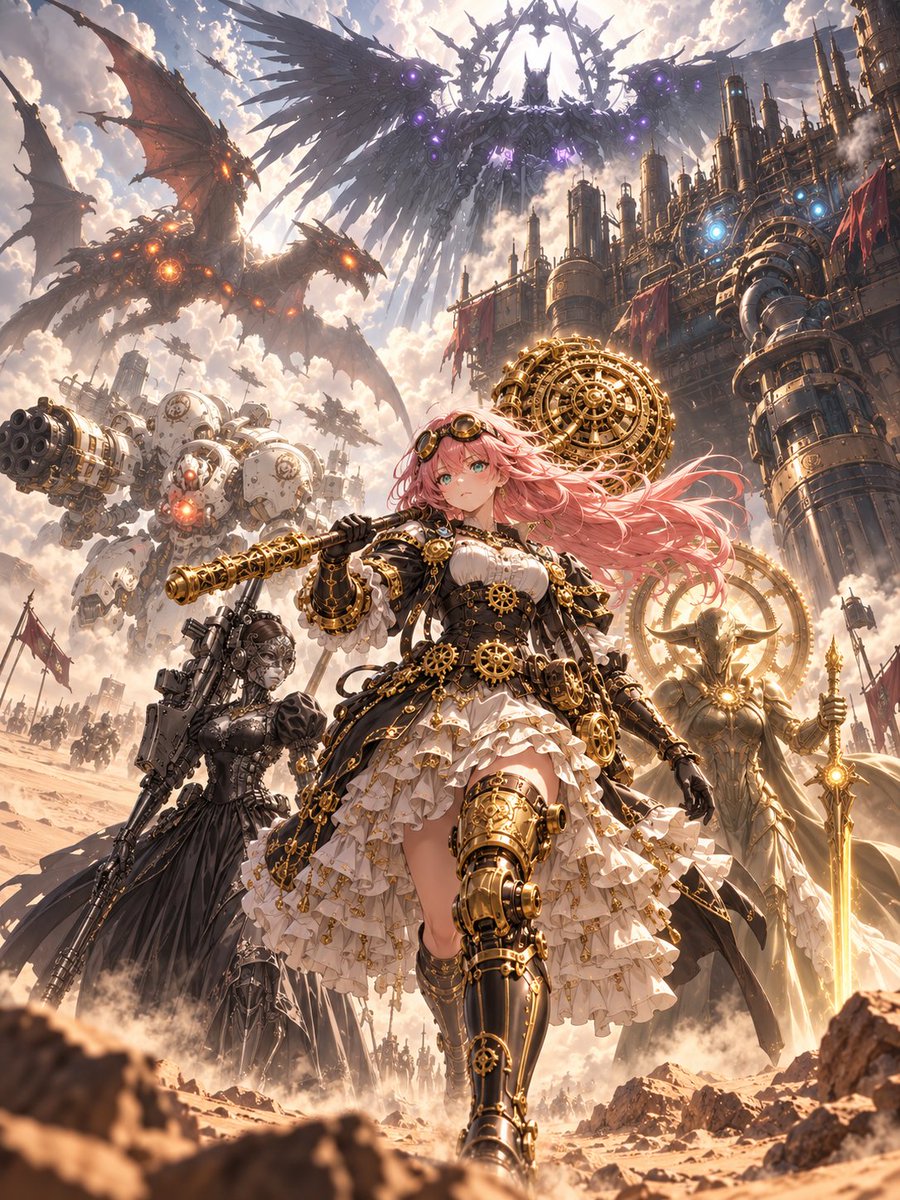
Using REFERENCE_0 as a set of design sources, create one grand vertical anime key visual that combines the motifs from all 7 visible reference cards into a single coherent steampunk-fantasy battlefield scene. Do not recreate the card layout, borders, stats, icons, or small UI text; instead, expand the card artwork into a full cinematic illustration.

Goal: Create an epic ensemble poster centered on {argument name="main character" default="a pink-haired steampunk anime heroine"}, walking forward confidently in the foreground with ornate brass-and-black mechanical armor, gears, goggles, a frilled dress, and a large clockwork weapon.

Reference integration: Incorporate exactly 7 major source-inspired elements from the reference image: 1) a huge dark winged mechanical angel in the sky with purple glowing cores, 2) a massive white artillery mech with a multi-barrel cannon, 3) a red-brown mechanical dragon with orange glowing cores, 4) a dark armored gothic warrior companion, 5) a radiant golden angelic knight with a spear and halo-like machinery, 6) a towering industrial fortress/city packed with pipes and chimneys, and 7) ornate golden clockwork machinery integrated around the heroine and battlefield.

Scene: Place everything in {argument name="setting" default="a dusty desert battlefield beside a towering steampunk industrial city"}, with armies and smaller flying machines in the distance, smoke, dust, banners, and dramatic scale.

Style: High-detail Japanese anime illustration, fantasy mecha, ornate brass clockwork, cinematic lighting, dramatic clouds, warm sunlight, intricate mechanical parts, dynamic depth, ultra-polished poster composition.

Composition: Vertical 3:4 aspect ratio, low-angle heroic perspective, main heroine large in the lower center, gigantic creatures and machines surrounding her above and behind, strong sense of motion and grandeur.

Constraints: No trading-card frames, no UI icons, no numbers, no readable text, no watermark. Keep the final image as one unified scene rather than separate panels.
Use this prompt in the VdoBloom image editor.
Opens the image editor with this prompt — add your own photo to generate.