Streetwear Fashion Identity Portrait
Full prompt
Use the uploaded image as the facial reference and preserve the exact facial identity with maximum accuracy. Maintain the same face structure, eye shape, eyebrows, nose, lips, jawline, skin tone, hairstyle characteristics, beard/facial hair details (if present), and all recognizable facial features from the reference image.

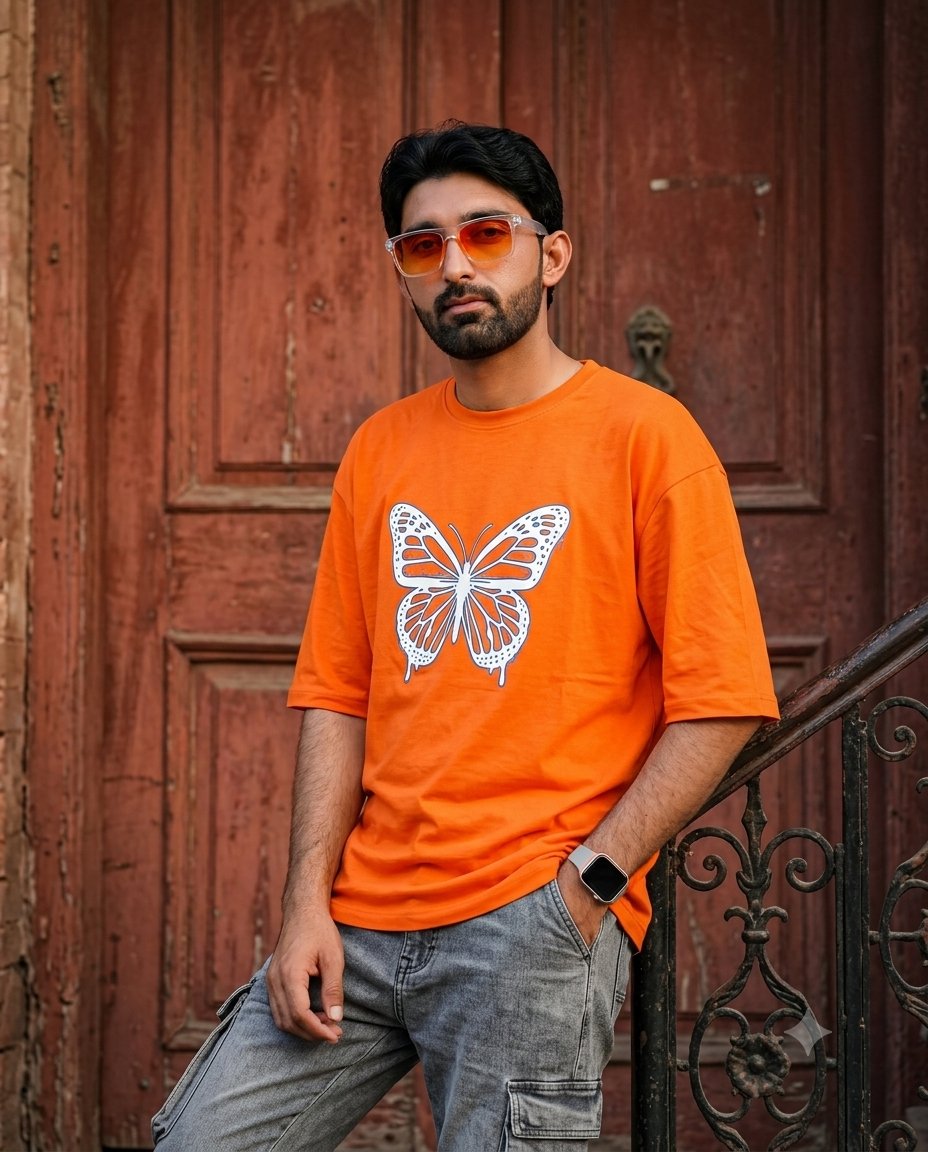
Ultra-realistic medium shot portrait of the same {argument name="person description" default="young South Asian man"} leaning casually against a dark, ornate wrought-iron railing with a confident expression and full attitude.

He is wearing an {argument name="clothing" default="oversized vibrant orange t-shirt featuring a large detailed white and blue butterfly graphic on the front"}, paired with stylish grey denim cargo pants and a modern smartwatch. His hairstyle is stylish and natural, with well-groomed masculine appearance. He is wearing orange gradient sunglasses with a white transparent frame.

BACKGROUND:
A {argument name="background" default="rustic textured reddish-brown wooden door"} behind him, vintage architectural details, realistic outdoor setting, cinematic atmosphere.

POSE & COMPOSITION:
Medium shot, relaxed confident pose, masculine fashion editorial style, casual streetwear look, natural body posture, premium fashion photography composition.

CAMERA & LIGHTING:
Shot on an 85mm lens, DSLR quality, shallow depth of field, warm cinematic lighting, soft natural daylight, realistic shadows, professional photography look.

STYLE:
Hyper-realistic, photorealistic, ultra detailed, 8K resolution, HDR, realistic skin texture, sharp focus, natural colors, luxury fashion magazine quality, cinematic depth, highly detailed fabric texture, realistic masculine features.

Aspect Ratio: 4:5 Vertical

Negative Prompt:
Low quality, blurry, cartoon, illustration, painting, fake face, different person, changed identity, distorted face, bad anatomy, extra fingers, extra limbs, deformed hands, unrealistic body, plastic skin, oversaturated colors, watermark, logo, text, noise, artifacts.
Use this prompt in the VdoBloom image editor.
Opens the image editor with this prompt — add your own photo to generate.